Introduction to the Equipment List for a New Digital Dental Lab 2026
Starting a modern dental lab or upgrading an existing facility requires a precise and well-planned equipment list for a new digital dental lab 2026. With advances in CAD/CAM technology, digital scanners, 3D printing, and milling machines, dental labs and DSOs can drastically improve efficiency, accuracy, and product quality. This guide delves into the essential equipment categories, workflow impacts, and decision criteria to help you build a scalable and future-ready digital dental lab.
What Core Technologies Define the Equipment List for a New Digital Dental Lab 2026?
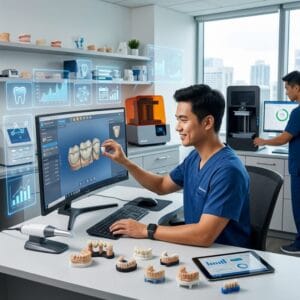
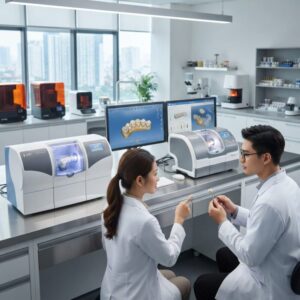
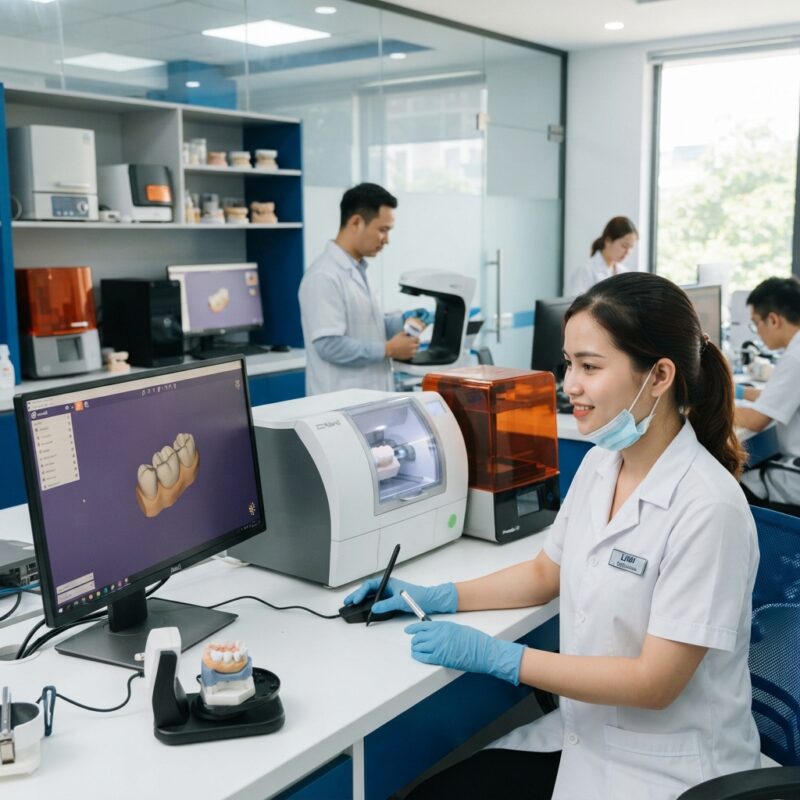
The core technologies shaping the equipment list for a new digital dental lab 2026 include intraoral and desktop scanners, CAD software, milling machines, and 3D printers. These tools form the backbone of digital workflows for fabricating crowns, bridges, implants, surgical guides, dentures, orthodontic aligners, and night guards.
Intraoral scanners capture precise patient anatomy, while desktop scanners digitize physical impressions or models. CAD software such as 3Shape or exocad enables detailed design work. Milling machines and 3D printers convert digital designs into physical restorations or appliances with high accuracy. Labs and DSOs must assess their production volume, case mix, and budget to select optimal equipment.
Which CAD Software Should You Include in Your Equipment List for a New Digital Dental Lab 2026?
Choosing the right CAD software is crucial to the success of your digital lab’s design capabilities.
Leading dental CAD platforms like 3Shape Dental System and exocad DentalCAD offer robust tools for designing crowns, bridges, implant abutments, and orthodontic appliances. These software suites support open architecture, allowing compatibility with various scanners and milling machines, which is essential for flexible lab workflows. They also include specialized modules for surgical guides and denture design.
- Best for: Labs requiring comprehensive design functionality, DSOs managing multiple case types.
- Strengths: Intuitive interfaces, frequent updates, broad device compatibility.
- Limitations: Subscription costs, learning curve for advanced features.
What Types of Scanners Are Essential in the Equipment List for a New Digital Dental Lab 2026?
High-quality scanning devices are indispensable for capturing accurate digital impressions and models.
Two main scanner types are used in digital dental labs: intraoral scanners and laboratory desktop scanners. Intraoral scanners like those from iTero enable direct digital impression taking in clinics and DSOs, improving turnaround times. Desktop scanners digitize plaster models or impressions, essential for labs receiving physical cases.
- Best for: Intraoral scanners suit clinics and DSOs; desktop scanners fit labs handling physical impressions.
- Strengths: High-resolution capture, color scanning options, easy integration.
- Limitations: Costly initial investment, maintenance needs.
How Do Milling Machines Fit into the Equipment List for a New Digital Dental Lab 2026?
Milling machines are vital for producing durable, precise restorations from blocks of zirconia, PMMA, or composite materials.
When selecting a milling machine, labs and DSOs should consider the number of axes (4-axis vs. 5-axis), milling speed, supported materials, and tool change automation. Popular brands include Amann Girrbach and Dentsply Sirona. High-volume labs may prioritize fast, multi-unit milling capabilities, while smaller labs might opt for compact, versatile units.
- Best for: High-volume crown and bridge production, implant abutment milling.
- Strengths: Precision, material versatility, automation features.
- Limitations: High upfront costs, space requirements.
What Role Do 3D Printers Play in a New Digital Dental Lab Setup?
3D printers have become indispensable components of the equipment list for a new digital dental lab 2026, enabling rapid prototyping and production of surgical guides, dentures, orthodontic aligners, and night guards.
Resin-based 3D printers, such as those from Formlabs and Asiga, offer high resolution and fine detail essential for clinical applications. Labs should evaluate build volume, print speed, material compatibility, and post-processing requirements to select the right printer model.
- Best for: Labs and DSOs producing surgical guides, clear aligners, and denture try-ins.
- Strengths: Speed, precision, ability to print complex geometries.
- Limitations: Resin cost, post-curing equipment needs.
How to Choose Between Purchasing and Outsourcing CAD/CAM Design?
Deciding whether to build in-house CAD/CAM design capacity or outsource is a key consideration when assembling your equipment list for a new digital dental lab 2026.
Outsourcing digital design services allows labs or DSOs to operate milling or printing equipment without hiring full-time designers, reducing labor costs and accelerating case turnaround. Outsourced CAD design providers typically offer expertise across multiple case types including crowns, implants, and orthodontics.
- Best for: Labs or DSOs with fluctuating design volumes, or limited in-house expertise.
- Strengths: Cost savings, access to expert designers, scalability.
- Limitations: Dependence on external turnaround times, less direct control.
What Are the Total Cost of Ownership Considerations for This Equipment List?
The equipment list for a new digital dental lab 2026 should be evaluated not only on purchase price but also on total cost of ownership (TCO), including maintenance, consumables, software licenses, and training.
For example, milling machines may have high upfront costs but lower per-unit production expenses, whereas 3D printers have ongoing resin and maintenance costs. Software subscriptions can scale with the number of licenses and modules needed. Labs should budget for periodic upgrades and technical support to maintain workflow efficiency.
Comparison Table: Equipment Categories for a New Digital Dental Lab 2026
| Equipment Type | Best For | Strengths | Limitations | Indicative Cost Range |
|---|---|---|---|---|
| CAD Software | Comprehensive design needs, DSOs | Flexible, updated, multi-case capability | Subscription fees, training curve | $5,000–$20,000/year |
| Intraoral Scanner | Clinics, DSOs for direct impressions | High accuracy, faster turnaround | High initial cost, operator skill | $25,000–$50,000 |
| Desktop Scanner | Lab digitization of models/impressions | High precision, color scans | Requires physical models, space | $15,000–$40,000 |
| Milling Machine | High-volume crown/bridge milling | Precision, material versatility | Costly, space and maintenance | $75,000–$150,000+ |
| 3D Printer | Surgical guides, aligners, dentures | Rapid prototyping, detail | Material costs, post-processing | $10,000–$70,000 |
What Are the Workflow Impacts of the Equipment List for a New Digital Dental Lab 2026?
Integrating digital equipment transforms traditional dental lab workflows into streamlined, automated processes. Digital scanning eliminates physical impression errors and speeds case acceptance. CAD software enables precise, repeatable designs that can be modified quickly. Milling and printing machines reduce manual labor and increase throughput.
However, adopting this equipment requires staff training, updated quality control protocols, and IT infrastructure for data management. Labs and DSOs often see improved turnaround times and product consistency, critical factors in today’s competitive dental market.
Do You Need Design Capacity for Your New Equipment?
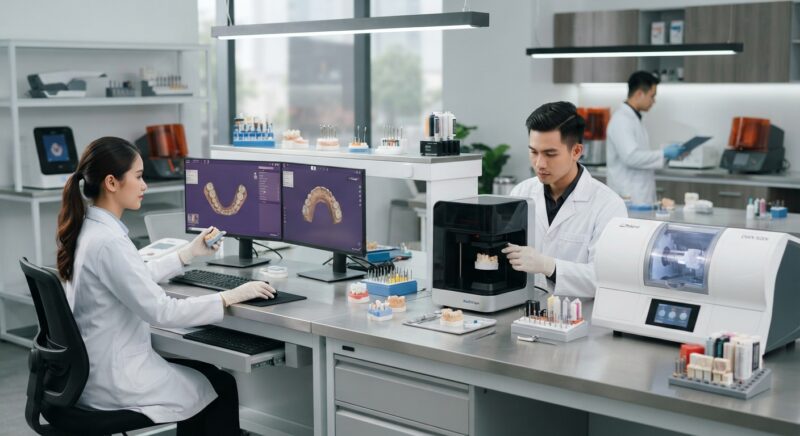
Outsourced CAD/CAM design services allow dental labs and DSOs to maximize their milling and printing equipment utilization without the overhead of in-house design staff. By partnering with a trusted digital design outsourcing provider, you can access expert designers skilled in crowns, bridges, implants, surgical guides, dentures, orthodontic aligners, and night guards. This model reduces your labor costs and accelerates case delivery, letting you focus on production and client satisfaction.
Consider integrating our specialized CAD design outsourcing service to complement your new equipment and optimize your digital dental lab workflows.
How Does the Equipment List for a New Digital Dental Lab 2026 Support Various Case Types?
The equipment list is designed to accommodate a wide range of dental restorations and appliances, ensuring comprehensive service offerings for labs and DSOs. For crown and bridge cases, high-precision milling machines paired with detailed CAD software guarantee accurate fit and aesthetics. Implant cases benefit from digital implant planning software integrated with surgical guide 3D printing capabilities, enhancing clinical outcomes.
Denture workflows are increasingly digital, with CAD software specialized for denture base and tooth setup design, coupled with 3D printing for try-ins and final prostheses. Orthodontic aligner production relies heavily on in-house or outsourced CAD design and high-resolution 3D printing for model fabrication. Night guards and occlusal splints also leverage these technologies for custom fit and durability.
What Are the Space and Infrastructure Requirements for This Equipment List?
Setting up a new digital dental lab requires careful planning of physical space and infrastructure to accommodate equipment and workflow. Milling machines and 3D printers need stable, dust-free environments with controlled temperature and humidity. Adequate ventilation is necessary, especially for resin-based 3D printing, to handle fumes safely.
Power supply considerations include stable voltage and surge protection. Workstations for CAD design require high-performance computers with graphics capabilities. Data storage and backup solutions are essential to securely manage digital case files and software licenses. Planning for ergonomic workspaces will improve technician productivity and comfort.
How Does the Equipment List for a New Digital Dental Lab 2026 Integrate with Outsourcing and Digital Workflows?
The equipment list supports seamless integration with digital dental lab outsourcing, enabling hybrid workflows that combine in-house milling and printing with external CAD design or finishing services. Cloud-based CAD software and file transfer protocols facilitate collaboration between labs, clinics, and outsourced design teams.
This connectivity reduces turnaround times, improves case tracking, and enables flexible capacity management. For example, a lab may produce standard crowns internally while outsourcing complex implant cases or surgical guides to specialized designers. This approach optimizes resource allocation and mitigates risks associated with fluctuating case volumes.
Integrating your equipment with trusted platforms such as Dentsply Sirona or Straumann can enhance compatibility and streamline ordering processes.
Conclusion
Crafting the perfect equipment list for a new digital dental lab 2026 requires balancing technology capabilities, production needs, budget constraints, and workflow optimization. By selecting the right CAD software, scanners, milling machines, and 3D printers, your lab or DSO can deliver high-quality restorations and appliances efficiently. Incorporating outsourced design services provides flexibility and cost savings, especially for smaller setups or fluctuating demand.
Practical Step-by-Step Guide to Setting Up Your Digital Dental Lab Equipment
Launching a digital dental lab involves more than just purchasing the latest equipment. A strategic, phased approach ensures optimal integration, minimal downtime, and maximized return on investment. Below is a detailed step-by-step guide to establishing your digital dental lab equipment setup in 2026.
Step 1: Assess Your Lab’s Clinical and Production Needs
- Case Volume Analysis: Review historical case volumes and types to determine equipment capacity requirements.
- Material Preferences: Identify materials you plan to work with (zirconia, PMMA, metals, resins) to select compatible machines.
- Skill Assessment: Evaluate your team’s CAD/CAM expertise to identify training needs or outsourcing opportunities.
Step 2: Map Your Workflow and Identify Key Touchpoints
- Digital Impression Receipt: Define how you will receive intraoral scans (direct from practices or via file transfers).
- Design and Fabrication Sequence: Plan the sequence from CAD design to CAM milling/printing and finishing.
- Quality Control Steps: Incorporate inspection points and validation stages within the workflow.
Step 3: Select and Prioritize Equipment Based on ROI and Compatibility
- Evaluate the cost-benefit ratio of equipment, balancing purchase price, operating costs, and expected lifespan.
- Ensure software and hardware compatibility to avoid integration issues.
- Consider modular equipment options that allow scaling up as your lab grows.
Step 4: Plan Infrastructure and Space Allocation
- Design the physical layout for efficient material flow, minimizing cross-contamination and bottlenecks.
- Assess electrical, ventilation, and network requirements for each piece of equipment.
- Ensure ergonomic workstations to reduce operator fatigue and improve precision.
Step 5: Implement Training and Quality Assurance Protocols
- Schedule comprehensive training sessions for staff on new digital tools.
- Develop standardized operating procedures (SOPs) for each equipment and process.
- Set up routine maintenance and calibration schedules to maintain equipment accuracy.
Step 6: Monitor Performance and Iterate
- Track key performance indicators such as turnaround times, scrap rates, and client satisfaction.
- Gather feedback from technicians and dentists to identify workflow pain points.
- Adjust equipment use, upgrade software, or refine processes based on data-driven insights.
Common Mistakes to Avoid When Equipping a Digital Dental Lab
While digital dental labs offer transformative benefits, many new setups falter due to avoidable errors. Understanding these pitfalls can save time, money, and frustration.
Overinvesting in High-End Equipment Without Proven Demand
Many labs purchase top-tier milling machines or 3D printers assuming they will instantly attract more business. However, without sufficient case volume or trained operators, this results in underutilized assets. Start with versatile, mid-range equipment and scale as demand grows.
Neglecting Software-Hardware Compatibility
Investing in separate CAD software and hardware without verifying seamless integration can lead to workflow disruptions and data loss. Always confirm vendor compatibility and request trial runs before committing.
Ignoring Material and Consumable Costs
Focusing solely on equipment purchase price can be misleading. Consumables like milling burs, resins, and sintering materials often represent significant ongoing expenses. Calculate total cost of ownership including these factors.
Skipping Staff Training or Underestimating Its Importance
Advanced digital equipment requires specialized skills. Overlooking proper training leads to inefficient use, higher error rates, and increased rework. Invest in training programs early and consider certification for staff.
Overlooking Maintenance and Calibration Needs
Failure to maintain equipment regularly causes accuracy drift, breakdowns, and costly repairs. Establish a preventive maintenance schedule and document each service event diligently.
Failing to Plan for Workflow Integration
Introducing digital equipment without re-engineering lab workflows can create bottlenecks. Assess the entire production chain and redesign processes to leverage digital efficiencies fully.
Checklist for Evaluating Digital Dental Lab Equipment Purchases
Use this checklist to objectively evaluate prospective equipment, ensuring it meets your lab’s specific requirements and future growth plans.
- Technical Specifications: Does the equipment support the materials and case types you fabricate?
- Compatibility: Is it compatible with your chosen CAD software and output formats?
- Capacity: Can it handle your projected daily case volume efficiently?
- Footprint: Does it fit within your available lab space without overcrowding?
- Ease of Use: Is the user interface intuitive and supported by comprehensive training?
- Maintenance: What are the recommended maintenance intervals and are service contracts available?
- Consumables: What are the costs and availability of consumables and replacement parts?
- Upgradability: Can firmware or software be updated to keep pace with technological advances?
- Vendor Support: Is customer support responsive and knowledgeable?
- Warranty and Service: What warranty terms are offered and is onsite service available?
- Return on Investment: What is the expected payback period based on your lab’s production metrics?
Market-Specific Considerations for Dental Labs and Practices in 2026
Understanding regional and market-specific factors can help tailor your digital dental lab equipment list for maximum relevance and profitability.
Regulatory Compliance and Certification Requirements
Different countries and regions impose varying regulations on dental devices and materials. For example, CE marking is mandatory in Europe, while FDA clearance is required in the US. Ensure your equipment and materials meet local compliance standards to avoid legal issues and delays.
Material Availability and Supplier Networks
Some regions have limited access to specific dental materials or require importing them at higher costs. Choose equipment compatible with readily available materials locally to reduce supply chain risks and costs.
Local Client Demands and Case Mix
The types of dental restorations in demand can vary significantly by market. For instance, in some regions, aesthetic anterior restorations dominate, while others see higher volumes of implant-supported prosthetics. Align your equipment capabilities accordingly.
Labor Market and Skill Availability
Availability of qualified CAD/CAM technicians varies globally. In markets with limited skilled labor, investing in more automated and user-friendly equipment helps compensate for skill gaps.
Cost Sensitivity and Pricing Models
In highly price-competitive markets, controlling operational costs is critical. Opt for equipment with lower operating expenses and consider leasing options to preserve cash flow.
Integration with Local Dental Practices and DSOs
Many labs partner with dental service organizations (DSOs) or large dental practices that may have specific digital workflow preferences or existing equipment. Ensuring your equipment and software integrate smoothly with their systems can strengthen partnerships and increase case volume.
For expert guidance tailored to your specific lab or practice needs, contact us today to discuss how our digital dental lab CAD/CAM design outsourcing service can complement your new equipment and accelerate your digital transformation.