Introduction to the Dental Lab Desktop Scanner Buying Guide 2026
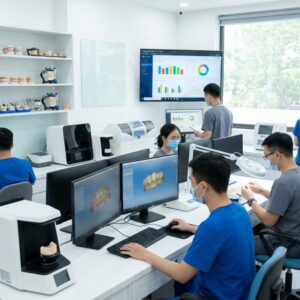
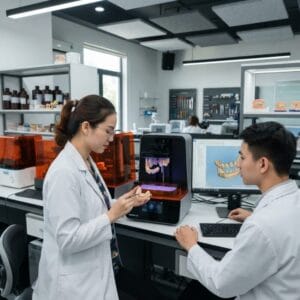
The dental lab desktop scanner has become a cornerstone technology for labs, dental service organizations (DSOs), and practices aiming to optimize crown & bridge, implant, surgical guide, denture, orthodontic aligner, and night guard workflows. This dental lab desktop scanner buying guide 2026 delivers an in-depth look at the key considerations, scanner types, pricing, and workflow impacts that will guide you in selecting the ideal desktop scanner for your digital dental lab setup.
With the digital transformation accelerating, investing wisely in desktop scanning equipment now ensures competitive advantage, accuracy, and scalability for your lab or DSO. This guide integrates practical details, manufacturer insights, and market trends to empower your decision-making process.
What is a Dental Lab Desktop Scanner and Why Is It Essential?
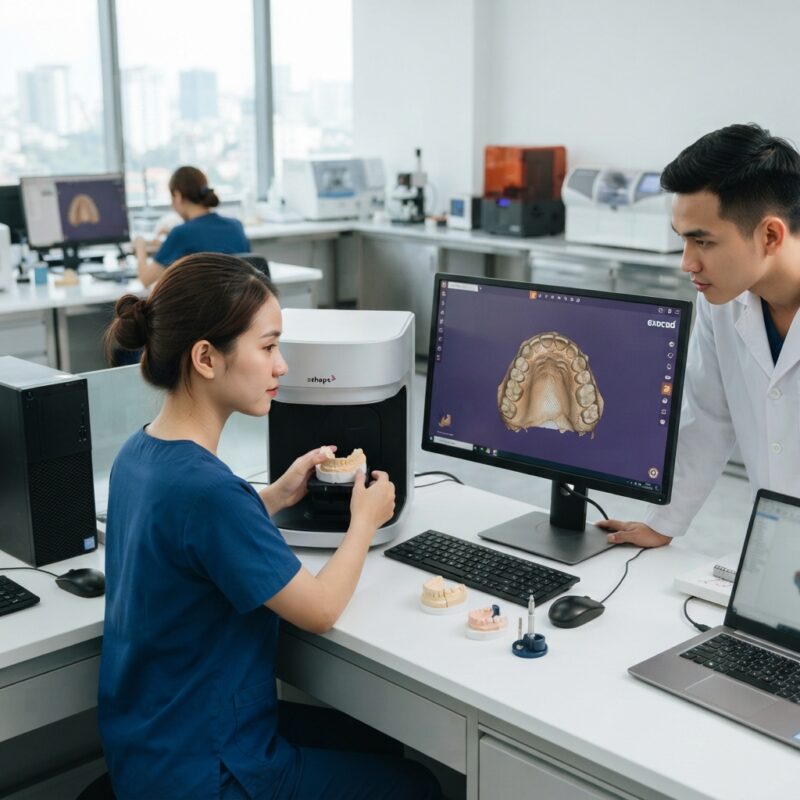
A dental lab desktop scanner is a high-precision device that digitizes physical dental impressions, models, or prosthetics into detailed 3D digital files used in CAD/CAM workflows.
These scanners enable dental labs and DSOs to efficiently design and produce restorations such as crowns, bridges, implants, dentures, and orthodontic appliances with greater accuracy and reduced turnaround time compared to traditional analog methods. They are essential for integrating digital workflows that improve communication between clinicians and labs and reduce remakes and adjustments.
What Are the Main Types of Dental Lab Desktop Scanners?
The dental lab desktop scanner buying guide 2026 identifies three predominant scanner categories used in dental labs:
- Laser Triangulation Scanners: Utilize laser light to measure surface geometry with high accuracy.
- Structured Light Scanners: Project patterned light onto the object and capture deformation to create 3D models.
- Confocal Microscopy Scanners: Capture images at various depths for highly detailed scans, often used for smaller prosthetics.
Each type offers unique strengths and limitations. Understanding these helps labs and DSOs match scanner technology to their specific production needs and budget constraints.
Key Features to Evaluate in a Dental Lab Desktop Scanner
When reviewing options, the dental lab desktop scanner buying guide 2026 emphasizes these critical features:
- Accuracy and Resolution: Essential for producing precise restorations, typically under 10 microns deviation for high-end scanners.
- Scan Speed: Faster scanning reduces workflow bottlenecks, especially in high-volume environments.
- Compatibility: Ensure the scanner supports industry-standard file formats like STL and integrates smoothly with your CAD software (e.g., exocad, 3Shape).
- Ease of Use: User-friendly interfaces and automated calibration reduce training time and operator error.
- Size and Footprint: Consider lab space constraints; compact scanners fit smaller labs and single practices better.
- Material Compatibility: Ability to scan various materials such as stone models, impressions, or 3D printed resins.
How Do Different Dental Lab Desktop Scanners Fit Various Lab Sizes and DSOs?
Dental lab desktop scanners vary in suitability depending on the size and workflow complexity of your operation.
- High-Volume Labs and DSOs: Benefit from scanners with ultra-fast scan speeds, large batch processing capabilities, and robust integration with automated CAD/CAM production lines.
- Small Labs and Single-Dentist Practices: Typically require compact, affordable scanners with sufficient accuracy for crown & bridge and limited orthodontic work, prioritizing ease of use.
- Specialized Labs (e.g., Implantology, Orthodontics): May demand scanners with enhanced precision and material versatility for surgical guides, aligners, or dentures.
Matching scanner capabilities to your lab’s throughput and case complexity ensures optimized return on investment and workflow efficiency.
Comparison Table: Dental Lab Desktop Scanner Options by Category
| Category | Best For | Strengths | Limitations | Typical Price Range (USD) |
|---|---|---|---|---|
| Laser Triangulation | High-accuracy crown & bridge, implants | Excellent detail, reliable for complex geometries | Moderate to large footprint, requires clean environment | $25,000 – $50,000 |
| Structured Light | General purpose, high-speed scanning | Fast scans, good accuracy, versatile materials | Potential sensitivity to ambient light | $20,000 – $45,000 |
| Confocal Microscopy | Small prosthetics, intricate orthodontic work | High resolution, depth scanning | Slower scanning, higher cost per unit | $30,000 – $60,000 |
| Entry-Level Compact | Small labs, single practices | Affordable, easy setup, space-saving | Lower scan speed and accuracy | $10,000 – $20,000 |
What Are the Total Cost of Ownership Considerations for Dental Lab Scanners?
Total cost of ownership (TCO) extends beyond initial purchase price and includes maintenance, software licenses, training, calibration, and potential downtime.
In the dental lab desktop scanner buying guide 2026, labs and DSOs should evaluate:
- Software Updates and Licenses: Many scanners require periodic CAD software updates or additional modules, impacting ongoing costs.
- Maintenance and Repairs: Warranty coverage and availability of local service technicians affect long-term reliability and cost.
- Consumables and Accessories: Calibration tools, scanning sprays (if needed), and replacement parts add to expenses.
- Training and Workflow Integration: Time and cost to train staff and integrate the scanner into production workflows.
Calculating TCO helps avoid surprises and ensures the scanner investment aligns with lab budgets and production goals.
How Does a Dental Lab Desktop Scanner Impact Workflow Efficiency?
Integrating a desktop scanner transforms traditional dental lab workflows by digitizing physical models and impressions, enabling faster turnaround times and higher precision.
Scanners reduce manual labor, minimize errors from impression handling, and facilitate seamless communication with clinicians through digital file sharing. For DSOs managing multiple clinics, the ability to centralize digital scans expedites case management and quality control.
This guide highlights that scanners with automated features such as batch scanning, automatic cropping, and intuitive interfaces optimize operator time and throughput.
Furthermore, compatibility with CAD design software and milling or printing equipment ensures a streamlined end-to-end digital workflow, reducing remakes and increasing patient satisfaction.
What Should You Look for in Software Compatibility with Dental Lab Desktop Scanners?
Software compatibility is vital to leverage the full benefits of a dental lab desktop scanner.
The dental lab desktop scanner buying guide 2026 stresses the importance of:
- Open File Formats: Support for STL, PLY, OBJ files ensures interoperability with leading CAD design platforms like exocad and 3Shape.
- Workflow Integration: Seamless data transfer between scanning, design, and manufacturing reduces manual steps and error potential.
- Software Features: Advanced scanning software offering automatic mesh repair, color scanning, and user-friendly interfaces enhances productivity.
Checking manufacturer software support and update frequency is essential before finalizing a purchase decision.
Which Brands Are Leading the Dental Lab Desktop Scanner Market in 2026?
Several manufacturers dominate the dental desktop scanner market, known for reliability and innovation:
- 3Shape: Known for high accuracy and software integration, suitable for high-volume labs.
- Medit: Offers competitive pricing with reliable performance, popular among small to mid-size labs.
- Dentsply Sirona: Provides scanners optimized for implant and restorative workflows.
- Formlabs: Primarily known for 3D printing but also offers scanning solutions complementing digital labs.
- Roland DG: Combines scanning with milling and printing solutions for complete lab workflows.
Choosing a brand should consider after-sales service availability in your region and compatibility with your existing digital ecosystem.

How Do You Decide Between Investing in a Dental Lab Desktop Scanner or Outsourcing Scanning Services?
Deciding whether to invest in a dental lab desktop scanner or outsource scanning depends on your lab’s volume, budget, and expertise.
Purchasing a scanner offers control over quality, faster turnaround, and potential cost savings with high case volumes, but requires upfront capital and trained operators.
Outsourcing scanning can reduce capital expenditure and training needs but may increase turnaround times and dependency on external vendors.
Many labs combine both approaches, using in-house scanners for standard cases and outsourcing complex or overflow work, especially with services offering advanced CAD/CAM digital design outsourcing.
What Are the Latest Technological Trends in Dental Lab Desktop Scanning for 2026?
Emerging trends transforming dental desktop scanners include:
- AI-Powered Scan Processing: Automated detection and correction of scan errors improve accuracy and reduce operator intervention.
- Cloud-Based Workflow Integration: Enables remote collaboration, data backup, and faster case sharing between labs and clinics.
- Multi-Material Scanning: Enhanced ability to scan diverse materials, including translucent and flexible resins used in aligners and night guards.
- Compact and Portable Designs: Smaller footprints and mobile scanners allow flexible lab layouts and point-of-care scanning.
Staying updated on these trends ensures your investment remains relevant and competitive.
Dental Lab Desktop Scanner Buying Guide 2026: Summary and Recommendations
In summary, this dental lab desktop scanner buying guide 2026 reveals that selecting the right scanner depends on balancing accuracy, speed, software compatibility, cost, and lab workflow needs.
High-volume labs and DSOs prioritize speed and integration, while smaller labs focus on affordability and ease of use. Evaluating total cost of ownership and after-sales support is critical.
Consider the following when making your decision:
- Define your lab’s production volume and prosthetic types.
- Assess compatibility with your existing CAD/CAM ecosystem.
- Review maintenance and training requirements.
- Test scanner software interfaces where possible.
Engaging with trusted manufacturers and considering hybrid workflows that include outsourced CAD/CAM design can optimize your digital transformation.
Do you need design capacity for your new equipment?
Many dental labs and DSOs invest in desktop scanners but hesitate to hire full-time CAD designers. Outsourced digital design services provide expert CAD/CAM support, enabling you to run your milling or printing equipment efficiently without expanding your internal team. This approach maximizes your scanner’s value and accelerates case turnaround times while maintaining high-quality restorations. Consider integrating outsourced design alongside your scanner purchase to streamline workflows and reduce overhead.
Contact Us to Optimize Your Digital Dental Lab Workflow
Step-by-Step Implementation Guide for Integrating a Dental Lab Desktop Scanner
Investing in a dental lab desktop scanner is only the first step. Successful integration into your existing workflow requires careful planning and execution. Below is a practical, step-by-step guide to ensure smooth adoption and maximize the benefits of your new scanner.
Step 1: Assess Current Workflow and Identify Pain Points
- Map existing processes: Document every step from impression receipt to final restoration delivery to identify bottlenecks or inefficiencies.
- Gather team input: Engage technicians, lab managers, and clinicians to understand challenges and expectations.
- Define goals: Set clear objectives such as reducing turnaround time, improving scan accuracy, or cutting outsourcing costs.
Step 2: Select the Right Scanner Based on Workflow Needs
- Match scanner capabilities to identified needs (e.g., speed for high-volume labs, precision for complex cases).
- Consider software compatibility with existing CAD/CAM platforms to avoid integration issues.
- Review vendor support services and training options.
Step 3: Plan the Physical Setup and Infrastructure
- Allocate dedicated space with stable lighting and minimal vibrations.
- Ensure appropriate computer hardware specifications and network connectivity for seamless data transfer.
- Set up backup power supply if needed to prevent data loss during scanning.
Step 4: Conduct Staff Training and Develop Standard Operating Procedures (SOPs)
- Organize hands-on training sessions with vendor specialists.
- Create detailed SOPs covering scanner operation, maintenance, calibration, and troubleshooting.
- Establish quality control checkpoints to verify scan accuracy regularly.
Step 5: Pilot and Optimize Workflow
- Run pilot cases with selected types of restorations to test scanner performance.
- Collect feedback from technicians and clinicians on usability and output quality.
- Adjust protocols and workflows to address any challenges encountered.
Step 6: Full Deployment and Continuous Improvement
- Roll out scanner use across all appropriate cases.
- Monitor key performance indicators such as turnaround time, error rates, and cost savings.
- Schedule periodic reviews to update training and incorporate software or hardware upgrades.
Common Mistakes to Avoid When Purchasing and Using Dental Lab Desktop Scanners
Despite the clear advantages, many dental labs and practices encounter pitfalls that can reduce scanner ROI. Avoid these common mistakes to ensure your investment pays off.
1. Prioritizing Price Over Total Cost of Ownership
Choosing the cheapest scanner upfront can lead to hidden expenses such as frequent repairs, costly software subscriptions, or incompatibility with existing CAD systems. Always consider service contracts, consumables, software updates, and training costs.
2. Neglecting Software Ecosystem Compatibility
Failing to verify whether the scanner’s output files integrate seamlessly with your CAD/CAM software can cause delays or require additional conversion steps, reducing efficiency.
3. Overlooking Real-World Throughput Needs
Relying solely on manufacturer-stated scan speeds without factoring in actual lab workload and complexity can result in scanners that can’t keep up during peak demand.
4. Ignoring Operator Training and Change Management
Underestimating the learning curve for new technology can lead to improper use, errors, and frustration. Plan comprehensive training and allow time for staff to adapt.
5. Skipping Routine Calibration and Maintenance
Irregular calibration or neglecting maintenance schedules can degrade scan accuracy and shorten scanner lifespan.
6. Failing to Involve All Stakeholders Early
Not consulting technicians, clinicians, and IT staff before purchase can result in selecting a scanner misaligned with practical needs or infrastructure limitations.
7. Overlooking Data Security and Backup Protocols
Digital workflows increase vulnerability to data loss or breaches. Establish robust data management and backup strategies from the outset.
Cost vs. Quality Considerations: Balancing Investment and Output
Choosing a dental lab desktop scanner involves balancing budget constraints with the need for precision and reliability. Understanding cost and quality trade-offs is critical to making an informed decision.
Initial Investment vs. Long-Term Savings
High-end scanners often come with premium price tags but offer greater accuracy, faster scanning speeds, and seamless software integration. These features can reduce remakes and labor costs, delivering significant savings over time.
Consumables and Maintenance Costs
Some scanners require proprietary consumables such as powder sprays or cleaning kits. Factor these recurring costs into your budget. Additionally, evaluate the frequency and cost of calibration and preventive maintenance services.
Impact of Scan Accuracy on Restoration Quality
Higher accuracy scanners reduce the likelihood of ill-fitting prosthetics, decreasing chairside adjustments and patient dissatisfaction. This quality improvement can justify a higher initial cost, especially for labs focusing on premium restorations like implant cases or complex prosthetics.
Throughput and Turnaround Time
For labs with high case volumes, scanner speed directly influences capacity and revenue. Investing in faster scanners may increase upfront cost but allows handling more cases without hiring additional technicians.
Software Licensing Models
Some scanner manufacturers bundle scanning software with perpetual licenses, while others use subscription models. Subscription fees can add up but often include regular updates and cloud-based features.
Example Cost Breakdown for a Mid-Sized Lab
- Scanner purchase: $45,000
- Software license (annual): $5,000
- Training and installation: $3,000
- Consumables per year: $2,000
- Maintenance contract (annual): $4,000
- Estimated cost savings from reduced outsourcing and remakes: $15,000/year
This example shows that while initial costs may be significant, operational savings and quality improvements can offset expenses within 2-3 years.
Market-Specific Insights: Tailoring Scanner Selection to Regional Dental Lab Environments
Dental labs and practices operate within diverse regulatory, economic, and technological contexts worldwide. Understanding local market specifics can influence scanner selection and implementation strategies.
Regulatory and Certification Requirements
Some countries require scanners or associated software to comply with specific medical device regulations or undergo certification. For example, European labs must ensure scanners meet CE marking standards, while US labs look for FDA clearance. Confirm compliance to avoid legal or reimbursement issues.
Availability of Technical Support and Service
Access to responsive local technical support can dramatically reduce downtime. In regions with limited vendor presence, labs may need to prioritize scanners from manufacturers with established service networks or consider remote diagnostics capabilities.
Connectivity and Integration with Regional CAD/CAM Systems
Market preferences for certain CAD/CAM platforms vary by region, affecting scanner compatibility. For example, some European markets heavily use exocad software, while North American labs may prefer 3Shape or Dental Wings. Ensure your scanner integrates smoothly with prevalent software in your area.
Cost Sensitivity and Financing Options
In price-sensitive markets, labs often look for mid-tier scanners with solid performance at affordable prices. Financing plans, leasing options, or trade-in programs offered by vendors can help labs access better equipment without upfront capital strain.
Case Study: A Dental Lab in Southeast Asia
A mid-sized lab in Singapore recently upgraded to a desktop scanner optimized for implant and crown workflows. The lab emphasized:
- Local vendor support with quick on-site service.
- Integration with CAD software popular in the region.
- Scanner models with multilingual software interfaces.
- Training programs tailored to local technicians’ skill levels.
This approach minimized downtime and accelerated adoption, allowing the lab to expand its digital offerings while maintaining quality.
Adapting to Emerging Markets
In emerging markets, infrastructure challenges such as inconsistent power supply or limited internet bandwidth may impact scanner performance and software updates. Choosing scanners with offline capabilities and robust hardware can mitigate these issues.
Environmental Considerations
Climate and workspace conditions also matter. For example, high humidity labs may need scanners with sealed components or specific maintenance routines to prevent damage.
Ready to select the perfect dental lab desktop scanner for your practice or lab? Contact us today to learn how our CAD/CAM digital design outsourcing services can complement your new equipment and enhance productivity.