Introduction: The Digital Transformation of Dental Case Routing
The dental laboratory industry is undergoing a massive operational evolution driven by rapid digital adoption and increasing prescription volumes. As intraoral scanning becomes the universal standard in clinical dentistry, dental laboratories and Dental Support Organizations (DSOs) process thousands of digital impression files every month. Managing these files manually—downloading STL or PLY meshes from practitioner portals, re-entering prescription notes into management systems, and uploading individual files to CAD design partners—creates severe administrative bottlenecks. Understanding how to automate dental case submission from lab software 2026 has quickly transitioned from a competitive advantage to an operational necessity for modern lab executives.
Automating the connection between your internal lab management software and external CAD design services eliminates repetitive data entry, drastically reduces turnaround times, and ensures complete traceability across every step of production. By leveraging modern application programming interfaces (APIs), lab owners can construct end-to-end digital workflows that handle crown and bridge restorations, implant abutments, removable prosthetics, clear aligners, and surgical guides automatically. Knowing how to automate dental case submission from lab software 2026 allows lab managers to focus on quality control and technician skill development rather than file management.
In this comprehensive guide, we examine the structural framework, technical requirements, and best practices involved in setting up automated case submissions. Whether you operate a boutique laboratory looking to scale without adding administrative headcount or a multi-location DSO seeking centralized workflow management, master the technical principles behind digital automation in 2026 to position your facility for long-term growth.
What is automated dental case submission?
Automated dental case submission is the programmatic, software-to-software transfer of digital scan files, clinical prescriptions, and order metadata from a laboratory management system directly to a CAD design partner without manual human intervention.
At its core, automated case submission replaces manual web forms, email attachments, and manual file transfer protocols with direct machine-to-machine communications. When a dentist submits a digital impression to your laboratory, your software ingests the clinical data, validates the prescription fields, and generates a structured digital payload. If your lab relies on external design resources, your management software automatically transmits this payload to your outsourcing partner through a secure API.
This automated bridge communicates crucial case parameters, including target tooth numbers, restoration types, shade selections, material specifications, and requested delivery dates. Furthermore, advanced workflows allow laboratories to integrate specialized design requests, such as surgical guide design or complex implant bar fabrications, directly into automated submission rules. By mastering how to automate dental case submission from lab software 2026, laboratories create an instantaneous handoff between client intake and CAD production, eliminating hours of delay during high-volume periods.
How do dental labs benefit from software-driven submission automation?
Dental labs benefit from software-driven submission automation by eliminating manual data entry, accelerating case turnaround times, reducing administrative errors, and enabling seamless scaling of restorative production volume.
The financial and operational gains realized from automated submissions are substantial. Manual file handling inevitably leads to typographical errors, misallocated tooth numbers, or missing scan attachments, all of which require phone calls or back-and-forth emails to resolve. By automating submission routines, data validation occurs programmatically at the moment of entry. Incorrect or missing information is flagged immediately, ensuring that only complete, error-free cases reach the design queue.
Key operational benefits include:
- Reduced Overhead Costs: Administrative staff members no longer spend hours every day logging into external web portals or dragging files into browser uploaders.
- Faster Turnaround Times: Cases are routed to CAD designers seconds after receipt, enabling same-day or overnight design completion.
- Enhanced Predictability: Real-time status notifications keep lab technicians informed of case progress without manual tracking.
- Scalable Production: Labs can double or triple their daily case volume without increasing administrative staff proportion.
Understanding how to automate dental case submission from lab software 2026 ensures that laboratories can handle seasonal volume spikes and geographic expansion effortlessly. Whether processing standard single-unit crowns or complex multi-unit bridges, automated submission creates a predictable, standardized foundation for your entire manufacturing workflow.
Understanding the Technology Stack Behind Automated Case Routing
To successfully implement automated case submission, lab leadership must understand the foundational components of the modern digital technology stack. Modern dental software architectures rely on web APIs, standardized payload formats like JSON, secure cloud storage buckets, and event-driven webhooks. When software platforms like exocad or 3Shape generate 3D mesh files, these files are paired with metadata that defines the clinical intent.
Learning how to automate dental case submission from lab software 2026 requires treating case management software as an active orchestrator rather than a static database. Instead of relying on a human user to click a “Submit” button inside a web browser, the management system automatically triggers an outbound HTTP POST request whenever a case reaches a specific status (such as “Scans Received” or “Ready for CAD”).
This programmatic communication relies on mutual authorization and secure transport standards. The sending system packages the patient identifier, clinical notes, required restoration parameters, and file location links into a structured data object. The receiving system evaluates this object in real time, validating that all necessary parameters are present before placing the job into the active design queue. Implementing this streamlined communication protocol forms the core foundation when researching how to automate dental case submission from lab software 2026 effectively.
The Architecture of Lab API Integration: Webhooks, Links, and Event Feeds
When connecting software environments, system architects must choose protocols that maximize reliability, security, and performance. In the dental CAD/CAM sector, modern cloud architectures favor lightweight RESTful interfaces supported by asynchronous event feeds and webhooks. Utilizing a dedicated dental lab API integration allows laboratory management platforms to exchange case details dynamically without transferring massive binary 3D scan files directly through API messaging bodies.
A crucial technical insight in understanding how to automate dental case submission from lab software 2026 is the distinction between uploading raw 3D mesh files versus providing secure file links. Large intraoral scan files (often 50MB to 200MB per arch) create bandwidth bottlenecks and timeout risks if transmitted directly inside standard API calls. Modern architectures resolve this by sending secure, expiring download links pointing directly to the laboratory’s own cloud storage bucket. The design provider’s automated system downloads the raw meshes directly from the source storage, ensuring fast payload delivery and maximum uptime.
Bidirectional status communication relies heavily on webhooks or event feeds. Instead of your lab management software constantly polling an external server asking “Is the CAD design finished?”, the design partner’s platform pushes real-time event notifications back to your software whenever status milestones are met. For instance, when a designer finishes a full-contour crown or a complex full arch denture design, an automated event alerts your local system, providing a secure link to download the completed design files immediately.
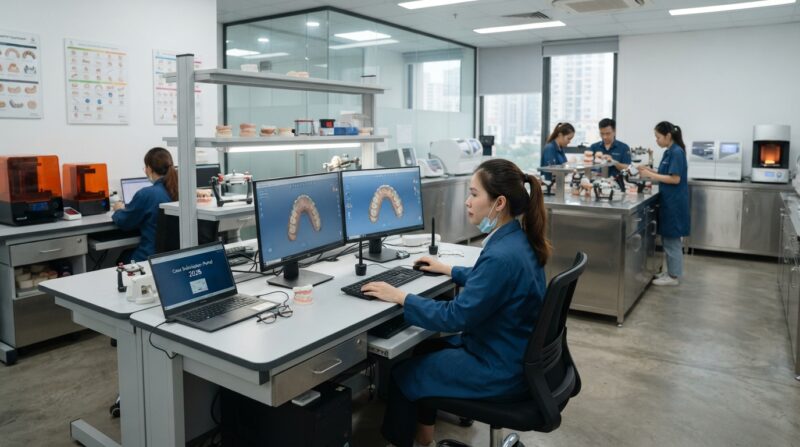
Step-by-Step Guide on How to Automate Dental Case Submission from Lab Software 2026
Transitioning from manual workflows to a fully automated pipeline requires structured planning, configuration, and testing. Below is a practical step-by-step roadmap for lab managers and technical operators seeking to understand how to automate dental case submission from lab software 2026 across their organization.
Step 1: Account Setup and Integration Guide Access
The journey begins by establishing a dedicated laboratory account on your design partner’s platform. For instance, our platform’s API integration is open to every dental lab across the globe. Once a lab registers an account on the Dental 3D Lab portal, the comprehensive integration guide becomes accessible directly inside the user portal dashboard. This guide outlines the precise payload schemas, authentication procedures, and status event behaviors required to establish a communication channel.
Step 2: Developer Environment and Sandbox Testing
Before connecting your live production software, software developers or internal IT teams should utilize sandbox keys. Developers use these sandbox keys to test submission logic and verify response handling without creating actual paid production cases or cluttering real manufacturing queues. Testing in a sandbox environment allows your team to evaluate how your lab management system handles immediate validation responses—such as whether a case is accepted, held for internal review, or rejected due to missing mandatory field data.
Step 3: Configuring Outbound Rules and Cloud Storage
Next, configure your lab software to store incoming intraoral scan files in a secure, accessible cloud storage repository. Configure your internal system script to generate time-limited, secure access links for these files whenever a case payload is constructed. Learning how to automate dental case submission from lab software 2026 involves setting up clear conditional logic inside your management software (e.g., “If Restoration Type = Crown AND Design = External, generate API Payload”).
Step 4: Implementing Status Webhooks and Event Listeners
Configure your laboratory management system to receive inbound webhook notifications or parse status event feeds. This step ensures that once a CAD file is designed, reviewed, or approved, your internal database updates instantly without human monitoring. When the design provider updates a case status, your system can automatically advance the case to the next production step, such as 3D printing or milling.
Step 5: Production Deployment and Monitoring
After thorough sandbox verification, replace sandbox keys with production API keys. Production keys bind the integration specifically to your single laboratory account, ensuring that your system sees only your lab’s active cases. Monitor initial automated submissions closely during the first week of operation to confirm that all clinical parameters, scan links, and status callbacks execute as expected.
Why Secure Link Sharing Beats Direct Scan File Uploads
A common mistake made by laboratories attempting to build custom automated submission scripts is attempting to upload multi-megabyte STL, PLY, or OBJ files directly through HTTP multipart form uploads inside the main API transaction. Understanding how to automate dental case submission from lab software 2026 requires recognizing why modern enterprise software separates metadata handling from heavy file transfer.
Direct file uploads through API endpoints introduce several operational risks:
When an API endpoint receives large binary files directly, connection dropouts or minor network hiccups can disrupt the entire submission. This forces the sending software to retry the full transmission from scratch, leading to duplicate orders, server timeouts, and increased bandwidth expenditure. Furthermore, handling massive file streams directly inside an application server consumes heavy memory resources, slowing down other background database operations.
By contrast, referencing secure links pointing directly to the lab’s own storage infrastructure simplifies the API payload to a lightweight JSON document. The API call processes in milliseconds, returning an immediate response verifying whether the case submission was accepted, placed on hold for human review, or rejected due to improper field formatting. The recipient’s infrastructure then pulls the scan files asynchronously in the background using optimized multi-threaded storage protocols. This separation of concerns is a fundamental technical strategy when mastering how to automate dental case submission from lab software 2026 efficiently.
What are the key requirements to learn how to automate dental case submission from lab software 2026?
The key requirements to automate case submissions include access to modern lab software capable of making outbound web requests, a secure cloud storage location for scan files, developer sandbox keys, and an open API endpoint provided by your CAD design partner.
To successfully build or configure an automated bridge, laboratories must evaluate their software capabilities against specific technical criteria. Not all legacy dental lab software supports flexible outbound API triggers out of the box, so laboratory managers must audit their current management systems or consult their software vendor’s engineering team.
Essential functional requirements include:
- Configurable Trigger Events: Your lab software must be capable of executing automated HTTP calls based on internal status changes.
- Secure Credential Management: Storage for account-bound authorization keys inside the software’s settings menu.
- Cloud Storage Integration: The ability to programmatically generate secure, public-facing or pre-signed URL links to scan files stored in cloud environments.
- Dynamic Payload Mapping: Flexible mapping fields to match internal clinical categories (e.g., single crown, full-arch bridge) with standard industry descriptors.
- Asynchronous Event Handling: A web server endpoint capable of receiving external webhook notifications and updating local case statuses dynamically.
By assessing these technical prerequisites early, lab executives ensure a smooth integration process. Mastering how to automate dental case submission from lab software 2026 hinges on selecting software tools and outsourcing partners that support open, developer-friendly standards.
Handling Validation, Review Queues, and System Failures
Automation dramatically speeds up production, but robust error handling and safety controls are required to prevent software glitches from interrupting clinical workflow. Even the most advanced integration can encounter unexpected issues—such as corrupted scan meshes, missing margin indications, or incorrect tooth shade notations. Understanding how to automate dental case submission from lab software 2026 involves designing resilient error workflows.
When an automated case submission is received by a CAD design platform, the incoming server performs immediate structural validation. If required fields are missing—for example, if a crown case omits the target tooth number—the API generates an immediate rejection response explicitly specifying which field needs correction. This immediate feedback enables your lab management software to flag the case for administrative review right away, rather than letting a broken case sit quietly in a queue for days.
Furthermore, standard operational controls must include automated review queues for unusual cases. For example, if a doctor submits an unusually complex multi-unit implant case or an enterprise customer suddenly transmits hundreds of cases within a single hour, intelligent systems automatically route these submissions to a review queue for human verification. In addition, administrative controls should allow lab managers to manually pause an integration at any time if internal operations require maintenance or software updates. Implementing these safeguards is a core component when establishing how to automate dental case submission from lab software 2026 securely.
Account Security, Isolation, and Developer Sandbox Keys
Data security and patient privacy remain critical concerns for modern dental laboratories and DSOs. When building or connecting automated interfaces, software engineers must enforce strict account isolation and security boundaries. Understanding how to automate dental case submission from lab software 2026 requires strict adherence to digital security standards.
Key security and isolation principles include:
- Account-Bound Keys: Each generated API key is bound exclusively to one laboratory account. An integration can access and modify only the cases belonging to that specific account, preventing cross-tenant data visibility.
- Sandbox Isolation: Developer keys operate strictly within a sandbox environment. Test cases submitted during development do not enter live production queues or trigger commercial billing actions.
- Encrypted Communications: All API payloads, authentication headers, and webhooks are encrypted in transit using industry-standard TLS protocols.
- Rate Limits and Operational Safety: Daily submission limits and request rate throttles protect both local systems and external servers from accidental loop execution or malicious activity.
By enforcing these security practices, laboratories maintain absolute control over their data footprint. Knowing how to automate dental case submission from lab software 2026 gives laboratory owners peace of mind, knowing that automated scalability does not come at the expense of data security or operational stability.
A Check-List for Selecting a CAD Outsourcing Partner with API Capabilities
As CAD/CAM outsourcing becomes an integral extension of modern lab operations, choosing the right design service partner is a critical strategic decision. Not all outsourcing centers offer modern software interfaces or flexible integration options. When evaluating potential partners to help implement how to automate dental case submission from lab software 2026, consider the following evaluation checklist:
1. Open Portal Registration: Does the partner offer an open registration process where any laboratory can establish an account and gain immediate access to technical integration documentation inside the portal?
2. Modern Technical Standards: Does the partner’s platform support RESTful JSON payloads, secure cloud link file retrieval, and real-time webhook event feeds?
3. Developer Self-Service: Are developer sandbox keys available within the account dashboard so your IT staff or software vendor can build and test integrations independently?
4. Comprehensive Restorative Scope: Can the design partner fulfill your entire clinical spectrum through a single automated connection—including crown & bridge, custom implant abutments, surgical guides, full and partial dentures, night guards, and orthodontic aligners?
5. Granular Case Controls: Does the partner provide immediate submission validation, clear error messages, daily rate safety caps, and the ability to pause or resume integrations as needed?
Selecting a design partner that satisfies all these criteria guarantees that your investment in workflow automation delivers long-term efficiency and flawless operational scalability. Learning how to automate dental case submission from lab software 2026 equips your facility with the tools required to thrive in an increasingly digital dental market.
Conclusion: Empowering Your Dental Lab for the Future
Automating dental case submissions directly from your laboratory management software represents the modern standard for digital dental production. By bridging your software ecosystem directly to an external CAD design partner, your laboratory eliminates manual overhead, cuts turnaround times, reduces administrative errors, and establishes an agile foundation for continuous business expansion.
Understanding how to automate dental case submission from lab software 2026 gives your organization a decisive operational advantage. By relying on open portal registration, clear integration guides, developer sandbox keys, secure link sharing, and real-time webhook updates, your laboratory can build a robust, scalable digital pipeline designed to meet the demands of modern dentistry.
Create a lab account on our portal today to access the integration guide, or contact our team to discuss your automated workflow requirements.