Introduction to 3Shape TRIOS 5 and Its Role in Modern Dental Practices
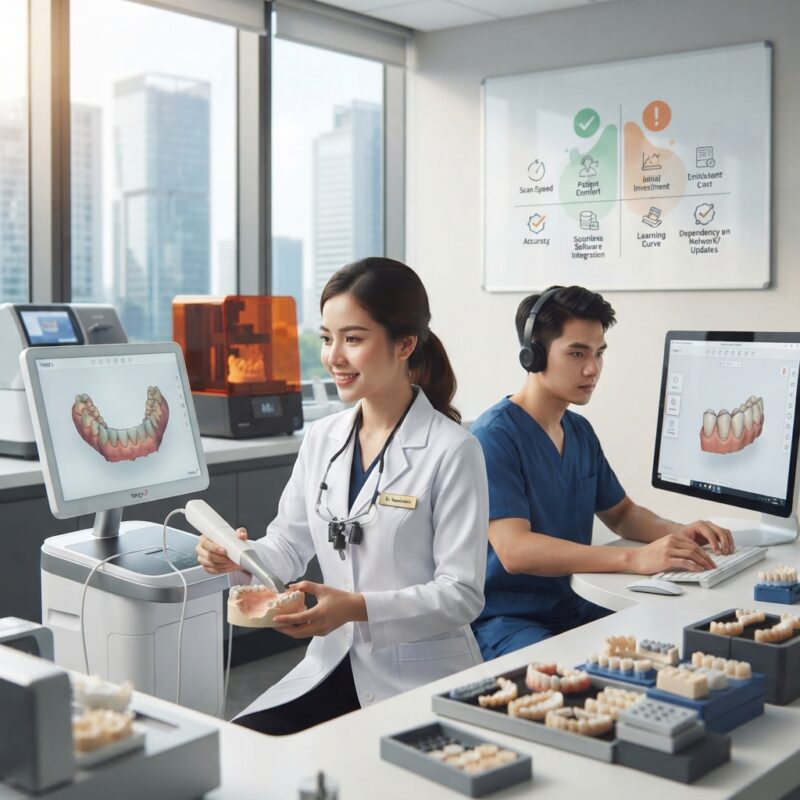
The 3Shape TRIOS 5 pros and cons for dental practices 2026 discussion is critical for dental labs, DSOs, and individual practices aiming to adopt or upgrade their digital scanning technology. The TRIOS 5 intraoral scanner, part of 3Shape’s leading digital workflow ecosystem, offers advanced features designed to enhance clinical accuracy and streamline restorative and orthodontic workflows.
In 2026, dental practices face growing pressure to deliver faster, more accurate prosthetics and appliances such as crowns, bridges, implants, surgical guides, dentures, orthodontic aligners, and night guards. Understanding the strengths and limitations of the TRIOS 5 model helps labs and DSOs optimize their CAD/CAM outsourcing and in-house digital workflows.
What Is the 3Shape TRIOS 5 Intraoral Scanner?
The 3Shape TRIOS 5 is a state-of-the-art intraoral scanner that captures detailed digital impressions for restorative and orthodontic applications.
This scanner builds on its predecessors with improvements in speed, accuracy, and user interface, including wireless options and enhanced AI-driven features for color scanning and shade detection. Its integration with 3Shape’s dental CAD software allows seamless transfer of digital files to labs and milling centers, facilitating faster turnaround on prosthetics like crowns, bridges, and implant abutments.
Designed for a range of dental practices—from single-dentist clinics to multi-location DSOs—the TRIOS 5 addresses the increasing demand for digital workflows that reduce physical impression errors and improve patient comfort.
Key Features of 3Shape TRIOS 5 in 2026
- Wireless connectivity options for greater mobility
- Enhanced AI-powered color and shade detection
- Improved scanning speed with real-time feedback
- Integration with 3Shape’s CAD software ecosystem
- Robust data security and HIPAA-compliant workflows
- Compatibility with a broad range of restorative and orthodontic applications
These features position the TRIOS 5 as a versatile digital impression solution for dental practices aiming to improve clinical outcomes and workflow efficiency.
3Shape TRIOS 5 Pros: What Makes It Popular in 2026?
Understanding the 3Shape TRIOS 5 pros and cons for dental practices 2026 begins with its advantages:
- Exceptional Accuracy: The TRIOS 5 delivers high-precision scans critical for complex restorations and implant workflows, reducing remakes and chairside adjustments.
- User-Friendly Interface: Intuitive touchscreen and real-time scanning feedback reduce training time and operator fatigue.
- Wireless Freedom: Wireless scanner options improve clinician mobility and ergonomics during procedures.
- Strong Software Integration: Seamless communication with 3Shape’s CAD software and third-party dental labs enables efficient outsourcing and in-house design.
- Comprehensive Application Range: Supports crown & bridge, implant planning, surgical guides, dentures, orthodontic aligners, and night guards.
- Improved Patient Experience: Faster scans and less invasive digital impressions enhance patient comfort.
- Regular Software Updates: Ongoing improvements keep the scanner current with industry demands.
3Shape TRIOS 5 Cons: Challenges and Limitations
Despite its strengths, the 3Shape TRIOS 5 pros and cons for dental practices 2026 include some drawbacks to consider:
- High Initial Investment: The cost of the scanner and required software licenses can be prohibitive for small practices or labs.
- Learning Curve: Although user-friendly, some operators may require dedicated training to optimize scanning techniques fully.
- Software Ecosystem Dependence: Best performance is achieved when fully integrated with 3Shape software, which may limit flexibility with other CAD systems.
- Battery Life Limits Wireless Use: Wireless options have limited battery life, requiring periodic recharging during busy days.
- Regional Pricing and Support Variability: Prices and after-sales service quality vary by region, affecting total cost of ownership.
How Does the 3Shape TRIOS 5 Compare to Other Leading Intraoral Scanners?
Clinics and labs often weigh the 3Shape TRIOS 5 pros and cons for dental practices 2026 against competitors like the iTero Element 5D and Medit i700. The following table summarizes key comparison points:
| Feature | 3Shape TRIOS 5 | iTero Element 5D | Medit i700 |
|---|---|---|---|
| Scanning Speed | Fast, real-time feedback | Moderate, with integrated caries detection | Fast, lightweight |
| Wireless Option | Available | Not available | Not available |
| Software Ecosystem | 3Shape CAD suite, broad lab compatibility | Align Technology ecosystem | Open STL export, flexible |
| Price Range | High (indicative, varies by region) | High-mid | Mid-low |
| Applications | Wide: crowns, implants, guides, ortho | Strong in orthodontics and restorative | General restorative and orthodontics |
| User Interface | Intuitive touchscreen, AI features | Touchscreen, guided workflow | Simple UI, easy learning curve |
What Types of Dental Practices Benefit Most from 3Shape TRIOS 5?
The 3Shape TRIOS 5 pros and cons for dental practices 2026 highlight that certain practice types stand to gain most from this investment:
- High-Volume Multi-Doctor DSOs: The wireless design and speed optimize efficiency in busy practices with multiple operatories.
- Specialized Implant Centers: Precise digital impressions combined with surgical guide design capabilities enhance implant outcomes.
- Dental Labs Offering CAD/CAM Outsourcing: Integration with 3Shape software streamlines digital file exchange and reduces turnaround times.
- Orthodontic Practices: Supports aligner and night guard design with accurate digital impressions and color scanning.
Conversely, smaller or budget-conscious practices may find the total cost of ownership challenging without outsourcing some design tasks.
What Is the Total Cost of Ownership for 3Shape TRIOS 5 in 2026?
Total cost of ownership (TCO) includes the scanner purchase price, software licenses, maintenance, training, and potential workflow disruptions during onboarding.
While exact prices vary by region and dealer, the TRIOS 5 typically represents a significant upfront investment, often ranging from $30,000 to $50,000 USD, excluding software subscriptions. Ongoing annual fees for CAD software and updates add to the cost. Practices should also budget for staff training and potential downtime during integration.
However, the reduction in impression materials, fewer remakes, and improved clinical outcomes can offset costs over time. For many, outsourcing CAD design services complements TRIOS 5 use by reducing the need for in-house design staff and accelerating production.
How Does 3Shape TRIOS 5 Improve Digital Workflow Efficiency?
The 3Shape TRIOS 5 pros and cons for dental practices 2026 emphasize the scanner’s impact on digital workflow:
- Instant Data Transmission: Scanned data can be sent directly to partnering dental labs or in-house mills, reducing turnaround times for crowns, bridges, and implants.
- Real-Time Scanning Feedback: Helps clinicians capture complete and accurate impressions, minimizing rescans.
- Integration with Treatment Planning: Supports surgical guide design and orthodontic aligner workflows within a unified platform.
- Color and Shade Matching: AI-powered features reduce errors in prosthetic color matching, improving esthetics.
This improved digital workflow allows practices to better meet patient expectations for fast, high-quality restorations and appliances.
MID_IMAGE
What Are the Training Requirements for 3Shape TRIOS 5 Operators?
Training is essential to realize the full potential of the 3Shape TRIOS 5 scanner. The answer is that operators need focused instruction on scanning technique, software navigation, and troubleshooting to optimize scan quality and efficiency.
Training programs are typically provided by 3Shape or authorized dealers and include hands-on sessions covering:
- Proper scanning angles and motion to avoid data voids
- Using AI tools for shade detection and margin identification
- Transferring files securely to labs or CAD software
- Maintaining and troubleshooting scanner hardware
Ongoing support and refresher training ensure that practices maintain high scan quality as workflows evolve.
How Does TRIOS 5 Integration Affect Dental Lab Outsourcing?
The 3Shape TRIOS 5 pros and cons for dental practices 2026 show that seamless integration with dental labs is a major advantage of this scanner.
Digital impressions captured by TRIOS 5 can be easily shared with external labs, accelerating the design and manufacturing process for crowns, bridges, implants, and orthodontic devices. This reduces the need for physical model shipping and shortens turnaround times.
Labs using 3Shape’s CAD software can receive accurate, high-resolution digital files that facilitate precise design and milling. For DSOs and multi-location practices, this integration supports centralized design outsourcing, optimizing resource allocation across sites.
This synergy also works well alongside surgical guide design services, enabling comprehensive implant workflows.
What Are the Workflow Implications for Different Practice Sizes?
The 3Shape TRIOS 5 pros and cons for dental practices 2026 vary depending on practice scale:
Large DSOs
- Best for: High patient volumes, multiple operatories, centralized design and milling
- Strengths: Wireless mobility, fast scanning, integration with cloud-based CAD
- Limitations: Need for standardized training across locations, higher upfront investment
Mid-Size Practices and Labs
- Best for: Moderate patient flow, mix of restorative and ortho cases
- Strengths: Versatile applications, ability to outsource complex design tasks
- Limitations: Balancing software costs and training resources
Small Practices
- Best for: Single-operator clinics focusing on crowns, bridges, and night guards
- Strengths: Enhanced patient experience, accurate digital impressions
- Limitations: High initial cost, need for outsourcing design and milling for cost-efficiency
How Does 3Shape TRIOS 5 Support Implant and Surgical Guide Workflows?
The 3Shape TRIOS 5 comes equipped with features that enhance implant planning and surgical guide fabrication.
- High-resolution scans capture soft tissue and bone landmarks accurately.
- Integration with 3Shape Implant Studio software allows virtual implant placement planning.
- Digital files can be sent to 3D printing centers for precise surgical guide manufacturing.
- These capabilities improve implant success rates and patient outcomes.
This functionality is particularly valuable for implant specialists and labs focusing on advanced restorative solutions.
What Role Does AI Play in the 3Shape TRIOS 5 Scanner?
AI technology is a cornerstone of the 3Shape TRIOS 5 pros and cons for dental practices 2026. AI assists in:
- Automated margin line detection for crowns and bridges
- Shade matching and color scanning to assist in esthetic restorations
- Real-time error detection to reduce rescans
- Streamlining orthodontic case setups by recognizing tooth positions
These AI-driven features reduce operator dependency, enhance scan quality, and speed up the design process, making the TRIOS 5 a forward-looking investment.
How Does the 3Shape TRIOS 5 Enhance Patient Experience?
Patients benefit from the 3Shape TRIOS 5 pros and cons for dental practices 2026 in several ways:
- Faster and less invasive digital impressions compared to traditional molding materials
- Reduced chair time due to quicker scanning and fewer retakes
- Improved prosthetic fit and esthetics from precise digital data
- Enhanced communication through 3D visualizations of planned restorations or orthodontic treatments
These elements contribute to greater patient satisfaction and case acceptance rates.
Do You Need Design Capacity for Your New Equipment?
If your practice or lab invests in 3Shape TRIOS 5 hardware, you may not require full-time design staff thanks to outsourced CAD/CAM digital design services. These services allow you to run your milling or printing equipment efficiently without the overhead of hiring dedicated designers, optimizing your workflow and reducing costs.
Partnering with expert digital design providers ensures consistent quality and faster turnaround, particularly for complex restorations and orthodontic appliances. This approach complements the TRIOS 5’s digital precision and integrates smoothly with your existing CAD software ecosystem.
Explore how outsourcing can enhance your productivity and profitability while leveraging the power of 3Shape TRIOS 5 technology.
Conclusion and Next Steps
Understanding the 3Shape TRIOS 5 pros and cons for dental practices 2026 equips you to make informed technology investments that improve clinical outcomes and streamline workflows. Evaluate your practice size, digital needs, and budget carefully to determine if the TRIOS 5 aligns with your goals.
For labs and DSOs interested in integrating this advanced scanner into their workflow, consider combining hardware investment with expert CAD/CAM outsourcing to maximize efficiency and reduce operational costs.
Contact us today to learn how our specialized dental lab CAD/CAM digital design outsourcing services can support your 3Shape TRIOS 5 implementation and help you deliver exceptional patient care.
Step-by-Step Guide to Implementing 3Shape TRIOS 5 in Your Dental Practice
Adopting the 3Shape TRIOS 5 scanner goes beyond just purchasing the device—it requires a well-planned, stepwise approach to ensure smooth integration into your clinical and lab workflows. Here’s a detailed implementation roadmap that dental practices and labs can follow to maximize ROI and minimize disruptions.
Step 1: Assess Current Workflow and Identify Gaps
- Document existing procedures: Map out your current scanning, impression taking, CAD/CAM design, and lab communication methods.
- Pinpoint bottlenecks: Are turnaround times slower than desired? Are there frequent remakes due to poor impressions?
- Set goals: Define what you want to achieve with TRIOS 5—faster case acceptance, better patient experience, or improved prosthetic accuracy.
Step 2: Select the Right TRIOS 5 Package and Software Modules
- Decide whether you need the TRIOS Move (mobile) or standard cart version.
- Evaluate add-ons like TRIOS Design Studio for in-house design or Smile Design for cosmetic cases.
- Consider cloud storage options and integration with your practice management system.
Step 3: Technical Setup and Network Integration
- Coordinate with your IT team to ensure stable network infrastructure, including Wi-Fi coverage in operatories.
- Set up secure data transfer protocols between the scanner, CAD software, and dental labs.
- Configure user accounts and access levels to protect patient data compliance.
Step 4: Staff Training and Calibration
- Schedule hands-on training sessions with certified 3Shape trainers or experienced users.
- Encourage clinical team members to practice scanning on typodonts before live patients.
- Calibrate the scanner regularly following manufacturer guidelines to maintain accuracy.
Step 5: Pilot Cases and Workflow Optimization
- Start with straightforward cases such as single crowns or night guards to build confidence.
- Solicit feedback from clinicians, assistants, and labs on scan quality and turnaround times.
- Adjust scanning protocols, software settings, or lab communication based on pilot results.
Step 6: Full Adoption and Continuous Improvement
- Expand TRIOS 5 use to complex restorations like multi-unit bridges and implant cases.
- Monitor key performance indicators such as case acceptance rate, remake frequency, and patient satisfaction.
- Keep abreast of software updates and new features to continuously enhance workflows.
Common Mistakes to Avoid When Using 3Shape TRIOS 5
While the TRIOS 5 offers advanced technology, improper use can lead to suboptimal outcomes. Here are some frequent pitfalls and how to prevent them.
1. Inadequate Scanning Technique
- Issue: Rushing scans or improper angulation leading to incomplete data capture or artifacts.
- Solution: Train operators thoroughly on optimal scanning paths, maintaining consistent distance, and avoiding saliva pooling. Utilize practice sessions to build muscle memory.
2. Poor Infection Control Practices
- Issue: Failing to disinfect the scanner tip between patients can cause cross-contamination.
- Solution: Follow manufacturer-recommended cleaning protocols. Use disposable sleeves or barriers where applicable.
3. Neglecting Regular Software Updates
- Issue: Running outdated software can result in compatibility issues, bugs, or missed features.
- Solution: Schedule regular checks for software updates and install them promptly after verifying compatibility with your practice systems.
4. Underestimating Data Management Needs
- Issue: Storing large scan files without adequate backup or organization can lead to data loss or retrieval delays.
- Solution: Implement a clear digital filing system and maintain regular backups, possibly leveraging cloud storage solutions endorsed by 3Shape.
5. Poor Communication With Dental Labs
- Issue: Sending scans without detailed instructions, or ignoring lab feedback, can cause remakes and delays.
- Solution: Use integrated communication portals if available, provide clear case notes, and establish feedback loops with your preferred labs.
Cost and Quality Considerations: Balancing Investment and Outcomes
Investing in the 3Shape TRIOS 5 involves upfront costs and ongoing expenses that must be weighed against the quality improvements and efficiency gains it delivers. Understanding these factors helps practices and labs make informed purchasing decisions.
Initial Investment Components
- Hardware cost: The TRIOS 5 scanner itself ranges widely depending on configuration—typically between $25,000 and $40,000.
- Software licenses: CAD/CAM design modules and cloud services often require annual or monthly subscription fees.
- Training and support: Budget for professional training sessions and technical support contracts.
- IT infrastructure upgrades: Network improvements or new workstations may be necessary to optimize performance.
Ongoing Operational Costs
- Consumables: Barrier sleeves, scanner tip replacements, and cleaning supplies.
- Software subscriptions: Maintaining access to the latest design tools and cloud storage.
- Maintenance and calibration: Periodic servicing to keep the scanner functioning at peak accuracy.
Quality Benefits That Offset Costs
- Reduced remakes: Highly accurate digital impressions lower the incidence of ill-fitting prosthetics, saving material and labor costs.
- Faster turnaround: Digital workflows enable quicker case design and delivery, increasing chairside productivity and patient satisfaction.
- Improved diagnostics: High-resolution color scans help identify caries, cracks, or wear patterns early, enabling proactive treatments.
- Enhanced patient communication: Visual treatment simulations increase case acceptance rates and practice revenue.
Cost-Saving Strategies
- Leverage bundled packages: Many vendors offer discounts for multi-unit purchases or combined software/hardware contracts.
- Train multiple users: Cross-train staff to maximize scanner utilization across operators and operatories.
- Choose labs with digital capabilities: Partner with labs that can seamlessly accept TRIOS scans to avoid conversion fees or delays.
- Monitor utilization metrics: Track scan frequency and case types to justify upgrades or expansions.
Market-Specific Considerations for Dental Labs and Practices Using TRIOS 5
The success of the 3Shape TRIOS 5 adoption can vary significantly depending on regional market dynamics, lab capabilities, and practice demographics. Here are key market-specific factors to consider.
Dental Labs: Navigating the Digital Transition
- Lab Infrastructure: Labs must invest in compatible CAD/CAM milling units or 3D printers to fully utilize TRIOS 5 scans. Smaller labs may face higher entry barriers.
- Workforce Upskilling: Technicians need training in digital design software and quality control of STL files.
- Turnaround Times: Digital workflows can shorten case delivery, but labs must adjust scheduling and staffing accordingly.
- Client Relationships: Labs should actively educate and support dental practices on digital impression protocols to reduce remakes and enhance collaboration.
Dental Practices: Patient Demographics and Treatment Mix
- Practice Focus: Practices emphasizing cosmetic dentistry and implants benefit most from TRIOS 5’s high precision and smile design capabilities.
- Patient Age and Expectations: Younger, tech-savvy patients appreciate digital impressions over traditional methods, improving satisfaction and retention.
- Geographic Location: Urban practices may face higher competition, making advanced technology a key differentiator, while rural practices might need to consider cost-effectiveness more heavily.
- Insurance and Reimbursement: Understanding local payer policies on digital workflows can influence investment decisions and pricing strategies.
Example: A Mid-Size Lab and Regional DSO Partnership
Consider a mid-size dental lab in a suburban area partnering with a regional Dental Service Organization (DSO) operating 15 practices. The lab invested in TRIOS 5-compatible milling and design software, while the DSO equipped all operatories with TRIOS 5 scanners. This synergy resulted in:
- 50% reduction in remake rates due to better scan quality and lab communication.
- 30% faster turnaround times, allowing DSO practices to complete same-day temporaries and increase patient throughput.
- Enhanced data analytics to identify common case types and optimize inventory and staffing.
This real-world example underscores how coordinated investment and workflow alignment can create competitive advantages in specific markets.
Additional authoritative information on intraoral scanners can be found on the American Dental Association website and the official 3Shape product pages.