Introduction to Infection Control and File Hygiene in a Digital Impression Workflow 2026
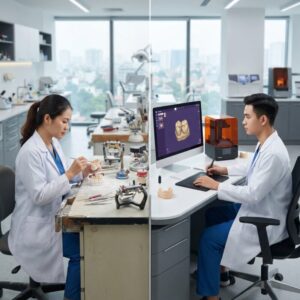
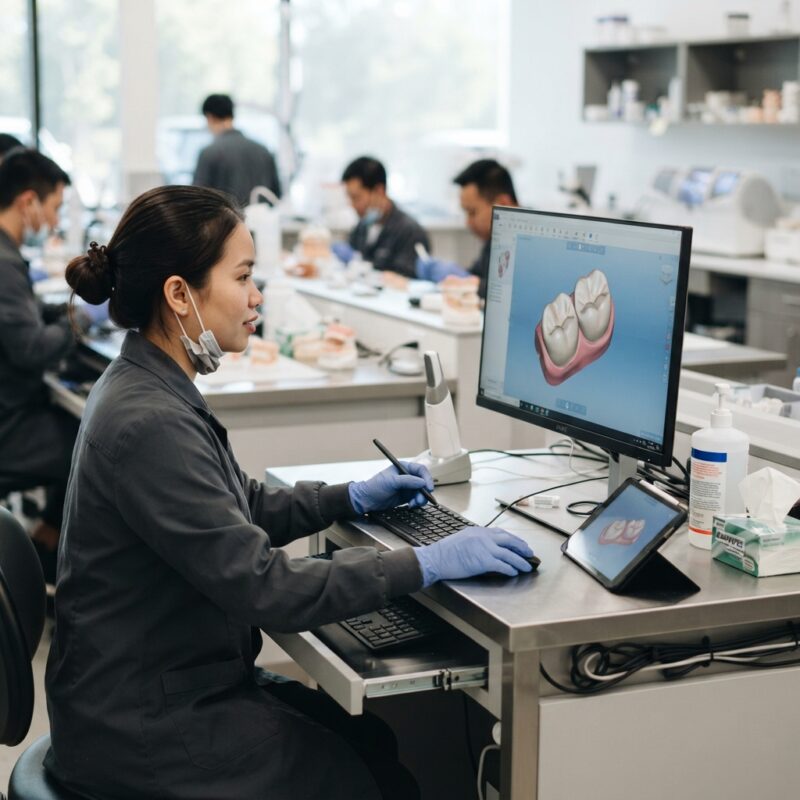
In the evolving landscape of dental lab CAD/CAM digital design outsourcing, infection control and file hygiene in a digital impression workflow 2026 have become paramount. As dental labs and Dental Service Organizations (DSOs) increasingly adopt digital workflows involving crowns, bridges, implants, surgical guides, dentures, orthodontic aligners, and night guards, maintaining stringent hygiene practices in both physical and digital realms is critical to patient safety and regulatory compliance.
This article explores the multifaceted aspects of infection control protocols and digital file hygiene, focusing on practical methods, technological advancements, and best practices tailored for dental labs outsourcing CAD/CAM design services. Understanding these factors ensures seamless integration of digital impressions into the modern dental workflow while mitigating infection risks and data breaches.
What is Infection Control and File Hygiene in a Digital Impression Workflow 2026?
Infection control and file hygiene in a digital impression workflow 2026 refer to the combined physical and digital measures taken to prevent cross-contamination and ensure secure handling of patient data throughout the digital impression and CAD/CAM design processes.
Physically, this involves sterilizing intraoral scanners, impression trays, and related equipment to prevent microbial transmission between patients and dental professionals. Digitally, it means securing scan files, cleaning metadata, and ensuring that electronic data transfers between clinics, labs, and DSOs are protected from corruption or unauthorized access. This dual approach is essential as digital impressions replace traditional analog methods, demanding new standards for hygiene and data management.
Why is Infection Control Critical in Digital Dental Labs?
Infection control is critical in digital dental labs because improper sterilization or handling of scanning devices and impression materials can lead to cross-infection among patients and staff.
The transition to digital impressions does not eliminate the risk of contamination; intraoral scanners and reusable scanner tips come in direct contact with mucosal surfaces and saliva, necessitating rigorous disinfection protocols. Additionally, dental lab personnel handling digital files must be vigilant about hygiene to prevent potential pathogen transfer from physical devices to digital workstations and vice versa. Adhering to infection control ensures compliance with health regulations and maintains patient trust.
How Does File Hygiene Impact Digital Impression Workflows?
File hygiene impacts digital impression workflows by ensuring that scanned data is accurate, secure, and free from contamination that could compromise patient confidentiality or the quality of the final prosthesis design.
In 2026, digital impression files often include embedded metadata such as patient identifiers, timestamps, and scanner settings, which, if not managed properly, can lead to data privacy breaches. Furthermore, corrupted or improperly cleaned files can cause errors during CAD/CAM manufacturing, leading to costly remakes. Implementing file hygiene protocols—such as encrypted file transfers, metadata scrubbing, and routine audits—helps maintain data integrity and fosters smoother collaboration between dental clinics and outsourced labs.
What Are the Best Practices for Physical Infection Control in Digital Impression Workflows?
Best practices for physical infection control in digital impression workflows include thorough cleaning and sterilization of all intraoral scanning equipment, use of disposable scanner sleeves, and adherence to manufacturer guidelines for disinfectant agents.
- Scanner Tip Sterilization: Use autoclaving or chemical sterilants approved for intraoral scanners, ensuring no damage to sensitive components.
- Disposable Barriers: Apply sterile, single-use scanner sleeves for each patient to minimize contamination.
- Workstation Hygiene: Regularly disinfect digital workstations, keyboards, and touchscreens where files are accessed or transferred.
- Staff Training: Educate clinical and lab staff on updated infection control protocols specific to digital workflows.
Regular audits and compliance checks should be part of the infection control regimen to maintain consistent standards across all stages of digital impression acquisition and processing.
How Do Digital Dental Labs Ensure File Hygiene and Data Security?
Digital dental labs ensure file hygiene and data security through encryption, secure cloud storage solutions, controlled access permissions, and routine file integrity checks.
Encrypting digital impression files during transfer protects sensitive patient data from interception. Using reputable cloud-based CAD/CAM platforms such as those provided by 3Shape or exocad adds layers of security and facilitates collaboration with DSOs. Additionally, laboratories implement protocols for metadata cleaning to remove unnecessary or sensitive information that could pose privacy risks. Regular backups and version control prevent data loss and ensure traceability throughout the design and manufacturing process.
What Role Does Software Play in Maintaining Infection Control and File Hygiene?
Software plays a crucial role in maintaining infection control and file hygiene by enabling digital workflows that minimize physical contact and automate hygiene compliance checks.
Advanced CAD/CAM software platforms integrate features such as automatic file format standardization, metadata sanitization, and secure file sharing protocols. These tools reduce manual handling of files, limiting the risk of contamination or data corruption. Furthermore, software-enabled traceability allows labs and DSOs to document every step of the workflow, supporting regulatory audits and quality assurance initiatives. The adoption of software solutions from leading providers like Dentsply Sirona ensures that infection control measures are embedded into digital processes.
What Are the Regulatory Standards Affecting Infection Control in Digital Dental Workflows?
Regulatory standards affecting infection control in digital dental workflows include guidelines from the American Dental Association (ADA), the Centers for Disease Control and Prevention (CDC), and international standards such as ISO 13485 for medical device quality management.
The ADA provides detailed recommendations for instrument sterilization and digital impression hygiene, emphasizing the use of validated disinfectants and sterilization methods. The CDC outlines infection prevention protocols that apply to dental offices and labs, including proper handling of digital equipment. Compliance with ISO standards ensures that digital devices and software used in CAD/CAM workflows meet quality and safety benchmarks. Staying current with these regulations is essential for dental labs outsourcing digital design services to maintain legal and ethical standards.
How Can Dental Labs and DSOs Collaborate to Enhance Infection Control?
Dental labs and DSOs can enhance infection control by establishing clear communication protocols, sharing best practices, and utilizing integrated digital platforms that enforce hygiene standards throughout the workflow.
Joint training sessions on infection control and file hygiene in a digital impression workflow 2026 foster consistency in sterilization and data handling practices. Implementing standardized checklists for digital impression capture, file transfer, and CAD/CAM processing ensures both parties adhere to agreed-upon protocols. Collaborative use of secure, cloud-based platforms permits real-time monitoring of file hygiene status and audit trails, reducing errors and contamination risks. This partnership approach supports safer patient outcomes and optimizes workflow efficiency.
What Are the Challenges in Implementing Infection Control in Digital Impression Workflows?
Challenges in implementing infection control in digital impression workflows include managing the complexity of sterilizing delicate scanning equipment, ensuring data security across multiple platforms, and maintaining staff compliance with evolving protocols.
Intraoral scanners require specific sterilization methods that do not damage sensitive optics or electronics, posing logistical challenges. Digital files must be transferred securely between clinics, labs, and DSOs who may use different software ecosystems, creating potential vulnerabilities. Additionally, keeping all personnel updated on best practices demands ongoing training and supervision. Overcoming these challenges requires investment in specialized equipment, robust IT infrastructure, and a culture prioritizing infection control and data hygiene.
What Innovations Are Shaping Infection Control and File Hygiene in 2026?
Innovations shaping infection control and file hygiene in 2026 include antimicrobial scanner coatings, AI-driven file hygiene verification, blockchain-based data security, and automated sterilization devices.
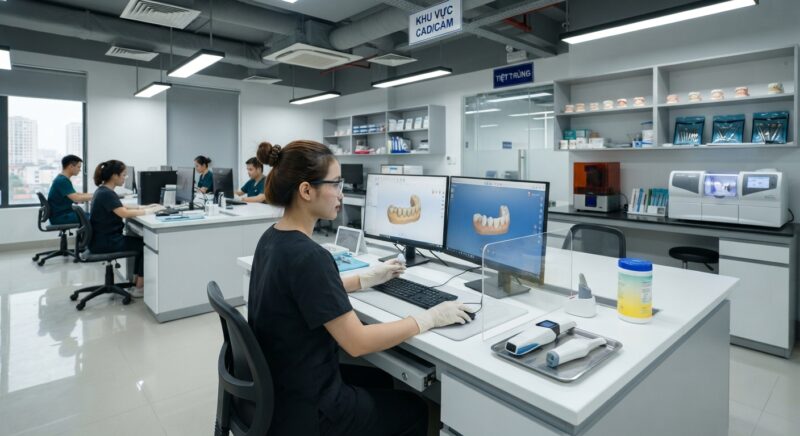
Antimicrobial coatings on scanner tips reduce microbial load between uses, complementing traditional sterilization. Artificial intelligence algorithms can scan digital impression files for anomalies or metadata inconsistencies that indicate contamination or security risks. Blockchain technology offers tamper-proof records of data transfers, enhancing traceability and patient confidentiality. Automated UV-C sterilization units for digital devices streamline disinfection workflows, saving time while ensuring compliance. These technologies collectively advance the safety and reliability of digital dental workflows.
How Do Infection Control and File Hygiene Practices Affect Patient Outcomes?
Infection control and file hygiene practices directly affect patient outcomes by reducing the risk of cross-contamination, improving prosthetic fit accuracy, and ensuring timely delivery of dental restorations.
Effective sterilization of scanning equipment prevents transmission of infectious agents, protecting patients from healthcare-associated infections. Clean, accurate digital impression files reduce remakes caused by data corruption or errors, leading to better-fitting crowns, bridges, and implants. Secure and hygienic digital workflows also shorten turnaround times by minimizing delays due to re-scanning or data loss. Together, these practices enhance patient safety, satisfaction, and clinical success.
What Are Recommended Protocols for Handling Digital Files in Outsourced CAD/CAM Services?
Recommended protocols for handling digital files in outsourced CAD/CAM services include using secure file transfer protocols (SFTP), encrypting files at rest and in transit, and verifying file integrity upon receipt.
Dental labs and DSOs should establish clear guidelines for naming conventions, metadata management, and version control to avoid confusion and data overlap. Employing password-protected portals or dedicated CAD/CAM platforms restricts access to authorized personnel only. Routine file audits ensure that no corrupted or incomplete impression data is used for design or manufacturing. Maintaining comprehensive records of file origins and modifications supports both infection control and regulatory compliance in digital workflows.
How Can Outsourcing Partners Support Infection Control and File Hygiene?
Outsourcing partners support infection control and file hygiene by providing expertise, validated processes, and dedicated resources to maintain high standards in digital impression workflows.
Specialized dental CAD/CAM labs implement strict sterilization protocols for all physical inputs and utilize secure IT infrastructure to protect digital impression files. They offer training and support to dental clients on best hygiene practices and data management. Additionally, outsourcing partners invest in the latest technology for monitoring infection control compliance and file integrity, reducing risks associated with in-house handling. This collaboration ensures that dental labs and DSOs delivering crowns, bridges, implants, and other prosthetics meet the highest safety and quality benchmarks.
Conclusion and Call to Action
Infection control and file hygiene in a digital impression workflow 2026 are essential for safe, efficient, and compliant dental lab outsourcing. By integrating rigorous sterilization protocols and robust digital file management strategies, dental labs and DSOs can deliver superior patient care and operational excellence.
Step-by-Step Guide to Implementing Infection Control in a Digital Impression Workflow
Implementing a robust infection control protocol that integrates seamlessly with a digital impression workflow requires careful planning and execution. The following step-by-step guide helps dental labs and practices establish effective procedures that protect patients and staff while optimizing workflow efficiency.
Step 1: Conduct a Workflow Assessment
- Map out every touchpoint: Identify all points in the workflow where physical impressions, scanners, intraoral devices, and digital files are handled.
- Evaluate current practices: Audit existing infection control measures, noting weak spots such as scanner disinfection or file transfer security.
- Engage stakeholders: Include clinicians, lab technicians, IT specialists, and compliance officers in the assessment.
Step 2: Develop Standard Operating Procedures (SOPs)
- Create detailed protocols: Define cleaning, disinfection, and sterilization methods for each device and surface involved.
- Address digital file hygiene: Specify how files should be named, scanned for malware, and securely transferred.
- Include PPE guidelines: Outline the use of gloves, masks, and other protective equipment during impression taking and processing.
Step 3: Train All Staff and Partners
- Conduct hands-on training: Demonstrate disinfection techniques and digital file handling procedures.
- Provide documentation: Distribute easy-to-reference manuals and checklists for daily use.
- Certify competency: Test staff knowledge periodically to ensure adherence.
Step 4: Implement Monitoring and Auditing Mechanisms
- Daily checklists: Use checklists for device cleaning and file hygiene tasks to maintain consistency.
- Regular audits: Schedule internal audits to verify compliance and identify areas for improvement.
- Feedback loop: Encourage reporting of potential breaches or near misses to continuously improve protocols.
Step 5: Leverage Technology for Compliance
- Digital tracking tools: Utilize software to log disinfection cycles and digital file transfers automatically.
- Alerts and reminders: Set up notifications for scheduled cleaning or software updates to prevent lapses.
Step 6: Review and Update Protocols Regularly
- Stay current: Monitor regulatory changes and emerging best practices in infection control and digital hygiene.
- Incorporate innovations: Adapt new materials, disinfectants, or software solutions as they become available.
- Continuous improvement: Use audit results and staff feedback to refine SOPs annually or as needed.
Common Mistakes and How to Avoid Them in Infection Control and Digital File Hygiene
Despite best intentions, dental labs and practices often encounter pitfalls that compromise infection control and data hygiene. Understanding these common errors—and how to address them—can dramatically improve safety and workflow efficiency.
1. Neglecting Scanner and Device Disinfection
Many dental professionals focus on sterilizing physical impressions but overlook the critical step of disinfecting intraoral scanners or their handpieces. Failure to disinfect these devices properly can lead to cross-contamination.
- Avoidance strategy: Establish a routine disinfection protocol immediately after each use, utilizing approved disinfectants compatible with device materials to avoid damage.
2. Incomplete Digital File Hygiene
Digital files can carry risks such as corrupted data, malware, or unauthorized access. Labs may neglect scanning files for viruses or fail to use secure transmission methods.
- Avoidance strategy: Implement antivirus scanning on all incoming files and use encrypted transfer protocols like VPNs or secure cloud platforms. Avoid opening files on unsecured devices.
3. Overlooking Staff Training and Compliance
Lack of comprehensive training or inconsistent adherence to protocols often leads to lapses in infection control and data security.
- Avoidance strategy: Schedule regular training sessions with competency assessments and cultivate a culture of accountability where staff feel empowered to report and correct mistakes.
4. Using Incompatible Disinfectants or Sterilization Methods
Using chemical agents that degrade scanner lenses, digital devices, or impression materials can cause equipment failure or inaccurate scans.
- Avoidance strategy: Consult manufacturer guidelines before selecting disinfectants and sterilization methods. Use only recommended products and procedures.
5. Ignoring Regulatory Documentation and Traceability
Failing to document infection control measures and digital file handling can result in non-compliance, legal risks, and difficulties during audits.
- Avoidance strategy: Maintain detailed logs of cleaning cycles, file transfers, and staff training records. Use digital management systems to facilitate traceability.
Cost and Quality Considerations in Infection Control for Digital Workflows
Balancing cost efficiency with high standards of infection control and file hygiene is a critical challenge for dental labs and practices. Investing wisely can lead to long-term savings, better patient outcomes, and enhanced reputation.
Initial Investment vs. Long-Term Savings
High-quality disinfectants, protective equipment, scanning devices, and secure IT infrastructure represent upfront costs. However, these investments reduce risks of infection outbreaks, costly recalls, and data breaches.
- Example: A dental lab that invested in an automated scanner disinfection system reduced manual labor time by 30% and decreased device downtime, creating operational efficiencies.
Quality Assurance and Material Longevity
Choosing disinfectants compatible with impression materials and scanners preserves the accuracy of digital impressions and the lifespan of expensive equipment.
- Tip: Opt for EPA-registered disinfectants validated for use on specific dental materials to avoid degradation that could lead to remakes and patient dissatisfaction.
Cost of Non-Compliance
Ignoring infection control and file hygiene not only jeopardizes patient safety but can result in regulatory fines, legal liabilities, and loss of business.
- Real-world example: A DSO faced significant penalties and lost contracts after an outbreak traced back to improper scanner disinfection protocols. The cost far exceeded the price of proper preventive measures.
Budgeting for Staff Training and Technology Upgrades
Allocating funds for ongoing education and updating software or hardware ensures sustained compliance and adapts to evolving standards.
- Checklist for budgeting:
- Annual training programs and certification fees
- Periodic equipment servicing and calibration
- Software licenses for secure file management
- Replacement of consumables like scanner sleeves and disinfectant wipes
Market-Specific Infection Control Challenges and Solutions
Infection control and digital file hygiene practices vary based on market factors such as geographic region, lab size, and local regulations. Understanding these nuances helps tailor effective strategies.
Challenges in High-Volume DSOs
Dental Service Organizations (DSOs) managing multiple clinics face complexities related to standardizing protocols across locations and managing large volumes of digital data.
- Challenges: Variability in staff training levels, inconsistent device maintenance, and network security risks.
- Solutions: Centralized infection control teams, uniform SOPs, cloud-based secure file management platforms, and scheduled cross-location audits ensure consistency and compliance.
Considerations for Small Dental Labs
Smaller labs may struggle with resource limitations, making investment in sophisticated disinfection or IT security systems challenging.
- Challenges: Limited budgets, fewer staff, and less formalized processes.
- Solutions: Prioritize critical infection control points, use cost-effective disinfectants, leverage affordable secure file-sharing tools, and engage in cooperative training with local dental practices.
Regulatory Variations Across Regions
Infection control standards and data privacy laws differ internationally and even locally, affecting how dental businesses implement protocols.
- Example: European labs must comply with both infection control guidelines and GDPR data protection laws, necessitating stringent controls on patient data encryption and access controls.
- Strategy: Maintain a compliance matrix that maps local regulations to operational procedures and update it regularly to reflect changes.
Addressing Cultural and Language Barriers
In diverse markets, communication gaps can hinder consistent infection control training and adherence.
- Solution: Develop multilingual training materials and use visual aids such as infographics and demonstration videos to ensure clear understanding across diverse teams.
Cost and Quality Considerations in Infection Control for Digital Impression Workflows
Balancing cost and quality is a critical challenge for dental labs and practices when implementing infection control protocols in digital impression workflows. While investing in advanced sterilization equipment, high-grade disinfectants, and secure digital storage solutions can initially seem expensive, the long-term benefits far outweigh the upfront expenses.
Cost Factors to Consider:
- Equipment and Supplies: High-quality disinfection units, barrier sleeves for intraoral scanners, and secure servers for storing digital files all represent upfront investments. Selecting reliable, industry-standard products reduces the risk of contamination and data breaches.
- Training and Staff Time: Comprehensive training programs and ongoing staff education require resources but are essential to maintain compliance and avoid costly errors that lead to rework or regulatory penalties.
- Software Licensing and Updates: Infection control software and data hygiene platforms may involve subscription fees and regular upgrades, which should be budgeted for sustainable operation.
- Compliance and Liability: Non-compliance can result in fines or legal action, potentially costing far more than preventive measures.
Quality Considerations:
- Material Integrity: Using disinfectants that do not degrade scanner optics or impression materials is crucial to maintain accuracy and fit of prosthetics.
- Data Accuracy and Security: Ensuring digital files are free from corruption and unauthorized access preserves case integrity and patient confidentiality.
- Consistent Protocols: Standardized workflows reduce variability, ensuring consistent quality outcomes across cases and clients.
Example: A mid-sized dental lab implemented a monthly budget review comparing costs of disposable scanner sleeves and reusable sterilizable covers. They found that while disposable sleeves had a higher recurring cost, the reduction in contamination incidents and device repair costs justified the expense. The lab also invested in encrypted cloud storage, preventing data loss and ensuring HIPAA compliance.
Checklist for Maintaining Effective Infection Control and File Hygiene
Implementing a robust infection control program requires systematic tracking and verification to ensure no step is overlooked. The following checklist is designed for both dental practices and digital dental labs to maintain best practices consistently.
- Physical Device Hygiene:
- Disinfect intraoral scanners before and after each use with manufacturer-approved agents.
- Use barrier sleeves or covers on scanners and replace them after every patient.
- Regularly clean and disinfect work surfaces and computer peripherals involved in digital workflows.
- Schedule routine deep cleaning and calibration of scanning equipment.
- Digital File Hygiene:
- Verify digital impression files for completeness and integrity immediately after capture.
- Use secure, encrypted transfer methods when sending files to outsourcing partners.
- Regularly audit digital storage for redundancy, backups, and unauthorized access.
- Implement version control to track changes and avoid file corruption.
- Staff Training and Compliance:
- Conduct quarterly infection control training sessions with documented attendance.
- Perform regular competency assessments on staff handling digital and physical components.
- Maintain accessible SOPs and update them as technologies and regulations evolve.
- Regulatory and Documentation:
- Keep detailed logs of sterilization cycles, scanner maintenance, and disinfection procedures.
- Document all data handling and transfer activities, including timestamps and user credentials.
- Stay updated on regional and international standards governing infection control and digital data security.
Common Pitfalls in Adopting Infection Control Protocols and How to Overcome Them
Dental labs and practices transitioning to digital impression workflows often face unforeseen challenges that can compromise infection control and file hygiene. Being aware of these pitfalls helps in preempting issues and achieving seamless integration.
1. Over-Reliance on Technology Without Proper Protocols
Many organizations assume that using advanced scanners and software alone guarantees hygiene and safety. However, without clear and enforced protocols, human error can lead to contamination or data breaches. To overcome this, establish and enforce SOPs that detail every step of scanner handling, disinfection, and file management.
2. Inadequate Staff Training and Engagement
Training is often treated as a one-time event, resulting in lapses in protocol adherence over time. Regular refresher courses, practical demonstrations, and accountability measures such as audits and feedback loops ensure sustained compliance.
3. Ignoring Environmental Factors
Infection control is not limited to devices but includes the surrounding environment. Poor ventilation, cluttered workspaces, and improper waste disposal can undermine hygiene efforts. Implement environmental controls such as adequate airflow, cleanable surfaces, and clear zoning of clean and contaminated areas.
4. Underestimating Data Security Risks
File hygiene often focuses on preventing corruption or loss, but cybersecurity threats are equally critical. Use multi-factor authentication, encrypted transfers, and regular security audits to protect patient data and intellectual property.
5. Skipping Regular Equipment Maintenance
Scanners and computers require routine maintenance to function optimally. Failure to perform scheduled calibration, software updates, and hardware cleaning can degrade accuracy and increase infection risk. Develop a maintenance calendar with assigned responsibilities.
Real-World Implementation: Case Study of a Successful Digital Impression Workflow Integration
Background: A large dental service organization (DSO) with multiple clinics aimed to standardize infection control practices across all sites while transitioning to a fully digital impression workflow.
Step 1: Workflow Assessment – The DSO conducted a comprehensive audit of existing infection control measures and technology readiness at each location, identifying gaps in scanner disinfection and digital file management.
Step 2: SOP Development and Pilot Testing – A multidisciplinary team developed detailed SOPs covering device handling, disinfection, file transfer protocols, and staff roles. These were piloted in two clinics with close monitoring.
Step 3: Staff Training and Certification – All clinical and lab staff underwent hands-on training sessions, culminating in certification to ensure understanding and compliance.
Step 4: Technology Integration – The DSO invested in scanner-compatible disinfectants, cloud-based encrypted storage, and workflow management software that automated file version control and audit trails.
Step 5: Monitoring and Continuous Improvement – Weekly audits and monthly performance reviews were instituted. Feedback from frontline staff led to minor adjustments in workflow, such as scheduling scanner disinfection breaks to optimize patient flow.
Outcomes: Within six months, the DSO reported a 40% reduction in infection control incidents related to digital impressions, a 25% decrease in case remakes due to digital file errors, and improved staff satisfaction due to clearer protocols and technological support.
Contact us today to learn how our CAD/CAM digital design outsourcing services can help you achieve the highest standards in infection control and digital workflow hygiene.