Understanding 3D Lab Workflow Automation Trends in 2026
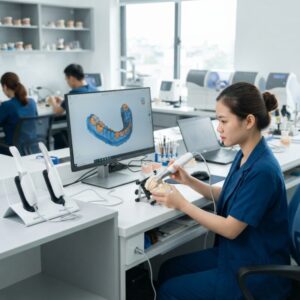
The 3D lab workflow automation trends in 2026 represent a significant evolution in how dental labs and DSOs operate, integrating advanced digital tools to enhance efficiency, accuracy, and scalability. These trends encompass the adoption of AI-powered design software, seamless CAD/CAM systems, and cloud-based collaboration platforms that enable remote outsourcing of crown & bridge, implant cases, surgical guides, dentures, orthodontic aligners, and night guards.
Dental labs are transitioning from manual, labor-intensive processes to fully automated digital workflows that reduce turnaround times and improve product consistency. The integration of 3D scanning, AI-driven design algorithms, and automated manufacturing equipment is redefining production standards, enabling labs to meet growing clinical demands while reducing costs.
Key components of these trends include the automation of digital design tasks, real-time communication between dentists and labs through shared platforms, and the use of predictive analytics to optimize workflow scheduling and inventory management.
What is the impact of AI on 3D lab workflow automation trends in 2026?
AI significantly enhances 3D lab workflow automation trends in 2026 by streamlining design, improving accuracy, and accelerating case completion times.
Artificial intelligence algorithms now assist in designing complex restorations such as crowns, bridges, and implant-supported prosthetics by analyzing patient scans and suggesting optimal anatomical contours and occlusal relationships. AI reduces human error in digital design phases and automates repetitive tasks like margin line detection and model segmentation.
These AI capabilities integrate with CAD software platforms from industry leaders like 3Shape and exocad, enabling dental labs to automate design workflows for multiple case types simultaneously. AI-powered design also supports customization in orthodontic aligner production by predicting tooth movement stages, enhancing treatment planning accuracy.
How do integrated CAD/CAM systems influence 3D lab workflow automation trends in 2026?
Integrated CAD/CAM systems are central to 3D lab workflow automation trends in 2026, enabling end-to-end digital processing from design to manufacturing within unified platforms.
These systems combine scanning, design, and manufacturing modules, allowing dental labs and DSOs to reduce manual file transfers and data loss risks. Integrated workflows increase efficiency by automatically generating toolpaths for milling machines or 3D printers based on final digital designs.
For example, a dental lab outsourcing crown and bridge design can receive scanned data directly from dental practices and produce restorations on-site or via automated manufacturing partners. Similarly, digital design files for surgical guides or implant abutments can be seamlessly transferred to printing devices like those from Formlabs or milling equipment from Roland DG.
What role does cloud collaboration play in 3D lab workflow automation trends in 2026?
Cloud collaboration facilitates real-time communication and file sharing, making it a pivotal factor in 3D lab workflow automation trends in 2026.
Dental labs and DSOs increasingly rely on cloud-based platforms to exchange patient scans, digital impressions, and design data securely and instantly. This connectivity supports rapid case approvals, design revisions, and status tracking without geographic constraints.
Cloud solutions also enable outsourcing dental CAD design services to specialized labs, expanding capacity and expertise without requiring physical proximity. These platforms integrate with practice management software to synchronize orders and invoicing, streamlining administrative tasks alongside technical workflows.
What are the latest 3D printing advancements impacting 3D lab workflow automation trends in 2026?
Recent 3D printing advancements are revolutionizing 3D lab workflow automation trends in 2026 by increasing speed, material options, and production precision.
Dental labs now utilize next-generation printers capable of producing surgical guides, dentures, and orthodontic aligners with biocompatible resins and enhanced surface finishes. Multi-material printing and improved resolution allow for combining flexible and rigid components in a single build, expanding the range of possible prosthetics.
Automation software controls printing queues and post-processing steps, reducing human intervention and ensuring consistent output quality. Companies like Asiga and SprintRay offer printers optimized for dental applications, which integrate with CAD design software to streamline production from design to final product delivery.
How does outsourcing digital dental lab design support 3D lab workflow automation trends in 2026?
Outsourcing digital dental lab design enables labs and DSOs to leverage specialized expertise and cutting-edge technology, aligning perfectly with 3D lab workflow automation trends in 2026.
By outsourcing the CAD/CAM design of crowns, bridges, implants, and other prosthetics, dental labs can focus on manufacturing and quality control while benefiting from faster, more precise digital designs. Outsourcing partners use automated workflows to handle large volumes of cases efficiently, often employing AI and cloud collaboration tools to optimize turnaround time.
This approach reduces the need for upfront capital investment in software licenses and training, providing scalable solutions suitable for labs of all sizes. Outsourcing also facilitates access to expert orthodontic aligner design and surgical guide modeling, enhancing overall service portfolios without expanding in-house resources. It works well alongside surgical guide design services and implant workflows.
What are the security considerations in 3D lab workflow automation trends in 2026?
Security is a critical aspect of 3D lab workflow automation trends in 2026, especially concerning patient data and intellectual property protection.
Cloud-based workflows and digital data exchange require robust encryption protocols, secure user authentication, and compliance with healthcare regulations such as HIPAA. Dental labs and DSOs must implement secure file transfer methods and regularly audit access logs to prevent unauthorized data breaches.
Additionally, software providers continuously update their platforms to patch vulnerabilities and ensure data integrity throughout the design and manufacturing processes. Partnering with reputable CAD/CAM and cloud service vendors that prioritize cybersecurity, like Dentsply Sirona, is essential for maintaining trust with dental practices and patients.
How is automation improving quality control in dental lab workflows?
Automation enhances quality control in dental lab workflows by implementing standardized checks and real-time monitoring throughout the digital design and manufacturing stages.
Software algorithms automatically detect design inconsistencies, such as undercuts or improper occlusal contacts, before production begins. Automated scanning verifies printed or milled components against the original digital models, enabling early detection of defects.
Machine learning tools analyze historical production data to predict potential failure points and recommend process adjustments. These capabilities reduce rework rates, increase first-time accuracy, and improve overall patient outcomes, fully embodying the 3D lab workflow automation trends in 2026.
What materials innovations support 3D lab workflow automation trends in 2026?
Material innovations play a vital role in supporting 3D lab workflow automation trends in 2026 by broadening the scope of digitally manufacturable dental restorations.
Advanced dental resins and ceramics compatible with 3D printing and milling machines offer improved biocompatibility, strength, and esthetics. Hybrid materials allow the creation of durable implant components and flexible orthodontic aligners within automated workflows.
Material suppliers, in collaboration with CAD/CAM system developers, provide validated workflows and processing parameters that integrate seamlessly with digital design software. This synergy ensures that automated production yields prosthetics meeting clinical standards consistently.
The influence of digital impression technologies on 3D lab workflow automation trends in 2026
Digital impression technologies are foundational to 3D lab workflow automation trends in 2026 by providing high-precision, easily transferable data inputs for automated design processes.
Intraoral scanners generate accurate 3D models of patients’ dentition, eliminating errors associated with physical impressions. These digital files can be directly imported into CAD/CAM software for design and manufacturing automation.
Leading scanner manufacturers like iTero and Medit continuously improve scan speed and accuracy, reducing chair time and improving patient experience. This digital-first approach accelerates the entire prosthetic production pipeline, reinforcing the 3D lab workflow automation trends in 2026.

How can dental labs prepare for future 3D lab workflow automation trends in 2026 and beyond?
Dental labs can prepare for future 3D lab workflow automation trends in 2026 by investing in scalable digital infrastructure, upskilling staff, and adopting flexible outsourcing partnerships.
Transitioning to cloud-based CAD/CAM platforms and integrating AI tools will position labs to handle increasing case complexity and volume efficiently. Continuous training ensures technicians stay proficient with evolving software and manufacturing technologies.
Developing strategic collaborations with specialized digital design outsourcing providers enhances capacity and access to innovation. Labs should also implement rigorous data security protocols and quality management systems to maintain compliance and competitive advantage. This proactive approach ensures labs remain at the forefront of dental technology advancements and meet client expectations effectively.
Conclusion: Embracing 3D lab workflow automation trends in 2026 for competitive advantage
The 3D lab workflow automation trends in 2026 mark a transformative era for dental labs and DSOs, driven by AI-enhanced design, integrated CAD/CAM systems, cloud collaboration, and advanced manufacturing technologies.
By embracing these trends, dental labs can achieve higher productivity, improved product quality, and faster turnaround times, ultimately delivering superior patient care. Outsourcing digital design services complements these automation efforts, providing scalable solutions to meet diverse clinical needs efficiently.
Staying informed and adopting these innovations strategically will empower dental labs to thrive in an increasingly digital and competitive marketplace.
Contact Us to Elevate Your Digital Dental Lab Workflows
Implementing Workflow Automation: A Step-by-Step Guide for Dental Labs
Transitioning to a fully automated 3D dental lab workflow can seem daunting, but breaking the process down into manageable steps makes it achievable. Below is a practical roadmap tailored for dental labs aiming to integrate automation technologies effectively.
Step 1: Assess Current Workflow and Identify Pain Points
- Map out each stage: Document every step from case intake to final delivery, noting manual tasks and bottlenecks.
- Gather team feedback: Involve technicians, designers, and management to understand challenges and inefficiencies.
- Evaluate turnaround times and error rates: Quantify delays and quality issues to set benchmarks for improvement.
Step 2: Define Automation Goals and Priorities
- Set clear objectives: Whether reducing turnaround times, improving accuracy, or scaling capacity, goals will guide technology choices.
- Prioritize workflows for automation: Focus first on repetitive, time-consuming tasks such as scanning, design iterations, or printing preparation.
- Budget planning: Establish realistic investment limits considering software, hardware, training, and maintenance.
Step 3: Select Suitable Automation Tools and Technologies
- Research vendor offerings: Compare CAD/CAM platforms, AI design software, 3D printers, and cloud-based collaboration solutions based on lab size and case complexity.
- Pilot testing: Trial software and equipment with a limited set of cases to evaluate user-friendliness, compatibility, and output quality.
- Integration capability: Ensure new tools can communicate seamlessly with existing lab management systems and digital impression devices.
Step 4: Train Staff and Establish Standard Operating Procedures
- Comprehensive training programs: Include hands-on sessions and troubleshooting guidelines to build confidence among technicians and designers.
- Document workflows: Create detailed SOPs that incorporate automation steps, quality checks, and escalation pathways.
- Develop a feedback loop: Encourage ongoing input to refine processes and address issues promptly.
Step 5: Monitor, Analyze, and Optimize Workflow
- Track key performance indicators (KPIs): Measure turnaround times, defect rates, and throughput before and after automation implementation.
- Regular audits: Conduct quality inspections and process reviews to identify areas for further efficiency gains.
- Continuous improvement: Stay updated with emerging technologies and incorporate upgrades to maintain competitive advantage.
Practical Cost and Quality Considerations in 3D Lab Workflow Automation
Investing in 3D workflow automation requires a careful balance between upfront costs, ongoing expenses, and the quality of output that dental labs can deliver. Understanding these factors helps labs make informed decisions that maximize return on investment (ROI).
Initial Capital Expenditure vs. Long-term Savings
- Equipment costs: High-precision 3D printers, scanners, and CAD software can represent significant capital outlay. For example, a mid-range dental 3D printer can cost between $10,000 and $50,000.
- Software licensing and updates: Many AI-driven design platforms require annual subscriptions or usage fees, which should be factored into budgeting.
- Training and onboarding: Allocating resources to train staff reduces errors and downtime, improving workflow efficiency.
- Maintenance and consumables: Regular servicing of printers and scanners, as well as material costs like resins and milling blanks, contribute to ongoing expenses.
Quality Assurance and Material Costs
- Material selection impacts final quality: Labs must choose dental-grade materials compatible with their printers and CAD/CAM systems, balancing cost and biocompatibility.
- Calibration and validation: Automated systems require routine calibration to maintain dimensional accuracy, critical for crown fit and implant guides.
- Reject rates: High-quality workflows reduce remakes and adjustments, directly influencing profitability.
Case Study: Cost-Benefit Analysis for a Mid-Sized Dental Lab
A dental lab with 20 technicians implemented a cloud-based CAD/CAM platform combined with AI-driven design software and two 3D printers. The initial investment was approximately $150,000, including equipment and training. After one year:
- Average turnaround time decreased by 30%, enabling increased case volume without adding staff.
- Material waste was reduced by 15% due to optimized print designs and better quality control.
- Repeat cases decreased by 25%, improving client satisfaction and reducing costs.
- Overall, the lab saw a 20% increase in revenue attributed to faster delivery and higher quality, offsetting the initial investment within 18 months.
Common Mistakes to Avoid When Automating Dental Lab Workflows
While automation offers powerful benefits, mistakes during implementation can lead to costly delays, quality issues, and employee frustration. Recognizing and avoiding these common pitfalls enhances the success of digital transformation projects.
1. Skipping the Needs Assessment Phase
Jumping into automation without fully understanding existing workflows and pain points often results in adopting ill-suited technologies. For example, a lab investing heavily in 3D printers without upgrading their scanning capabilities may face bottlenecks upstream.
2. Underestimating Staff Training Requirements
Even the most advanced automation tools require skilled operators. Labs that fail to invest in comprehensive training risk improper use, leading to errors, longer turnaround times, and equipment damage.
3. Ignoring Integration Between Systems
Automation works best when devices and software communicate seamlessly. Using isolated tools that don’t integrate with the lab management system or digital impression files leads to manual data entry and workflow interruptions.
4. Overloading Automation Too Quickly
Attempting to fully automate all processes simultaneously can overwhelm staff and create confusion. A phased approach, starting with high-impact areas, allows smoother adaptation and continuous improvement.
5. Neglecting Data Security Protocols
With cloud collaboration and digital file transfers becoming standard, labs must implement strict cybersecurity measures. Failure to protect patient data and intellectual property can result in legal liabilities and reputational damage.
6. Failing to Monitor and Adjust Workflows
Automation is not a set-and-forget solution. Labs that do not regularly analyze KPIs and gather team feedback miss opportunities to optimize processes and address emerging challenges.
Market-Specific Insights: Tailoring 3D Workflow Automation to Regional Dental Industry Needs
Dental labs and practices operate within diverse markets influenced by local regulations, patient demographics, and technology adoption rates. Understanding these market specifics is crucial for implementing 3D workflow automation that delivers maximum value.
North America
- Regulatory environment: Strict FDA regulations on dental devices and materials require labs to use validated equipment and maintain traceability.
- Technology adoption: High demand for same-day dentistry fuels interest in fast 3D printing and in-house milling.
- Insurance and reimbursement: Coverage variations influence which cases labs prioritize for automation, such as cosmetic vs. restorative work.
Europe
- Data privacy laws: GDPR compliance demands robust data handling and secure cloud collaboration platforms.
- Material sourcing: Preference for biocompatible, environmentally friendly materials affects printer and resin choices.
- Collaborative networks: Labs often partner with universities and research centers to pilot cutting-edge automation technologies.
Asia-Pacific
- Rapid market growth: Expanding dental markets in China and India present opportunities for scalable automation solutions.
- Cost sensitivity: Labs seek affordable automation options with flexible payment models to fit smaller budgets.
- Training and skill development: Focus on workforce upskilling to support complex digital workflows.
Latin America
- Infrastructure challenges: Variable internet connectivity impacts cloud-based collaboration adoption; hybrid solutions are often preferred.
- Import restrictions and tariffs: Influence equipment availability and cost, shaping automation strategy.
- Growing demand for esthetic dentistry: Drives investment in advanced CAD/CAM and 3D printing capabilities.
Customizing Automation Strategies
- Conduct localized market research: Understanding client expectations, regulatory requirements, and competitive landscape.
- Leverage regional partnerships: Collaborate with local technology providers, training centers, and dental associations.
- Adapt workflow solutions: Tailor automation toolkits to suit lab size, case mix, and regional cost structures.
Real-World Examples of Successful 3D Workflow Automation in Dental Labs
Understanding how 3D workflow automation is applied in real dental lab environments can provide invaluable insights for labs considering adoption. Below are three illustrative examples that highlight different approaches and outcomes.
Example 1: Small Dental Lab Streamlining Crown Production
A small lab specializing in crowns implemented an integrated CAD/CAM system combined with AI-driven design software. By automating initial design steps and integrating with their 3D printer, the lab reduced turnaround time from 5 days to 2 days. Key practical steps included:
- Digitizing all incoming impressions via intraoral scanners rather than physical molds.
- Setting up AI design templates for common crown types to accelerate the digital design phase.
- Training technicians on software to allow rapid modifications and quality checks before printing.
- Automating post-print finishing with robotic polishing equipment.
This example shows how targeted automation in a specific product line can drastically improve efficiency without overwhelming the entire operation.
Example 2: Large Multi-Unit Lab Leveraging Cloud Collaboration
A large dental lab with multiple locations adopted a cloud-based collaboration platform to outsource design work to remote specialists and subcontractors seamlessly. The platform integrated with their CAD system and allowed real-time feedback and version control for implant cases and full-arch restorations. Practical outcomes included:
- Reduced delays caused by physical shipping of models or digital files by enabling immediate cloud access.
- Improved quality through collaborative review steps involving dentists, design specialists, and lab technicians.
- Lower costs by utilizing subcontractors in lower-cost regions while maintaining strict quality standards via system controls.
Example 3: Mid-Sized Lab Automating Quality Control with AI
A mid-sized lab wanted to reduce human error in final product inspection. They implemented AI-powered optical scanners to automatically detect defects such as surface porosity, dimensional inaccuracies, and improper fit on 3D printed dentures and aligners. Steps included:
- Integrating AI scanners directly into the production line to inspect immediately after printing.
- Setting threshold defect criteria to trigger alerts or automatic reprint requests.
- Using data generated from inspections to continuously refine printing parameters and reduce waste.
This example highlights how AI-driven automation can improve product quality and reduce costly recalls.
Step-by-Step Checklist for Successful 3D Lab Workflow Automation Integration
Implementing workflow automation in a dental lab requires careful planning and execution. The following checklist guides labs through essential practical steps to maximize success:
- Evaluate Current Workflow: Map out each step in your current process, including manual tasks, software tools, and bottlenecks.
- Engage Stakeholders: Involve technicians, designers, and management early to gather input and address concerns.
- Set Clear Objectives: Define what you want to achieve, e.g., faster turnaround, higher quality, reduced costs, or scalability.
- Research Technologies: Compare available CAD/CAM systems, AI software, 3D printers, and cloud platforms based on compatibility and support.
- Develop a Pilot Program: Choose one product line or workflow segment to automate and test with a small team.
- Train Staff Thoroughly: Provide hands-on training and create detailed SOPs for new technologies.
- Collect and Analyze Data: Use KPIs like turnaround time, defect rates, and cost per unit to assess pilot success.
- Iterate and Scale: Refine processes based on feedback and gradually expand automation across other workflows.
- Plan for Maintenance: Schedule regular software updates, equipment calibration, and staff refreshers.
Common Pitfalls and How to Avoid Them in Dental Lab Automation
Despite its benefits, workflow automation can encounter challenges if not properly managed. Awareness of these pitfalls helps labs navigate implementation smoothly.
1. Overlooking Staff Buy-In
Automation may be viewed as a threat to jobs or a steep learning curve by staff. Failing to communicate clearly and involve technicians early can lead to resistance. To prevent this:
- Highlight how automation reduces repetitive tasks and allows focus on higher-value work.
- Offer ongoing training and support to build confidence.
- Encourage feedback and adapt workflows based on user input.
2. Underestimating Integration Complexity
New automation tools often need to seamlessly interact with existing systems. Incompatible software or hardware can cause data loss or workflow disruptions. Best practices include:
- Choosing vendors with proven integration capabilities.
- Performing thorough compatibility testing before full rollout.
- Maintaining backup systems during transition phases.
3. Ignoring Data Security and Compliance
Digital workflows increase exposure to cyber threats and regulatory scrutiny. Labs must:
- Implement robust encryption and access controls.
- Stay updated on healthcare data privacy regulations specific to dental information.
- Train staff on cybersecurity best practices.
4. Failing to Account for Hidden Costs
Initial purchases are only part of the total cost of ownership. Common unexpected expenses include:
- Software subscription or license renewals.
- Equipment maintenance and replacement parts.
- Training and productivity loss during the learning curve.
Market-Specific Considerations for 3D Lab Workflow Automation
The adoption and impact of 3D workflow automation can vary depending on the dental market segment, geography, and customer base. Understanding these specifics is crucial for strategic planning.
Regulatory Environment
Different countries have varying regulations governing medical devices, digital data handling, and lab certifications. Labs must:
- Ensure all automated products comply with local dental device standards.
- Maintain traceability of digital files and production batches for audits.
- Adapt workflows to meet evolving regulatory updates.
Customer Expectations and Volume
Labs serving high-volume DSOs versus boutique cosmetic dentists face different demands:
- High-volume customers prioritize speed, consistency, and cost-efficiency. Automation investments typically focus on throughput and error reduction.
- Boutique practices may emphasize customization and aesthetics, requiring flexible design tools but possibly lower volumes, influencing ROI calculations.
Local Infrastructure and Support
Access to reliable internet, software vendors, and technical support can impact automation feasibility, especially in rural or developing regions. Labs should:
- Evaluate cloud platform performance under local network conditions.
- Choose vendors offering responsive local or remote support.
- Plan for contingencies like offline workflows or manual overrides.
Competitive Landscape
Labs in highly competitive markets may find automation essential to stay relevant, while labs in niche or underserved markets might prioritize personalized service over full automation. Understanding competitive pressures helps tailor automation strategies effectively.
Ready to integrate the latest 3D lab workflow automation trends in 2026 into your practice? Contact us today to discover how our expert CAD/CAM outsourcing services can streamline your digital design and manufacturing processes.