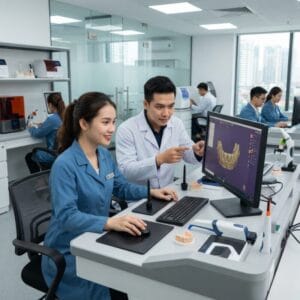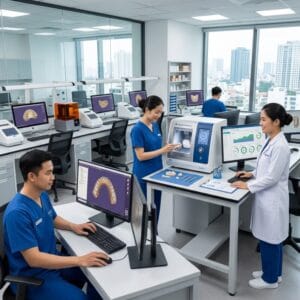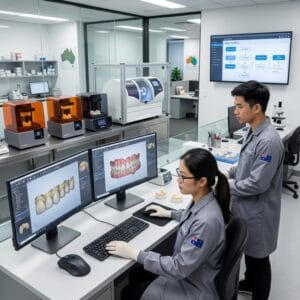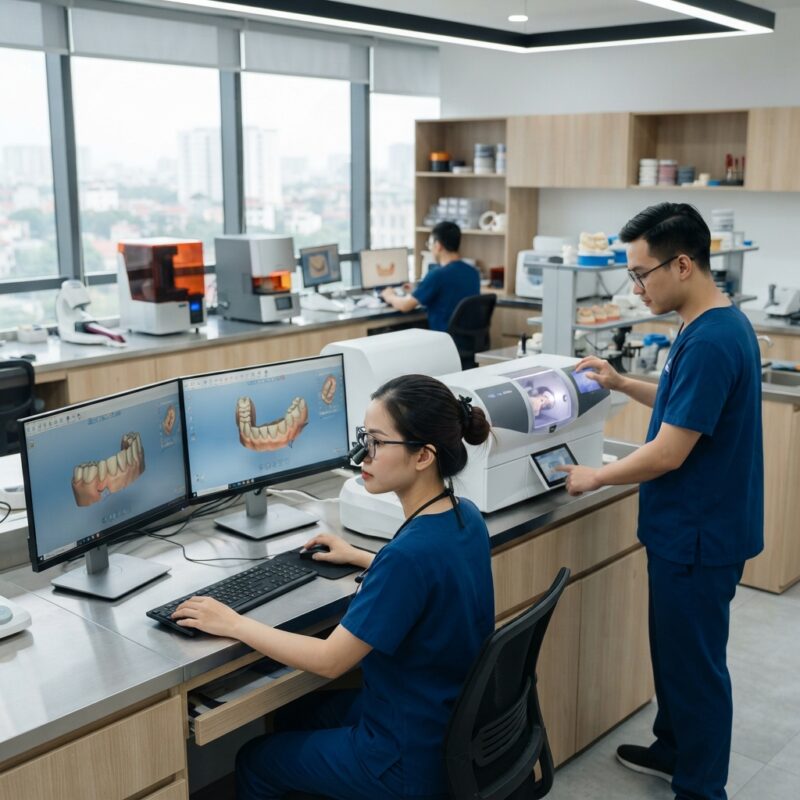
Introduction: Why Learn How to Set Up a Digital Dental Lab in 2026?
The dental industry is rapidly evolving with digital transformation at its core. For dental labs and dental service organizations (DSOs), learning how to set up a digital dental lab in 2026 is crucial to remain competitive, increase efficiency, and meet advanced clinical demands. Digital dentistry, powered by CAD/CAM technology, enables labs to produce precise crowns, bridges, implants, surgical guides, dentures, orthodontic aligners, and night guards with greater speed and accuracy.
This comprehensive guide walks you through the essential steps, equipment, software, and best practices to successfully transition or establish a digital dental lab tailored for the upcoming industry landscape.
What Is a Digital Dental Lab and Why Is It Important in 2026?
A digital dental lab uses computer-aided design (CAD) and computer-aided manufacturing (CAM) technologies to design and fabricate dental prosthetics and appliances instead of relying solely on traditional manual techniques.
In 2026, the importance of digital dental labs lies in increased precision, faster turnaround times, and the ability to integrate seamlessly with digital impressions and intraoral scanners. This digital workflow supports complex restorations like implant abutments, surgical guides, and customized orthodontic appliances more efficiently than ever.
Digital dental labs also enable outsourcing partnerships, allowing smaller labs or DSOs to access expert CAD design and manufacturing without heavy capital investment.
Key Components: What Equipment and Software Are Essential When Learning How to Set Up a Digital Dental Lab in 2026?
Understanding how to set up a digital dental lab in 2026 begins with selecting the right hardware and software components. The core elements include:
- Intraoral and model scanners: Devices like the iTero scanner capture precise digital impressions, forming the basis for design.
- CAD software: Leading platforms such as 3Shape Dental System or exocad enable technicians to design crowns, bridges, implants, and orthodontic appliances digitally.
- CAM milling machines and 3D printers: Equipment from companies like Formlabs and Roland DG allow precise manufacturing of restorations using materials like zirconia, resin, and metals.
- Digital articulation and bite analysis tools: Improve occlusal accuracy and patient comfort.
- Laboratory management software: Helps streamline case tracking, communication, and integration with digital workflows.
Choosing scalable and interoperable systems is key to adapting to future technological advances.
How Does Digital Crown Design Work in a Modern Dental Lab?
Digital crown design is the process of creating custom dental crowns using CAD software based on digital impressions, ensuring precise fit and aesthetics.
Once a digital impression is captured, the technician imports the data into CAD software, where they design the crown shape considering occlusion, margin lines, and patient-specific anatomy. Advanced software provides automated tools for margin detection and morphology adjustment. The design file is then sent to CAM equipment for milling or 3D printing using materials like zirconia or lithium disilicate.
Digital crown design reduces errors, improves turnaround times, and allows easy modifications compared to traditional wax-ups and physical impressions.
Step-by-Step Workflow: How to Set Up a Digital Dental Lab in 2026
Implementing an efficient workflow is critical for mastering how to set up a digital dental lab in 2026. A typical workflow includes:
- Case Intake and Digital Impressions: Receive digital scans or conventional impressions converted to digital form.
- Data Preparation: Clean and prepare scan data, ensuring accuracy and completeness.
- Design: Utilize CAD software to design the prosthesis – crowns, bridges, implants, dentures, or orthodontic devices.
- Verification: Review design for anatomical accuracy and occlusion using software simulation tools.
- Manufacturing: Use CAM milling or 3D printing to fabricate the restoration with appropriate biocompatible materials.
- Post-Processing: Finish, polish, and quality-check the restoration before delivery.
- Shipping and Feedback: Deliver to the client and collect feedback for continuous improvement.
Integrating digital communication platforms with clients ensures transparency and faster approvals.
What Are the Benefits of Outsourcing Dental Lab CAD/CAM Digital Design Services?
Outsourcing dental lab CAD/CAM services offers labs and DSOs access to advanced design expertise and technology without large upfront investments.
Benefits include:
- Cost savings: Avoid expensive equipment purchases and maintenance.
- Scalability: Easily manage fluctuating case volumes.
- Access to experts: Leverage specialized technicians focused solely on digital design.
- Faster turnaround: Dedicated digital labs often provide expedited services.
- Focus on core competencies: Labs can concentrate on manufacturing and finishing while outsourcing complex CAD design.
Partnering with reputable outsourcing providers also allows integration with workflows for surgical guides, dentures, and orthodontic aligners, adding value to your lab’s offerings surgical guide design.
Digital Materials and Manufacturing: What Should Labs Consider in 2026?
Material selection and digital manufacturing techniques are central to mastering how to set up a digital dental lab in 2026. Key considerations include:
- Material compatibility: Ensure your milling machines or 3D printers support materials such as zirconia, PMMA, composite resins, and biocompatible polymers.
- 3D printing technology: Technologies like stereolithography (SLA) and digital light processing (DLP) printers from brands like Asiga provide high accuracy for surgical guides and aligners.
- Hybrid manufacturing: Combining additive and subtractive methods to optimize strength and surface finish.
- Material certifications: Use FDA-approved or CE-marked materials suitable for intraoral use to ensure patient safety.
Staying updated on material innovations enhances your lab’s capability to deliver durable and esthetic restorations.
How to Train Your Team for a Successful Digital Dental Lab Setup?
Training is essential for a smooth transition when learning how to set up a digital dental lab in 2026. The team must be skilled in both digital design and manufacturing processes.
Effective training strategies include:
- Hands-on software workshops: Regular sessions on CAD software functionalities.
- Equipment operation training: Proper use of scanners, milling machines, and printers.
- Continuous education: Attend webinars, courses, and industry conferences to stay current with technological advances.
- Collaboration with outsourcing partners: Facilitate knowledge exchange and best practices.
Empowered technicians reduce errors and improve overall efficiency.

How to Integrate Digital Dental Lab Workflows with DSOs and Practices?
Integration between digital dental labs and DSOs or dental practices is vital for streamlined case management and communication.
Key integration methods include:
- Cloud-based platforms: Use secure portals for file sharing, case approvals, and real-time updates.
- Open file formats: Support STL, PLY, and OBJ formats to ensure compatibility across different systems.
- Automated case tracking: Software that provides notifications and status updates.
- Collaborative design feedback: Tools that enable clients to annotate and request modifications directly.
These integrations reduce turnaround times and enhance client satisfaction, positioning your lab as a digital partner of choice dental lab outsourcing benefits.
Future Trends: What to Expect When Setting Up a Digital Dental Lab in 2026 and Beyond?
Understanding emerging trends helps future-proof your investment when learning how to set up a digital dental lab in 2026. Some anticipated developments include:
- AI-powered design automation: Artificial intelligence will streamline design processes, reducing human error.
- Increased use of robotics and automation: For manufacturing and finishing tasks.
- Enhanced materials science: New biomaterials with improved strength and aesthetics.
- Greater integration with tele-dentistry: Enabling remote consultations and faster case acceptance.
- Sustainability: Adoption of eco-friendly materials and waste reduction technologies.
Preparing for these trends will keep your digital dental lab ahead in the competitive market.
Conclusion: Ready to Learn How to Set Up a Digital Dental Lab in 2026?
Setting up a digital dental lab in 2026 requires careful planning, the right technology investments, skilled personnel, and strategic partnerships. By embracing CAD/CAM workflows, modern materials, and outsourcing where appropriate, labs and DSOs can significantly enhance their capabilities and profitability.
For more guidance on integrating cutting-edge digital dental solutions, visit the American Dental Association and manufacturers like Dentsply Sirona.
Practical Cost and Quality Considerations When Setting Up a Digital Dental Lab
One of the most critical factors in establishing a successful digital dental lab is balancing cost with quality to ensure profitability without compromising clinical outcomes. Understanding the financial aspects and quality control measures can guide better investment decisions and operational efficiency.
Initial Investment Breakdown
Setting up a digital dental lab requires a considerable upfront investment in technology, software, and training. Below is a typical cost breakdown to help labs budget effectively:
- CAD/CAM Software Licenses: Annual fees can range from $10,000 to $50,000 depending on the number of users and features.
- 3D Scanners: Intraoral or desktop scanners typically cost between $20,000 to $60,000 each.
- 3D Printers and Milling Machines: Depending on precision and size, costs vary from $50,000 to over $150,000.
- Materials Inventory: High-quality dental resins, ceramics, and metals can require $10,000+ upfront.
- Training and Support: Budget at least $5,000 to $15,000 annually for ongoing staff education and software updates.
Ongoing Operational Costs
Operational expenses include material replenishment, equipment maintenance, software subscriptions, and labor costs. Many labs underestimate maintenance, leading to costly downtime. Establishing a maintenance schedule and budgeting 10-15% of equipment cost annually can prevent unexpected failures.
Quality Control Measures
Maintaining high quality in digital dental restorations is essential to build trust with dental practices and patients. Labs should implement these quality control steps:
- Calibration of Equipment: Regularly calibrate scanners, printers, and milling machines to maintain dimensional accuracy.
- Material Testing: Use validated materials and perform batch testing to ensure biocompatibility and mechanical properties.
- Digital Validation: Utilize software simulations to check for fit, occlusion, and margin integrity before fabrication.
- Final Inspection: Conduct visual and microscopic inspection of finished restorations to detect surface defects or inaccuracies.
Common Mistakes to Avoid When Transitioning to a Digital Dental Lab
Transitioning from traditional to digital workflows can be challenging. Avoiding common pitfalls will save time and resources while enhancing the success of the digital transformation.
Underestimating Staff Training Needs
Many labs assume that their technicians can quickly adapt to new software and equipment. However, digital dentistry requires specialized skills and a mindset shift. Labs should invest in continuous, hands-on training and foster a learning culture.
Ignoring Workflow Integration Challenges
Digital workflows must seamlessly connect scanning, design, manufacturing, and quality assurance. Failing to map out and test these integrations can cause bottlenecks and errors. Conduct thorough workflow mapping and pilot testing before full-scale implementation.
Inadequate Data Management and Security
Digital dental labs handle sensitive patient data and proprietary design files. Labs often overlook the importance of robust data management systems and cybersecurity measures. Implement secure cloud storage, regular backups, and compliance with data protection regulations to mitigate risks.
Choosing Equipment Based Solely on Price
While budget constraints are real, opting for the cheapest scanners or milling units can lead to poor quality and increased rework. Evaluate equipment based on precision, reliability, manufacturer support, and compatibility with your software ecosystem.
Neglecting Post-Processing and Finishing Steps
Digital fabrication produces restorations that often require manual finishing, polishing, or sintering. Skipping or rushing these steps can compromise fit and aesthetics. Develop detailed post-processing protocols and quality checkpoints.
Step-by-Step Checklist for Launching a Digital Dental Lab
To ensure a smooth setup and operation, labs can follow this comprehensive checklist that covers all key phases from planning to launch.
- Phase 1: Planning and Assessment
- Conduct market research to understand client needs and competition.
- Define scope of services (e.g., crowns, bridges, dentures, implants).
- Draft a budget including capital and operational expenses.
- Identify key stakeholders and assign project roles.
- Phase 2: Technology and Equipment Selection
- Evaluate CAD/CAM software options for compatibility and features.
- Choose appropriate 3D scanning technology based on case types.
- Select milling and printing equipment balancing precision and throughput.
- Establish vendor relationships and negotiate service contracts.
- Phase 3: Facility Setup
- Design lab layout to optimize workflow and minimize contamination.
- Install necessary infrastructure: power supply, ventilation, network.
- Implement data storage and security systems.
- Set up quality control stations and post-processing areas.
- Phase 4: Staff Training and Workflow Development
- Conduct training sessions on software, equipment, and digital workflows.
- Create standard operating procedures (SOPs) for each process step.
- Run trial cases to identify and solve workflow issues.
- Establish communication protocols with dental practices and DSOs.
- Phase 5: Launch and Continuous Improvement
- Start with limited case volume to monitor performance and quality.
- Collect feedback from clients and technicians regularly.
- Analyze production data to identify bottlenecks and errors.
- Implement continuous training and process optimization.
Real-World Examples: Success Stories and Lessons Learned
Examining how other digital dental labs have navigated their setup and growth provides valuable insights and inspiration.
Case Study 1: Mid-Sized Lab Boosts Efficiency by 40%
A mid-sized dental lab in the Midwest integrated a fully digital workflow with high-precision scanners and milling machines. By implementing a centralized digital design platform and automating case tracking, the lab reduced turnaround times from 10 days to 6 days. Key success factors included investing in staff cross-training and establishing a dedicated digital design team.
Case Study 2: Small Lab Expands Services to Digital Dentures
A small family-run lab specializing in traditional crowns diversified into digital denture fabrication. They chose a cost-effective 3D printer and partnered with a material supplier for high-quality denture resins. Initial challenges with fitting accuracy were resolved by adopting advanced scanning protocols and iterative design reviews with clinicians. The lab saw a 25% revenue increase within the first year.
Case Study 3: Large DSO-Integrated Lab Faces Data Security Challenges
A dental service organization expanded its lab services across multiple states with centralized digital design. However, inadequate cybersecurity measures led to a data breach exposing patient information. The lab quickly invested in encrypted cloud services, multi-factor authentication, and staff cybersecurity awareness training. This experience underlines the importance of proactive data protection in digital dentistry.
Lessons Learned Across Labs
- Start Small, Scale Gradually: Pilot projects allow troubleshooting without disrupting overall operations.
- Strong Vendor Support Is Vital: Technology partners who provide timely training and maintenance improve reliability.
- Communication Is Key: Regular dialogue between labs and dental practices minimizes remakes and improves satisfaction.
- Invest in Data Security Early: Protecting patient data builds trust and ensures compliance with regulations.
- Continuous Improvement Drives Success: Labs that actively analyze performance data and adapt remain competitive.
Contact us today to discuss how our dental lab CAD/CAM digital design outsourcing services can help you successfully set up and grow your digital dental lab in 2026.