Understanding Common CAD CAM Design Errors and How to Fix Them in 2026
The landscape of dental prosthetic manufacturing continues to evolve rapidly in 2026, with digital workflows and CAD CAM technologies becoming the industry standard. However, despite advances, common CAD CAM design errors and how to fix them in 2026 remain a critical topic for dental labs, DSOs, and practices to maintain high-quality outcomes. These errors can lead to ill-fitting restorations, increased chair time, and costly remakes. This article offers a comprehensive overview of the most prevalent design mistakes and actionable strategies to correct them, ensuring streamlined production and clinical success.
What Are the Most Frequent CAD CAM Design Errors in Dental Labs?
The most frequent CAD CAM design errors encountered in dental labs include margin inaccuracies, improper occlusal clearance, inadequate connector dimensions in bridges, and errors in implant angulation. Margin inaccuracies often result from poor scan quality or incorrect margin line selection, causing restorations that do not seat properly. Inadequate occlusal clearance can lead to patient discomfort and premature restoration failure. Connector dimensions that are too thin increase the risk of fracture, especially in multi-unit bridges. Implant angulation errors compromise prosthetic fit and surgical outcomes.
Other common flaws involve under- or over-contouring of prosthetics, errors in digital articulation, and incorrect insertion axis planning. Identifying these issues early in the design process is essential to avoid downstream complications. For dental labs aiming to optimize their design workflows, training designers to recognize these patterns and apply software tools effectively is key. For a detailed understanding of CAD CAM fundamentals, resources like 3Shape and exocad provide excellent software-specific guidelines and updates.
How Does Digital Crown Design Work and What Errors Are Common?
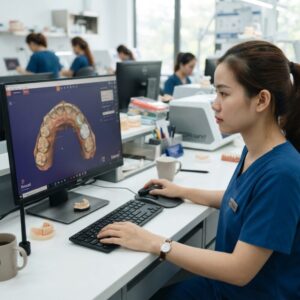
Digital crown design involves capturing precise digital impressions, defining margin lines, designing the crown shape with appropriate thickness, and ensuring occlusal and proximal contacts before milling or printing. Common errors in crown design include inaccurate margin placement, insufficient crown thickness, and poor contact point definition. Margin errors often stem from suboptimal scan data or failure to verify margin integrity in the CAD software. Thin crown walls may result in fracture during function, while incorrect contacts can cause food impaction or require chairside adjustment.
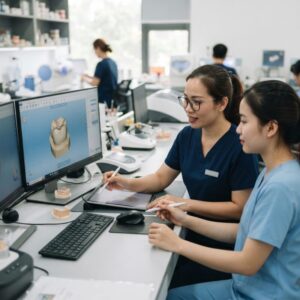
To fix these errors, designers should utilize software tools that highlight margin discrepancies and thickness warnings, verify occlusion dynamically, and use patient-specific bite scans when available. Additionally, cross-checking designs against anatomical landmarks and prior restorations helps to enhance fit and function. Labs should invest in continuous software training and quality control protocols to minimize these common CAD CAM design errors and how to fix them in 2026 effectively.
What Role Does Implant and Surgical Guide Design Play in Avoiding Errors?
Implant and surgical guide design are critical for precision in implant placement and prosthetic success. Errors in this phase often include misaligned implant angulation, incorrect guide sleeve positioning, and insufficient guide stability features. These mistakes can lead to inaccurate drilling, implant misplacement, and compromised osseointegration. Surgical guides must be designed with exacting standards to reflect the planned implant position and angulation, based on CBCT data and digital impressions.
Correction strategies include rigid validation of digital planning against clinical scans, use of open-source planning software approved by implant manufacturers like Nobel Biocare or Straumann, and iterative design reviews with surgeons. Additionally, incorporating retention features such as fixation pins or sleeves improves guide stability during surgery. Outsourcing to specialized CAD CAM design services can also reduce errors by leveraging expert knowledge in surgical guide production. This approach complements in-house milling or printing workflows and enhances overall clinical outcomes.
Common CAD CAM Design Errors and How to Fix Them in 2026: Occlusion and Articulation Issues
Occlusion and articulation errors remain among the most challenging issues in digital dental design. Improper occlusal contacts can cause patient discomfort, restoration fractures, and accelerated wear of antagonistic teeth. Errors often arise due to inaccurate bite registration, failure to simulate dynamic occlusion, or neglecting to account for interarch relationships during design. Common mistakes include premature contacts, lack of anterior guidance, and insufficient clearance between restorations and opposing teeth.
Fixing these errors requires integrating digital bite scans and dynamic articulators within CAD software to replicate patient-specific movements. Many advanced CAD platforms now support virtual articulation modules that simulate mandibular motion, enabling designers to identify and adjust problematic contacts pre-production. Training design teams to interpret these simulations and collaborate closely with clinicians ensures restorations fit harmoniously within the occlusal scheme. Labs and DSOs can also benefit from adopting standardized occlusion protocols in their digital workflows to reduce variability and errors.
How Can Denture and Orthodontic Aligner Design Errors Be Minimized?
Denture and orthodontic aligner fabrication via CAD CAM technology introduces unique design challenges. For dentures, common errors include improper tissue surface adaptation, insufficient relief areas, and inaccurate tooth positioning, which affect retention, comfort, and esthetics. For orthodontic aligners, mistakes often involve incorrect tooth movement staging, poor fit due to scan inaccuracies, and inadequate attachments or undercuts.
Minimizing these errors requires detailed initial scans, comprehensive software planning, and verification steps. Denture design benefits from software modules that simulate tissue compression and movement, ensuring optimal fit. Orthodontic software platforms must incorporate biomechanical principles to stage tooth movements correctly and include features for virtual attachment placement. Collaboration between orthodontists, technicians, and digital designers is critical for success. Outsourcing CAD CAM design to providers with specialized expertise in denture and aligner workflows can significantly reduce errors and remakes. This service integrates well with in-house digital manufacturing to boost lab throughput and clinical satisfaction.
Decision Criteria for In-House vs. Outsourced CAD CAM Design in 2026
Choosing between in-house CAD CAM design and outsourcing depends on multiple factors including lab size, case volume, staff expertise, and capital investment capacity. Small to mid-sized labs or single-dentist practices may find outsourcing design services cost-effective to avoid the expense of hiring full-time designers and investing in software licenses. High-volume labs or DSOs with large case loads may benefit from developing internal design teams to increase turnaround speed and control.
When evaluating options, consider the total cost of ownership including hardware, software, training, and ongoing support. Outsourcing offers access to specialized skills, scalable capacity, and reduced operational complexity but may introduce communication challenges and longer lead times. In contrast, in-house design provides immediate feedback loops and control but demands continuous investment in personnel and technology updates.
| Criteria | Small Lab / Practice | Mid-size Lab / DSO | Large DSO / Multi-site Lab |
|---|---|---|---|
| Best for | Low volume, limited budget | Moderate volume, mixed cases | High volume, complex workflows |
| Strengths | Cost-effective, flexible | Balanced control and cost | Full control, fast turnaround |
| Limitations | Dependency on external partners | Requires some investment in staff | High capital and HR costs |
| Typical Cost Range | Low to moderate | Moderate to high | High |
| Workflow Impact | Simplified, reliant on communication | Hybrid, some integration needed | Fully integrated digital workflow |
Understanding these criteria helps labs and DSOs decide the best path to minimize common CAD CAM design errors and how to fix them in 2026 while optimizing production efficiency and clinical outcomes. digital crown design workflows also work well alongside outsourced services to balance flexibility and control.
How Does Software Selection Influence Common CAD CAM Design Errors and Their Resolution?
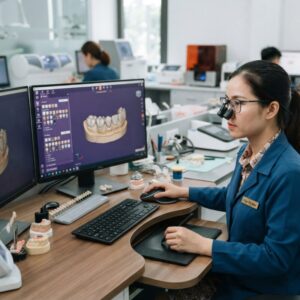
Software choice plays a pivotal role in preventing and correcting CAD CAM design errors. Leading platforms like exocad and 3Shape offer robust tools for margin detection, occlusion simulation, and implant planning. Features such as automated thickness analysis, dynamic articulation, and integrated implant libraries reduce human error and improve design accuracy. However, software complexity can also introduce user errors if designers are not adequately trained.
To mitigate errors, labs must invest in ongoing staff education and software updates. Selecting software with intuitive interfaces and strong technical support can accelerate designer proficiency and error detection. Many CAD CAM platforms now support cloud-based collaboration, enabling remote review and feedback loops that catch errors early. Additionally, software interoperability with milling and printing equipment is crucial to ensure designs translate accurately into physical restorations. Choosing the right software aligned with lab workflows and case types is fundamental to solving common CAD CAM design errors and how to fix them in 2026.
Do You Need Design Capacity for Your New Equipment?
Dental labs and practices investing in new milling or 3D printing equipment often face the challenge of design capacity. Hiring and training in-house CAD designers can be time-consuming and costly. Outsourcing CAD CAM design services offers a flexible solution, allowing you to run your equipment at full capacity without increasing staff overhead. Expert designers handle complex cases, from crowns and bridges to surgical guides and orthodontic aligners, ensuring high-quality output and reducing remakes.
Step-by-Step Checklist for Preventing CAD CAM Design Errors in Dental Labs
Implementing a systematic approach to catch and correct errors early can drastically reduce rework and improve turnaround times in dental labs. Here is a practical checklist to incorporate into your daily CAD CAM design workflow:
- Initial Scan Verification: Before importing scan data, verify the quality and completeness of intraoral or model scans. Missing areas or artifacts can cause design inaccuracies.
- Margin Line Accuracy: Confirm that the margin line is properly detected and defined in the software. Manually adjust or redraw if necessary to avoid improper crown or bridge fit.
- Material and Restoration Type Selection: Double-check that the correct material parameters and restoration types are selected, as these affect milling and sintering processes.
- Design Parameter Review: For each restoration, review wall thickness, cement space, and connector dimensions according to material manufacturer guidelines and clinical requirements.
- Articulation Simulation: Run occlusal analysis tools within the software to identify high spots or interferences, adjusting the design accordingly.
- Implant Position Confirmation: Cross-reference implant positions with surgical guides or CBCT data to ensure accurate abutment design and seating.
- Export Format Validation: Confirm that the correct file formats (e.g., STL, OBJ) are exported with the right resolution and without data corruption.
- Final Design Review: Use a second technician or clinician to review the design before milling or printing to catch any overlooked errors.
Common Cost and Quality Trade-Offs in CAD CAM Design Choices
Understanding the balance between cost and quality is critical for dental labs and practices investing in CAD CAM technology. Here are some real-world considerations:
Material Selection and Its Impact
High-quality materials such as zirconia, lithium disilicate, and PMMA vary significantly in price and machining requirements. For example, monolithic zirconia offers excellent strength and esthetics but requires precise sintering and finishing to avoid fit issues, adding to labor and equipment costs. In contrast, PMMA is less expensive and faster to mill but may lack durability for long-term restorations.
Design Complexity vs. Production Time
Highly customized designs with intricate occlusal anatomy and precise connectors improve clinical outcomes but increase design time and machining complexity. Simplified designs reduce production time and cost but may compromise function or esthetics. Labs must assess client expectations and clinical indications to find a suitable balance.
Outsourcing vs. In-House Production
While outsourcing CAD CAM design and manufacturing can reduce upfront investments, it can also increase per-unit costs and turnaround times. Conversely, in-house production requires capital expenditure and skilled personnel but enables tighter quality control and faster iterations. Hybrid models, where design is done in-house but milling is outsourced, can offer a middle ground.
Common Mistakes to Avoid When Implementing New CAD CAM Systems in Dental Practices
Adopting new CAD CAM systems presents challenges that can lead to costly errors if not managed carefully. Here are frequent pitfalls and how to avoid them:
- Insufficient Training: Underestimating the learning curve results in design errors and workflow bottlenecks. Invest in comprehensive, ongoing training for all users.
- Ignoring Software Updates: Failing to update software can cause compatibility issues and miss out on error-correction improvements.
- Poor Data Management: Not establishing protocols for scan and design file storage can lead to version confusion and lost work.
- Skipping Quality Control Steps: Rushing the design-to-production process without verification increases remakes and chair time.
- Overlooking Calibration: Neglecting regular calibration of scanners and milling machines leads to dimensional inaccuracies.
- Not Accounting for Patient-Specific Variables: Standardized design parameters may not suit unique anatomical or occlusal situations, resulting in ill-fitting restorations.
Market-Specific Considerations for CAD CAM Design in Different Regions
Dental labs and practices must tailor their CAD CAM strategies to regional market conditions, which affect technology adoption, cost sensitivity, and clinical preferences.
North America and Europe
These mature markets prioritize high precision, esthetic outcomes, and integration with digital workflows like fully digital impressions and implant planning. Labs here often invest in advanced multi-unit design software and high-end milling units. Regulatory compliance and certification standards also influence material and design choices.
Asia-Pacific
Rapid market growth and increasing digital adoption characterize this region. Cost-effectiveness is a significant driver, with many labs balancing mid-range materials and equipment to meet growing demand. Language localization of software and training materials is crucial for successful implementation.
Latin America and Africa
Emerging markets face challenges such as limited access to advanced equipment and technical expertise. Labs often rely on partnerships with larger centralized facilities or outsourcing. Affordable, user-friendly CAD CAM solutions with robust technical support are essential to encourage adoption.
Customization for Local Clinical Practices
In all regions, understanding local clinical protocols, common restorative materials, and patient preferences informs CAD CAM design parameters. For example, preferences for certain margin types, restoration shades, or implant systems require software customization and technician expertise.
Our specialized CAD CAM design outsourcing service seamlessly integrates with your existing workflow, providing scalability and expert support when you need it most. Contact us today to learn how we can help improve your production efficiency and clinical results.