
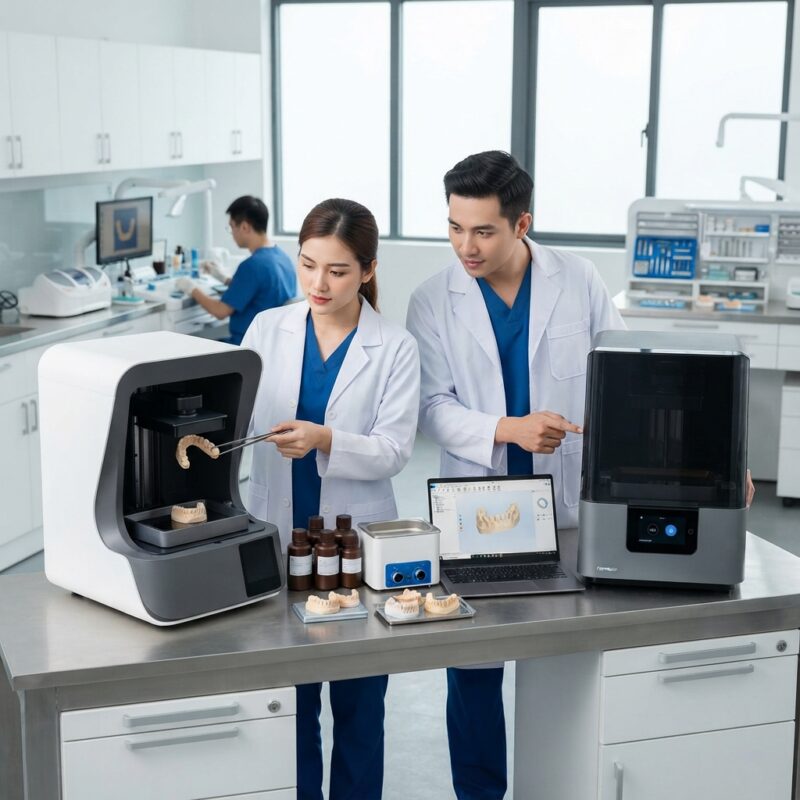
Introduction to SprintRay vs Formlabs dental 3D printer comparison 2026
As digital dentistry continues to evolve rapidly, dental labs and dental service organizations (DSOs) increasingly rely on advanced 3D printing technology to streamline production of crowns, bridges, implants, surgical guides, dentures, orthodontic aligners, and night guards. The choice of a dental 3D printer is critical to ensuring precise, efficient, and cost-effective manufacturing. In the SprintRay vs Formlabs dental 3D printer comparison 2026, we evaluate these two leading manufacturers to help dental professionals make an informed decision based on performance, workflow integration, cost, and application suitability.
Both SprintRay and Formlabs have built strong reputations for reliable dental printers optimized for CAD/CAM workflows. However, their differing technology platforms, software ecosystems, and pricing models cater to different segments of the dental market. This article provides a comprehensive analysis of these differences to support purchasing decisions for labs and DSOs of varying sizes and needs.
What are the main differences between SprintRay and Formlabs dental 3D printers?
The main differences between SprintRay and Formlabs dental 3D printers lie in their printing technologies, software integration, and targeted user base.
SprintRay primarily utilizes DLP (digital light processing) technology optimized for speed and accuracy in dental applications, while Formlabs employs a high-resolution SLA (stereolithography) process known for fine detail and smooth surface finishes. SprintRay’s printers often come with purpose-built dental software tailored to common prosthetic workflows, whereas Formlabs offers a more versatile ecosystem with its PreForm software supporting a wider range of resins.
Additionally, SprintRay generally targets high-throughput dental labs and DSOs with solutions designed for rapid production cycles. Formlabs appeals to smaller labs and individual practices seeking flexible, high-detail printing with a broad resin portfolio. Understanding these distinctions is key to aligning printer choice with clinical and business objectives.
How does printing technology influence dental 3D printer performance?
Printing technology is fundamental to performance differences between SprintRay and Formlabs dental 3D printers.
SprintRay leverages DLP technology, which cures an entire layer simultaneously by projecting an image using a digital micromirror device. This results in fast print speeds, making it ideal for labs with high-volume crown and bridge production. The layer resolution typically ranges from 50 to 100 microns, balancing speed with accuracy.
By contrast, Formlabs uses SLA technology, which cures resin point-by-point with a laser, producing exceptionally smooth surfaces and highly detailed features. SLA generally operates at layer thicknesses as low as 25 microns, suited for intricate implants, surgical guides, and orthodontic appliances.
In practice, DLP printers like SprintRay excel in throughput and are well-suited for standardized prosthetics, while SLA printers such as Formlabs provide superior detail beneficial for complex cases. Dental labs should consider their typical case mix and production volume when weighing these technologies.
What are the cost considerations in the SprintRay vs Formlabs dental 3D printer comparison 2026?
Cost considerations in the SprintRay vs Formlabs dental 3D printer comparison 2026 revolve around upfront investment, consumables, maintenance, and total cost of ownership (TCO).
Typically, SprintRay printers have a competitive initial purchase price in the mid-range segment, with consumables like proprietary resins priced to support high-volume printing economically. Their printers often include service plans tailored to commercial labs.
Formlabs printers generally have a similar upfront cost but offer a wider variety of open resin options, some of which may be third-party and more cost-effective, enabling flexibility in consumable expenses. However, SLA printers can have slightly longer print times, potentially impacting labor and throughput costs.
Maintenance costs depend on the printer model and usage intensity. SprintRay’s modular design facilitates quick part replacement, reducing downtime. Formlabs offers robust customer support and a user-friendly interface that can lower training-related expenses.
Ultimately, labs and DSOs should calculate TCO based on their specific case volumes, resin preferences, and workflow integration needs. It is advisable to request detailed pricing from both companies to reflect regional variations.
SprintRay vs Formlabs dental 3D printer comparison 2026: Application suitability
Both SprintRay and Formlabs dental 3D printers support a broad range of applications, but their suitability varies by prosthetic type and production scale.
- SprintRay
- Best for: High-volume crown & bridge labs, implant surgical guides, night guards
- Strengths: Faster print speeds, integrated dental software, robust for repetitive production
- Limitations: Less fine detail than SLA, limited open resin compatibility
- Formlabs
- Best for: Small to medium labs, detailed implant models, orthodontic aligners, dentures
- Strengths: Superior surface finish, versatile resin options, excellent detail resolution
- Limitations: Slower print speed, potentially higher labor time, resin cost variability
For implants and surgical guides requiring extreme detail and biocompatibility, Formlabs’ SLA technology is often preferred. For crown and bridge work demanding speed and volume, SprintRay’s DLP printers offer efficiency advantages. Orthodontic labs producing aligners may value Formlabs’ precision, while night guard manufacturing benefits from SprintRay’s throughput.
Comparison Table: SprintRay vs Formlabs dental 3D printers key criteria
| Criteria | SprintRay | Formlabs |
|---|---|---|
| Printing Technology | DLP (Digital Light Processing) | SLA (Stereolithography) |
| Typical Layer Resolution | 50-100 microns | 25-100 microns |
| Print Speed | Up to 2x faster (entire layer cured at once) | Slower (laser point cure) |
| Resin Compatibility | Proprietary dental resins | Wide range of proprietary and third-party resins |
| Best Use Case | High-volume labs, crowns & bridges, night guards | Detail-critical cases, implants, aligners, dentures |
| Software | Dedicated dental CAD/CAM integration | PreForm with versatile resin profiles |
How do SprintRay and Formlabs integrate with dental CAD/CAM workflows?
Both SprintRay and Formlabs offer software solutions that integrate with dental CAD/CAM systems to streamline design-to-print workflows.
SprintRay provides a proprietary software suite focused on dental-specific workflows, including automated support generation and print job management optimized for crowns, bridges, and guides. This tight integration reduces manual intervention and shortens turnaround times.
Formlabs uses its PreForm software, which supports a broad range of dental and industrial resins, allowing customization of support structures and print parameters. While not exclusively dental, PreForm interfaces well with major dental CAD platforms such as exocad and 3Shape, popular in digital prosthetics design.
Both systems export standard STL files, ensuring compatibility with most dental design software used by labs and DSOs. Consideration of software usability and support may influence printer choice depending on staff expertise and workflow preferences.
What are the maintenance and support differences between SprintRay and Formlabs?
Maintenance and support are key factors in long-term equipment reliability and operational efficiency.
SprintRay designs its printers for easy maintenance with modular components that users can replace quickly, minimizing downtime. Their customer support includes remote troubleshooting and optional service contracts tailored to dental labs’ needs.
Formlabs offers comprehensive technical support, including in-depth online resources, community forums, and direct assistance. Their printers require routine cleaning and resin tank replacement, with some SLA-specific maintenance tasks that may require training.
Labs and DSOs should evaluate the availability of local technical service and warranty coverage, as these can vary by region and affect total cost of ownership.
How scalable are SprintRay and Formlabs solutions for dental labs and DSOs?
SprintRay’s product lineup includes models designed for scalability in high-volume environments, making it suitable for large dental labs and DSOs managing multiple clinical sites. Their printers support batch printing and often integrate with automated post-processing units, enhancing throughput.
Formlabs caters well to smaller labs and individual practices due to its compact footprint and flexibility with resin types. While it can serve moderate-volume labs, scaling to very high production levels may require multiple units and more manual workflow management.
In multi-site DSOs, standardizing equipment like SprintRay’s printers can simplify training and parts inventory. However, Formlabs’ versatility is appealing for clinics with diverse case types and lower volumes.
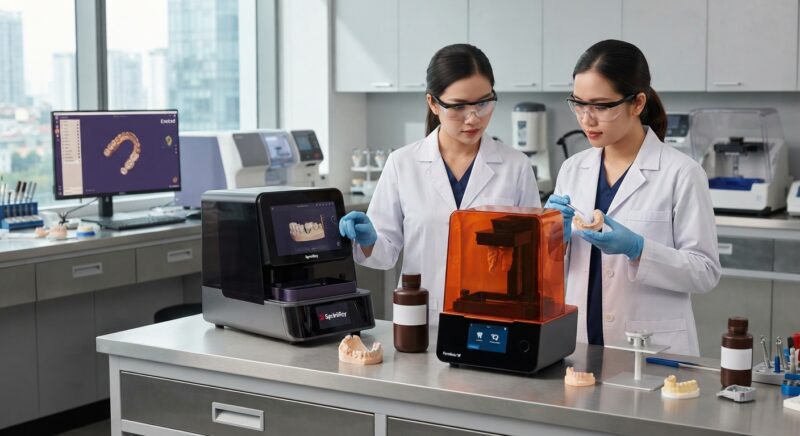
Do you need design capacity for your new equipment?
Outsourcing CAD/CAM digital design services can complement your new dental 3D printer by providing expert design capacity without hiring additional in-house staff. This approach allows dental labs and clinics to maximize printer utilization and maintain workflow efficiency regardless of internal design resources.
Partnering with a specialized dental lab CAD/CAM design outsourcing service can help you quickly adapt to new printer capabilities and scale production while ensuring high-quality digital designs for crowns, implants, guides, and orthodontics. This is especially valuable for DSOs and labs seeking to optimize their production without the overhead of full-time design personnel.
Conclusion and recommendation
In this SprintRay vs Formlabs dental 3D printer comparison 2026, the decision ultimately depends on your lab or DSO’s volume, case complexity, and workflow preferences. SprintRay excels in speed and high-volume crown and bridge manufacturing, with streamlined dental software and robust support. Formlabs offers unparalleled detail, resin versatility, and smooth finishes, ideal for implant cases, aligners, and smaller labs.
Carefully assess your clinical applications, budget, and integration needs. Request current specifications and pricing from SprintRay and Formlabs, considering regional differences. Combining your printer choice with outsourced CAD/CAM design services can further optimize your digital production capabilities and reduce time to delivery.
Explore more about digital dental design and manufacturing solutions at the American Dental Association website ADA.org and stay updated with advances in dental technology to maintain a competitive edge.
Contact us
Step-by-Step Guide to Implementing a New Dental 3D Printer in Your Lab
Integrating a new dental 3D printer such as those from SprintRay or Formlabs into your dental lab or practice involves several stages that go beyond just unboxing and printing. Here’s a practical step-by-step approach that ensures smooth adoption and maximizes ROI:
1. Define Your Production Goals and Needs
- Identify key applications: Are you focusing on surgical guides, dentures, or orthodontic appliances?
- Volume expectations: Estimate daily and monthly print volumes to determine printer throughput requirements.
- Material compatibility: Select printers that support the resins and materials you currently use or plan to use.
2. Conduct Workflow Mapping
- Scan to print: Map out how data flows from intraoral scanners or lab scanners to the printer software.
- Post-processing steps: Identify curing and cleaning needs, as these influence turnaround time.
- Integration points: Ensure compatibility with your existing CAD/CAM software and lab management systems.
3. Train Your Team
- Printer operation: Provide hands-on training on loading materials, print setup, and troubleshooting.
- Post-processing: Train on proper cleaning, curing, and finishing techniques to ensure product quality.
- Quality control: Teach staff how to inspect prints for dimensional accuracy and defects.
4. Run Test Prints and Validate
- Benchmark print jobs: Use standard dental models to evaluate accuracy and surface finish.
- Adjust settings: Tweak print parameters based on initial results to optimize quality and speed.
- Documentation: Record settings and procedures for consistent future runs.
5. Scale Production and Monitor Performance
- Track print times and material usage: Use printer metrics to identify bottlenecks or waste.
- Schedule maintenance: Follow manufacturer guidelines to prevent downtime.
- Solicit feedback: Gather input from technicians and clinicians about print quality and usability.
Common Mistakes to Avoid When Choosing and Using Dental 3D Printers
Many dental labs and practices encounter challenges that could be avoided with better planning and understanding of 3D printing technology. Here are common pitfalls and how to steer clear of them:
- Overlooking Material Costs and Availability: Some printers have proprietary resins that can be expensive or difficult to source. Verify ongoing material costs and supply reliability before purchase.
- Ignoring Printer Footprint and Workspace Needs: Dental 3D printers require dedicated space with proper ventilation and room for post-processing equipment. Underestimating space needs can create workflow bottlenecks.
- Neglecting Post-Processing Requirements: Failing to account for time and labor needed for washing and curing prints can lead to delays and inconsistent quality.
- Choosing Based Solely on Initial Price: A lower upfront cost can mean higher operating expenses or reduced capabilities, leading to greater total cost of ownership.
- Skipping Calibration and Regular Maintenance: Printer accuracy degrades over time without routine calibration and upkeep, resulting in failed prints and wasted materials.
- Underestimating Software Learning Curve: Complex or non-intuitive software can slow adoption and reduce efficiency, especially if training is insufficient.
Cost vs. Quality: Balancing Factors in SprintRay and Formlabs Dental 3D Printers
When evaluating the cost-effectiveness of SprintRay and Formlabs printers, it is essential to consider both upfront and ongoing expenses as well as output quality, since these factors are deeply interconnected in dental manufacturing.
Initial Investment
Formlabs printers generally offer a wider range of models, from entry-level to high-end, allowing labs to choose based on budget and scale. SprintRay models tend to focus on mid to high-end segments with a strong emphasis on dental-specific features.
Material Costs and Availability
Formlabs has a broad ecosystem of resins, including general and specialty dental materials, often available in various formulations and price points. This flexibility can help labs optimize costs based on application. SprintRay’s materials are tailored specifically for dental use, potentially delivering superior clinical performance but sometimes at a premium price.
Print Speed and Productivity
Faster print speeds can reduce labor costs and improve throughput but may come at the expense of surface finish or detail, depending on resolution settings. SprintRay printers are often praised for balancing speed and quality, while Formlabs offers customizable settings that allow users to prioritize either speed or detail.
Post-Processing Efficiency
The total production time includes post-processing steps such as washing and curing. Some Formlabs models integrate well with automated post-processing units that reduce manual labor. SprintRay also offers compatible post-processing systems designed for dental applications, which contribute to consistent quality but require additional investment.
Longevity and Reliability
Higher initial costs for more robust machines can pay off in reduced downtime and maintenance fees. Both brands provide solid warranties and customer support, but SprintRay’s focus on dental-specific workflows may offer advantages in long-term reliability for busy labs.
Market Specifics: How Regional Factors Influence 3D Printer Choice in Dental Labs
Choosing between SprintRay and Formlabs is not only about technical specifications but also about regional market conditions that influence availability, support, regulations, and material preferences.
Regulatory Compliance and Certifications
Different countries and regions have varying requirements for medical device manufacturing. Dental labs must ensure that the 3D printer and materials comply with local health authority certifications such as FDA clearance in the US, CE marking in Europe, or other regional certifications. Both SprintRay and Formlabs actively pursue regulatory approvals, but availability can differ by region.
Supply Chain and Local Support
Access to timely technical support and replacement parts is critical, especially for high-volume labs. In regions where one brand has a stronger presence or distributor network, choosing that brand can reduce downtime and maintenance delays. For example, a lab in North America might benefit from SprintRay’s local service centers, while a European lab could find easier support through Formlabs’ extensive distribution.
Material Preferences and Availability
Regional preferences for certain dental materials or workflows impact printer choice. For instance, markets with strong adoption of specific resin types or color shades may favor brands with better material selection or compatibility. Additionally, import tariffs and logistics can affect the cost and availability of proprietary resins.
Cost Sensitivity and Financing Options
In emerging markets or smaller practices, budget constraints and financing availability may steer buyers toward entry-level or mid-range models with lower operating costs. Some manufacturers offer leasing or subscription models tailored for these markets, influencing the choice.
Environmental and Sustainability Considerations
Increasingly, labs are prioritizing printers and materials with reduced environmental impact. Some regions have stricter waste disposal regulations for resins and photopolymers. Understanding how each brand supports sustainability through recyclable materials, energy-efficient printers, or waste reduction programs can influence decision-making.
Ready to enhance your dental manufacturing with expert CAD/CAM design outsourcing? Contact us today for tailored solutions that maximize your printer’s potential and streamline your workflow.


