Introduction to Research Review: Digital Versus Conventional Workflows for Implant Restorations 2026
The dental industry is rapidly evolving, with digital technology reshaping implant restoration workflows. This research review: digital versus conventional workflows for implant restorations 2026 explores the comparative benefits and limitations of digital CAD/CAM systems versus traditional analog methods. Dental labs, dental service organizations (DSOs), and individual practices must understand these workflows to optimize accuracy, turnaround times, and cost-efficiency.
Implant restorations including crowns, bridges, surgical guides, dentures, orthodontic aligners, and night guards increasingly rely on either fully digital or hybrid processes. This comprehensive review synthesizes current studies, manufacturer data, and clinical outcomes to guide decision-making across various dental lab and practice sizes.
What Are the Key Differences Between Digital and Conventional Implant Restoration Workflows?
The key difference between digital and conventional implant restoration workflows lies in the method of data acquisition and design: digital workflows utilize intraoral scanners and CAD software, whereas conventional workflows rely on physical impressions and manual model fabrication.
Digital workflows begin with an intraoral scan or CBCT data, which is imported into CAD software for precise restoration design, followed by CAM milling or 3D printing. Conventional workflows require traditional impression materials, stone models, and manual wax-ups before casting or pressing the prosthetic. Each approach affects the speed, reproducibility, and accuracy of implant restorations.
- Best for Digital Workflows: High-volume labs, DSOs seeking scalability, clinics adopting chairside technology
- Strengths: Enhanced precision, faster turnaround, seamless data sharing
- Limitations: Higher initial investment, learning curve for staff, dependence on software updates
- Best for Conventional Workflows: Small labs, low-volume practices, traditional technicians
- Strengths: Familiarity, lower upfront tech cost, tactile control over cases
- Limitations: Longer production times, potential for human error, limited digital integration
How Does Research Review: Digital Versus Conventional Workflows for Implant Restorations 2026 Inform Clinical Outcomes?
This research review: digital versus conventional workflows for implant restorations 2026 highlights that digital workflows generally provide improved marginal fit and restoration accuracy compared to traditional methods, reducing remakes and chairside adjustments.
Studies published by the American Dental Association and clinical trials from manufacturers like Straumann show that digital impressions reduce distortion and errors common with impression materials. Digital designs integrate with surgical planning and guided implant placement, enhancing predictability.
However, conventional workflows remain relevant in complex anatomies or when digital tools are unavailable. Hybrid workflows combining digital scans with conventional techniques offer a transitional solution.
What Are the Total Cost of Ownership Considerations for Digital Versus Conventional Implant Workflows?
Total cost of ownership (TCO) for digital versus conventional workflows includes equipment acquisition, maintenance, software licenses, consumables, training, and labor costs.
Digital workflows require investment in intraoral scanners, CAD software (such as 3Shape or exocad), milling machines, or 3D printers. These costs can range from tens to hundreds of thousands of dollars depending on the scale and sophistication. Consumables like resin and milling burs add to recurring expenses. Training and workflow integration also impact productivity initially.
Conventional workflows have lower upfront tech costs but incur higher labor and material costs over time, especially with remakes or adjustments. Some labs find hybrid workflows optimal for cost management.
| Cost Factor | Digital Workflow | Conventional Workflow | Hybrid Workflow |
|---|---|---|---|
| Initial Equipment Investment | High (Scanner, CAD/CAM hardware) | Low (Impression materials, lab tools) | Moderate |
| Consumables | Moderate (Resins, milling burs) | Low (Wax, stone, impression material) | Variable |
| Labor Costs | Lower (Automated design & fabrication) | Higher (Manual steps) | Moderate |
| Training & Software | Ongoing (Licenses, updates) | Minimal | Moderate |
| Turnaround Time | Faster (Same-day to few days) | Longer (Multiple days to weeks) | Intermediate |
How Do Digital Workflows Impact Implant Restoration Accuracy and Fit?
Digital workflows improve implant restoration accuracy by eliminating many sources of error found in conventional analog impressions, such as material shrinkage and distortions during cast pouring.
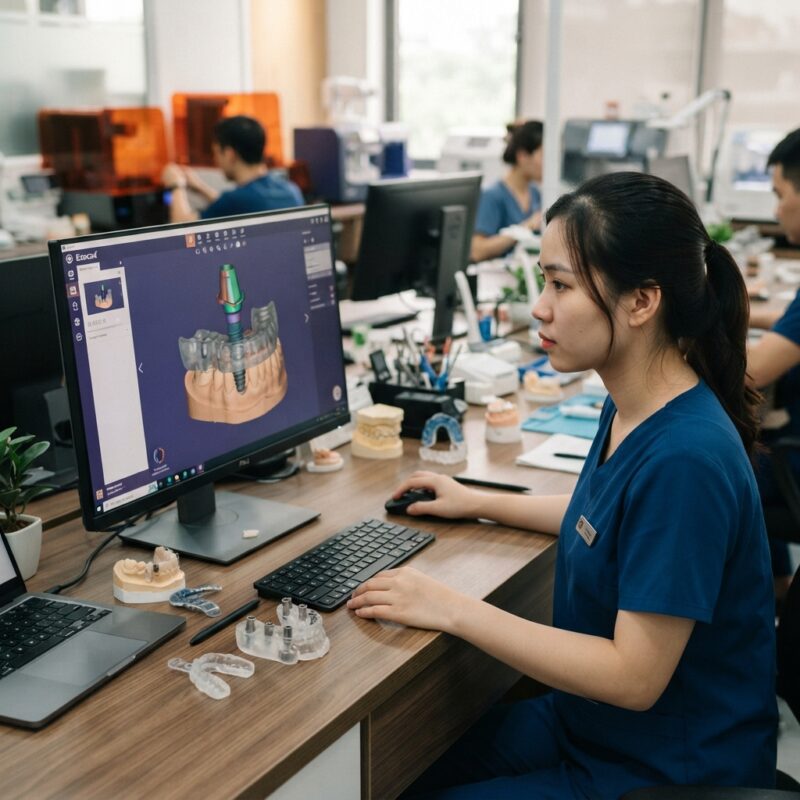
Intraoral scanners capture precise 3D data that is directly transferred to CAD software, enabling meticulous margin design and occlusal contacts. For implant restorations, digital workflows support accurate abutment design tailored to the implant system and patient anatomy. This reduces the need for chairside adjustments and remakes, optimizing patient satisfaction and lab efficiency.
However, scanner accuracy varies by model and clinical technique; hence, staff training and equipment choice are critical. Digital workflows also facilitate production of surgical guides, improving implant placement accuracy.
What Are the Workflow Differences for Various Implant Restoration Types?
The research review: digital versus conventional workflows for implant restorations 2026 shows that workflow variations depend on restoration type—crowns and bridges, implants, surgical guides, dentures, orthodontic aligners, and night guards.
- Crowns & Bridges: Digital scans allow rapid design and milling or printing with excellent fit.
- Implants: Digital workflows integrate implant libraries and allow custom abutment design, enhancing prosthetic precision.
- Surgical Guides: Fully digital workflows enable precise guide fabrication from CBCT and scan data.
- Dentures: Digital denture design is emerging, offering faster iterations but may require hybrid impressions.
- Orthodontic Aligners & Night Guards: Digital scans streamline production with predictable fit and aesthetics.
Each restoration type has specific digital design software modules and milling or printing parameters. Labs must evaluate their case mix and volume to select appropriate hardware and software.
Why Are Dental Labs and DSOs Increasingly Adopting Digital CAD/CAM Outsourcing?
Dental labs and DSOs increasingly outsource digital CAD/CAM design due to the high cost and expertise required for in-house design and software management.
Outsourcing offers access to experienced designers familiar with multiple implant systems and software platforms, reducing training burden and accelerating case turnaround. It also enables labs and clinics to leverage advanced digital workflows without investing heavily in CAD software licenses or hiring specialized staff.
Outsourced digital design integrates seamlessly with milling or printing workflows, allowing labs to maintain control over manufacturing while benefiting from expert design services. This hybrid approach is especially attractive for mid-sized labs and DSOs managing multiple locations and diverse case types.
How Do Digital and Conventional Workflows Affect Turnaround Time and Efficiency?
Digital workflows typically shorten turnaround times significantly due to streamlined data transfer, automated design processes, and in-house or near-site milling and printing capabilities.
Conventional workflows involve multiple manual steps including impression shipping, model fabrication, wax-ups, and casting, often extending total production time to weeks. Digital workflows can reduce this to days or even same-day for single-unit restorations, enhancing patient satisfaction and office scheduling.
Efficiency gains in digital workflows also stem from fewer remakes and adjustments, as accuracy is higher. However, initial implementation requires investment in workflow training and system integration.
What Are the Limitations and Challenges of Digital Implant Restoration Workflows?
Despite clear advantages, digital implant restoration workflows face limitations including high initial costs, software compatibility issues, and the need for skilled operators.
Not all implant systems have fully developed digital libraries, which can complicate design. Some complex cases with significant tissue changes or edentulous arches may still benefit from conventional impressions or hybrid approaches. Additionally, digital equipment requires regular calibration and maintenance to ensure accuracy.
Data security and software updates are ongoing concerns, particularly for DSOs managing patient information across multiple sites. Digital workflows also depend on stable internet connections for cloud-based software and outsourcing collaboration.
How Should Labs and DSOs Decide Between Digital and Conventional Workflows?
Labs and DSOs should assess their case volume, staff expertise, capital budget, and clinical goals when choosing between digital and conventional implant restoration workflows.
High-volume labs and DSOs benefit most from digital workflows due to scalability, faster turnaround, and integration with surgical planning. Small labs or single-dentist practices with limited budgets may initially prefer conventional or hybrid workflows. Hybrid models can transition practices by combining digital scanning with conventional fabrication to balance cost and efficiency.
Decision criteria should include:
- Case complexity and variety
- Available investment capital
- Staff digital proficiency and training capacity
- Desired turnaround times
- Integration with surgical guide and implant planning tools
Evaluating these factors alongside this research review: digital versus conventional workflows for implant restorations 2026 provides a roadmap for optimal workflow selection.
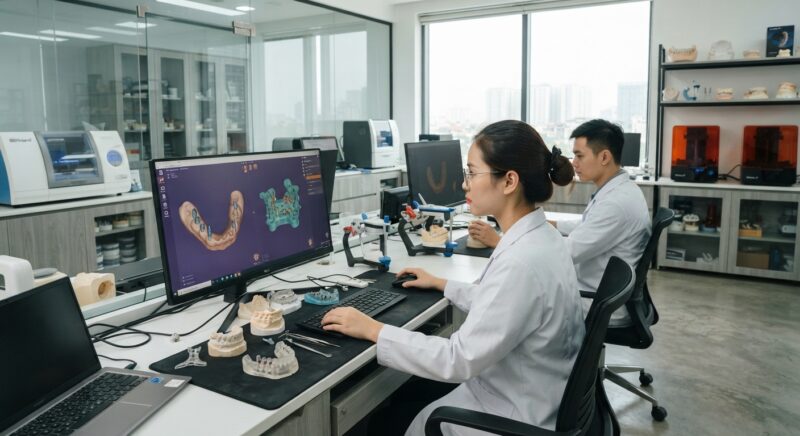
What Role Do Digital Design Software and CAD/CAM Equipment Play in Workflow Success?
Digital design software and CAD/CAM equipment are foundational to the success of digital implant restoration workflows.
Software platforms such as exocad and 3Shape Dental System support comprehensive implant libraries, customizable design tools, and integration with milling and 3D printing devices. Hardware choices include desktop milling machines and resin printers from leading manufacturers like Formlabs and Amann Girrbach.
Each piece of equipment offers varying build volumes, material compatibility, and precision levels, affecting the scope of restorations a lab can produce. Selecting equipment depends on the lab’s workflow goals, case mix, and budget.
Software licensing models and update frequency influence ongoing costs and workflow adaptability. Well-supported software with active user communities and training resources helps labs stay current with technological advances.
Do You Need Design Capacity for Your New Equipment?
If acquiring new digital milling or 3D printing equipment, you may not need to hire an in-house designer. Outsourcing CAD design services can provide professional, accurate implant restoration designs that fit seamlessly with your equipment’s capabilities.
This approach reduces training time and upfront software costs while ensuring high-quality, consistent design output. Dental labs and DSOs can scale production without additional staffing overhead.
Step-by-Step Implementation Guide for Transitioning to Digital Implant Restoration Workflows
Transitioning from conventional to digital workflows for implant restorations can seem daunting for dental labs and practices. However, a structured step-by-step approach minimizes disruptions and maximizes ROI. Below is a practical implementation guide based on real-world experiences from leading dental labs and multi-location DSOs.
Step 1: Conduct a Needs Assessment and Workflow Audit
- Map current processes: Document every step from impression taking or intraoral scanning through to final restoration delivery. Identify bottlenecks, sources of error, and time-consuming manual tasks.
- Assess digital readiness: Evaluate existing hardware, software, staff digital literacy, and budget constraints.
- Define goals: Set clear KPIs such as turnaround time reduction, accuracy improvements, cost savings, or increased patient satisfaction.
Step 2: Select Appropriate Digital Tools and Partners
- Choose intraoral scanners: Prioritize scanners with proven accuracy for implant cases and ease of integration with lab CAD/CAM systems.
- Evaluate CAD software: Look for implant-specific design features, intuitive interfaces, and active software support.
- Identify milling/printing equipment: Balance upfront equipment cost with production volume and material compatibility.
- Consider outsourcing: For labs new to digital, partnering with experienced CAD/CAM service providers can accelerate adoption and reduce risk.
Step 3: Staff Training and Workflow Simulation
- Comprehensive training: Train clinicians on scanner operation and labs on CAD design and CAM operation.
- Dry runs: Simulate complete digital cases before clinical use to identify issues and build confidence.
- Cross-functional collaboration: Encourage communication between clinical and lab teams to streamline information flow and reduce rework.
Step 4: Pilot Phase with Select Cases
- Start small: Begin with straightforward single-unit implant restorations to validate workflow and troubleshoot.
- Monitor KPIs: Track accuracy, turnaround time, and patient feedback closely during the pilot.
- Iterate and refine: Adjust protocols and equipment settings based on pilot outcomes.
Step 5: Full Integration and Continuous Improvement
- Scale up: Gradually expand digital workflows to more complex cases and higher volumes.
- Implement quality assurance: Establish standardized QC checkpoints for digital scans, designs, and milled restorations.
- Feedback loops: Regularly solicit clinician and patient feedback to identify improvement opportunities.
- Invest in updates: Keep CAD/CAM software and hardware current to leverage new features and maintain precision.
Common Pitfalls and How to Avoid Them in Digital Implant Restoration Workflows
Despite the numerous benefits of digital workflows, several common mistakes can hinder successful adoption. Understanding these pitfalls helps dental labs and practices avoid costly setbacks.
Ignoring the Importance of Scan Quality
Many practitioners underestimate how critical high-quality intraoral scans are for accurate implant restorations. Poor scans lead to ill-fitting prosthetics and increased remakes.
- Recommendation: Train clinicians extensively on scanning protocols, including soft tissue management and proper scanning paths.
- Tip: Use scan verification software to assess scan completeness before design.
Underestimating Staff Training Needs
Digital workflows require new skills for both clinical and lab staff. Insufficient training results in errors, delays, and frustration.
- Recommendation: Invest in comprehensive, hands-on training sessions and ongoing education.
- Tip: Designate “digital champions” within the team to provide peer support and troubleshoot issues.
Overlooking Integration Challenges
Failure to ensure compatibility between scanners, CAD software, and milling machines can cause workflow disruptions.
- Recommendation: Prioritize open-format systems or ensure vendor compatibility before purchasing equipment.
- Tip: Conduct interoperability testing during the pilot phase.
Skipping Quality Control Steps
Digital processes can create a false sense of perfection. Skipping verification of scan data, design accuracy, or milled restoration fit leads to higher rejection rates.
- Recommendation: Implement standardized QC protocols at key workflow stages.
- Tip: Use digital tools like fit-check software or intraoral verification to catch issues early.
Neglecting Cost-Benefit Analysis
Some labs and practices invest heavily in digital equipment without fully understanding ongoing costs and expected benefits.
- Recommendation: Conduct thorough total cost of ownership analyses, including consumables, maintenance, and training.
- Tip: Compare costs and benefits over multiple years, not just initial outlay.
Cost and Quality Considerations: Balancing Investment and Clinical Excellence
The decision to adopt digital workflows for implant restorations hinges largely on balancing cost implications with the quality improvements that advanced technology can deliver.
Initial Investment Versus Long-Term Savings
Digital implant workflows require purchasing scanners, CAD software licenses, milling or 3D printing equipment, and training personnel. These upfront costs can be substantial, particularly for smaller labs or practices.
- Equipment Costs: Intraoral scanners range from $15,000 to $50,000. CAD software licenses can exceed $10,000 annually. Milling machines vary widely from $30,000 to $150,000 depending on capabilities.
- Training and Implementation: Budget for staff training, potential workflow disruptions, and pilot case experimentation.
- Consumables and Maintenance: Milling burs, resins, and scanner calibration tools add ongoing expenses.
Despite these costs, digital workflows can yield long-term savings by reducing remakes, decreasing chairside adjustment times, and accelerating case turnaround. For example, a multi-location DSO reported a 20% reduction in remake rates after digital adoption, saving thousands annually.
Quality Improvements Driving Patient Satisfaction
Digital workflows enhance restoration precision and esthetics. Consistent, high-quality implant restorations translate to better patient outcomes and fewer returns.
- Improved Fit and Function: Digital impressions eliminate distortion common to physical impressions, ensuring more accurate prosthetic fit.
- Enhanced Aesthetics: CAD software allows detailed customization of crown anatomy and shade matching.
- Patient Experience: Shorter appointment times, fewer adjustments, and reduced discomfort improve satisfaction and referrals.
Market-Specific Considerations
Regional market dynamics also influence cost-benefit calculations. For example, in urban areas with high patient volume, faster turnaround can justify higher upfront investments. Conversely, smaller rural practices may benefit more from outsourcing digital design to reduce capital expenditure.
- Competitive Differentiation: Offering digitally fabricated implant restorations can attract tech-savvy patients and referring dentists.
- Reimbursement Factors: Some insurers are beginning to recognize and reimburse digital implant workflows, improving financial feasibility.
Checklist for Evaluating Digital Workflow Readiness in Dental Labs and Practices
Before committing to digital implant restoration workflows, use this practical checklist to assess readiness and identify areas needing attention.
- Clinical Team Preparedness
- Are clinicians trained in intraoral scanning techniques?
- Is there a protocol for managing soft tissue and scan accuracy?
- Have clinicians participated in digital workflow simulations?
- Laboratory Capabilities
- Is there staff trained in CAD design specific to implant restorations?
- Does the lab have experience operating milling or 3D printing equipment?
- Are quality control measures in place for digital scans and prosthetic fit?
- Technology and Equipment
- Are the selected intraoral scanners compatible with CAD/CAM software?
- Is the CAD software suitable for implant-specific design and modeling?
- Does the lab have reliable milling or 3D printing equipment with maintenance plans?
- Workflow Integration
- Is there a clear protocol for data transfer between clinic and lab?
- Are turnaround time expectations established and communicated?
- Is there a feedback loop for continuous improvement based on clinical outcomes?
- Financial and Strategic Considerations
- Has a total cost of ownership analysis been completed?
- Are budgets allocated for ongoing training and equipment updates?
- Is there a strategic plan for scaling digital workflow adoption?
Contact us today to learn how our expert CAD/CAM digital design outsourcing can support your implant restoration workflows and optimize your investment.