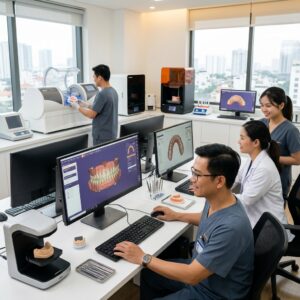
What is Free dental practice management software?
Free dental practice management software 2026 refers to software solutions offered at no cost to dental clinics for managing administrative, financial, and scheduling tasks in the upcoming year.
These applications typically include modules for appointment scheduling, patient records management, billing, and reporting. However, “free” usually means certain limitations, such as feature caps, user limits, or the presence of advertisements. These solutions can be ideal for smaller practices or startups wanting to minimize overhead costs while maintaining essential operational controls.
It is important to understand exactly what “free” entails in each offering to avoid hidden fees or forced upgrades. Many free options do not include advanced financial reporting, multi-branch support, or customization, which larger practices or DSOs may require.
What features should dental practices expect from free dental practice management software 2026?
Free dental practice management software in 2026 generally provides the following core features:
- Appointment scheduling: Basic calendar views, appointment booking and reminders.
- Patient data management: Storing demographic info and treatment histories.
- Billing and payments: Recording payments and generating simple invoices.
- Reporting: Limited financial or operational reports to monitor practice performance.
- User access control: Basic role assignments and permission settings.
However, advanced features such as multi-branch revenue consolidation, AI-powered data entry, installment plan tracking, and comprehensive audit logs are rarely included in free tiers. Many free solutions restrict the number of users or patients, and some monetize by displaying ads or selling anonymized data, which can be a concern for compliance-conscious practices.
How do hidden costs impact free dental practice management software?
Though advertised as free, many dental practice management software solutions include hidden costs that can impact your overall expenses:
- Setup fees: Some vendors charge for initial data migration or training services.
- Feature add-ons: Essential modules like advanced reporting or patient reminders may require paid upgrades.
- Per-user or per-location fees: Free versions often limit users or branches; adding more costs extra.
- Data export fees: Exporting your data may come with charges, complicating switching vendors.
- Payment processing fees: While payments can be recorded, actual payment card processing is usually external and involves fees.
Understanding these nuances before committing is critical. Dental practice owners and managers should ask vendors detailed questions about total cost of ownership, including long-term expenses and contractual obligations.
What questions should you ask vendors when evaluating free dental practice management software?
When comparing software options, ask vendors these essential questions:
- What features are included in the free version, and what requires payment?
- Are there user, patient, or branch limits in the free tier?
- Are there setup, training, or data migration fees?
- How is patient data stored and secured? Who hosts it?
- Is the software cloud-based or self-hosted?
- What support is available for free-tier users?
- Are there any advertisements or data-sharing policies?
- Can the software handle multiple branches or DSOs?
- Does the software support reporting for revenue, expenses, and patient balances?
Getting clear answers helps avoid surprises and ensures the solution fits your practice’s scale and compliance requirements.
How does multi-branch support affect dental practice management software choices?
Multi-branch dental groups or DSOs require software that consolidates financial and operational data across all locations while allowing branch-specific controls.
Free dental practice management software offerings typically lack robust multi-branch capabilities. Features such as consolidated revenue reports by branch, permissions set per location, and unified patient scheduling are generally reserved for paid tiers or specialized solutions.
For example, Dental 3D Lab’s Dental Management App supports multi-branch oversight with detailed cash flow, receivables, and payroll reports by branch. This is critical for DSOs to maintain transparency and optimize resource allocation across clinics.
What is the Dental Management App from Dental 3D Lab?
Dental Management App is a comprehensive business and finance management application designed specifically for dental clinics and multi-branch groups, offered as a gift to clients whose monthly invoices total $1,000 or more.
Unlike generic free software, this app is a full-featured tool that runs on the clinic’s own hosting and domain, ensuring data privacy and security with end-to-end encryption and advanced login controls.
The app includes features such as revenue and expense tracking, patient balance management, installment plan monitoring, warranty tracking, commission and bonus calculations, payroll with QR-code attendance, audit logs, and an AI assistant for voice or text data entry.
This solution is not a clinical or imaging system but focuses on financial and operational management, complementing clinical workflows and dental lab CAD/CAM outsourcing functions like surgical guide design.
What are the security features of the Dental Management App?
The Dental Management App implements strict security measures to protect sensitive business data:
- End-to-end encryption secures data in transit and at rest.
- DDoS attack blocking protects the hosting environment from external threats.
- A security code sent by email is required at each sign-in to prevent unauthorized access.
- Approval mechanisms for devices allowed to sign in add an extra security layer.
- Audit logs record every change, identifying who made it and when.
Since the app is hosted by the clinic on their own servers, Dental 3D Lab does not host or see any clinic data, enhancing data confidentiality and compliance capabilities.
How does the Dental Management App handle payments and patient balances?
The app records and reconciles payments by method, including cash, card, bank transfer, and installment plans. It tracks what patients still owe and manages bad-debt monitoring and warranty tracking.
It is important to note that the app does not process payment cards directly or integrate with payment gateways; it only records and reports on payments entered by staff.
This approach ensures accurate financial oversight without the complexities or fees associated with payment processing services.
Is the Dental Management App open source?
No, the Dental Management App is not open source. However, Dental 3D Lab provides the full source code to qualifying clients to deploy on their own hosting under their own domain.
Open-source dental management software options exist in the market, but they often require extensive IT expertise to customize and maintain. This app strikes a balance by giving clients control over their data and deployment without public source code availability.

What limitations do free dental practice management software options commonly have?
Common limitations in free software include:
- Restricted number of users or patient records.
- Basic features only, lacking advanced financial or operational modules.
- Absence of multi-branch or DSO management capabilities.
- Ads or data-sharing policies that may affect privacy.
- Limited or no customer support.
- Mandatory paid upgrades for essential add-ons.
Due to these constraints, many dental groups find free offerings insufficient as they grow or require more comprehensive reporting and integration with digital workflows such as CAD/CAM dental lab outsourcing.
How to evaluate the total cost of ownership for dental practice management software?
Beyond the initial price or “free” label, consider these factors:
- Setup and training fees – many vendors charge for onboarding.
- Software upgrades and feature add-ons – essential tools may cost extra.
- Support and maintenance – free versions often have limited or no support.
- Data migration and export fees – important if you switch systems.
- Hosting and domain costs – especially if self-hosted solutions are used.
- Compliance and security investments – may require internal IT resources.
Understanding these hidden costs helps avoid surprises and ensures your chosen solution remains sustainable.
How does Dental 3D Lab’s app compare with typical free software offerings?
Unlike free versions that often limit users, features, or patient data, Dental 3D Lab’s Dental Management App is a robust tool gifted exclusively to clients with monthly invoices above $1,000.
Its multi-branch, multi-feature design includes advanced financial reports, payroll integration, AI assistance, and detailed audit logs, surpassing typical free software capabilities.
Since it is hosted by the clinic, it offers enhanced data privacy and control, with no ads or data-sharing policies. However, it is not sold as a standalone product and requires qualifying purchase volume to receive.
What should dental clinic owners consider before choosing free dental practice management software?
Clinic owners should evaluate:
- Practice size and growth plans – will free software scale with you?
- Feature needs – do you require multi-branch reporting, payroll, or installment tracking?
- Data security and hosting preferences – self-hosted vs. cloud-based.
- Vendor transparency on fees and support quality.
- Integration with dental lab outsourcing workflows, such as CAD/CAM crown and bridge design.
Making decisions based on thorough research and direct vendor communication avoids costly migrations and workflow disruptions down the line.
How to get started with Dental 3D Lab’s Dental Management App?
If your monthly invoice with Dental 3D Lab totals $1,000 or more, you qualify to receive the Dental Management App as a complimentary gift.
A free live demo is available on their website where you can explore sample data and features by choosing a role, without signing up or installing anything.
Dental 3D Lab assists with deployment on your own hosting and domain, ensuring your clinic’s data stays secure and under your control.
This approach is ideal for dental labs and practices seeking reliable business management software that complements digital dental workflows and lab outsourcing services like digital crown design.
Where can I learn more about dental practice management software trends and best practices?
Authoritative sources such as the American Dental Association provide up-to-date guidance on practice management standards and regulatory compliance.
Additionally, technology providers like 3Shape and exocad offer insights into integrating digital design with practice management solutions.
Summary and final thoughts on free dental practice management software
Free dental practice management software 2026 options offer essential tools but often come with limitations that may hinder efficient multi-branch or DSO management.
Understanding what features you need, the total cost of ownership, and data security implications is critical before committing.
Dental 3D Lab’s Dental Management App provides a more comprehensive alternative for qualifying clients, offering multi-branch financial oversight, AI assistance, and strong security as a gift rather than a purchasable product.
Explore the live demo today and see how this app can support your practice’s operational success.
Implementing Free Dental Practice Management Software: A Step-by-Step Guide
Transitioning to a new dental practice management software, especially free options, requires careful planning and execution to ensure smooth operations and minimal disruptions. Below is a detailed step-by-step guide to help dental practices successfully implement free dental practice management software in 2026.
Step 1: Assess Your Practice Needs
Before selecting any software, conduct a thorough analysis of your practice’s specific needs. Consider factors such as:
- Number of users: How many staff members need access?
- Key features: Appointment scheduling, billing, patient records, imaging integration, etc.
- Growth plans: Will your practice expand or add branches soon?
- Budget constraints: Even free software may have associated costs.
This assessment helps filter out software that doesn’t align with your operational requirements.
Step 2: Trial Multiple Software Options
Most free dental practice management software offers trial versions or demo accounts. Use these to:
- Test the user interface for ease of use.
- Check compatibility with your existing hardware (computers, scanners, printers).
- Evaluate whether the software supports your preferred workflows.
- Assess customer support responsiveness.
Involve your dental assistants, billing staff, and dentists during the trial to gather diverse feedback.
Step 3: Plan Data Migration
Transitioning patient records and financial data is critical. Develop a detailed migration plan that includes:
- Backing up all existing data thoroughly.
- Mapping data fields from your old system to the new software.
- Scheduling migration during low-traffic hours to minimize disruptions.
- Verifying data integrity post-migration with sample checks.
For practices with complex legacy systems, consider consulting IT specialists or the software vendor’s support team.
Step 4: Train Your Team
Even the best software is ineffective if users are not trained properly. Arrange user training sessions covering:
- Basic navigation and common tasks.
- How to handle billing and insurance claims.
- Patient communication and appointment scheduling.
- Data security and privacy protocols.
Provide training materials and quick reference guides for ongoing support.
Step 5: Go Live and Monitor Performance
When ready, switch to the new software fully. During the first weeks:
- Closely monitor for errors or workflow bottlenecks.
- Collect staff feedback regularly to identify challenges.
- Maintain a backup of all data daily during the transition phase.
- Keep vendor support contacts handy for immediate troubleshooting.
Gradually optimize processes based on real-world usage data.
Common Mistakes to Avoid When Using Free Dental Practice Management Software
While free dental practice management software can be appealing, many practices encounter avoidable pitfalls that compromise efficiency and patient satisfaction. Here are some frequent mistakes and how to avoid them.
1. Underestimating Hidden Costs
Many free software options have hidden costs such as:
- Fees for add-ons or premium features.
- Charges for additional users or storage.
- Costs of integrating third-party services like digital imaging or billing platforms.
Avoidance Tip: Ask vendors upfront about all potential fees, and budget accordingly even if the base software is free.
2. Ignoring Software Scalability
Free software may suit small practices but may not scale as your practice grows or adds branches, leading to expensive migrations later.
Avoidance Tip: Choose software with clear scalability options or upgrade paths to avoid disruption and data loss in the future.
3. Neglecting Data Security
Free software sometimes lacks robust security features, increasing risks of data breaches or HIPAA violations.
Avoidance Tip: Ensure the software encrypts data, has user access controls, and complies with healthcare regulations.
4. Skipping Staff Training
Assuming software is intuitive can lead to user errors, inefficient workflows, and frustration.
Avoidance Tip: Invest time in comprehensive training and refresher sessions to maximize software benefits.
5. Overlooking Support and Updates
Free software often comes with limited customer support and infrequent updates, which can stall operations when issues arise.
Avoidance Tip: Confirm the vendor’s support channels and update frequency before committing, and consider hybrid options with paid support.
Cost Versus Quality: Balancing Factors in Choosing Free Dental Practice Management Software
When selecting free dental practice management software, it is essential to balance cost savings with quality and functionality to avoid compromising patient care and business efficiency. Below are key considerations to evaluate:
Cost Considerations
- Licensing Model: Is the software truly free or freemium? Understand which features are included at no cost and which require payment.
- Maintenance and Upgrades: Factor in potential fees for software updates, security patches, and technical support.
- Hardware Compatibility: Check if additional hardware purchases or upgrades are needed for optimal software performance.
- Training Costs: Account for time and resources spent on staff training and onboarding.
- Integration Expenses: Some software may require paid add-ons to integrate with imaging, accounting, or insurance platforms.
Quality Considerations
- Feature Completeness: Does the software cover all essential practice management functions without cumbersome workarounds?
- Usability: Is the user interface intuitive and minimizing manual data entry to reduce errors?
- Reliability and Stability: Consider downtime history, bug reports, and frequency of crashes.
- Data Security: Confirm compliance with HIPAA and other relevant regulations.
- Vendor Reputation: Research reviews, testimonials, and market presence.
Real-World Example: Balancing Cost and Quality
A mid-sized dental practice in Chicago initially adopted a free practice management solution to cut costs. However, after six months, the practice faced multiple challenges:
- Limited appointment scheduling features caused double bookings and patient dissatisfaction.
- Insufficient reporting tools hindered financial analysis and insurance claim reconciliation.
- Hidden fees for essential add-ons increased total costs beyond initial estimates.
By switching to a moderately priced solution with comprehensive features and dedicated support, the practice improved operational efficiency and patient experience, ultimately increasing revenue.
Checklist for Evaluating Free Dental Practice Management Software for Multi-Location Practices
Managing multiple dental clinic locations adds complexity to practice management software requirements. Use this checklist to evaluate free software options for multi-branch dental practices.
- Multi-Branch Support: Does the software allow centralized management of multiple locations with individual operational autonomy?
- Unified Patient Records: Can patient records be accessed and updated seamlessly across branches?
- Cross-Location Scheduling: Is it possible to book appointments across locations in real-time?
- Consolidated Billing and Reporting: Does the software offer consolidated financial reporting for all branches?
- User Role Management: Can administrators assign role-based permissions across different locations?
- Data Synchronization: How does the software handle data synchronization and conflict resolution?
- Scalability: Can the software easily add new branches without performance degradation?
- Compliance and Security: Are all locations compliant with local regulations, and is data encrypted during transmission?
- Technical Support: Does the vendor provide multi-location support and training?
- Disaster Recovery: Are there backup and recovery mechanisms in place for multi-branch data?
Practical Cost and Quality Considerations When Choosing Free Dental Practice Management Software
While free software options appear attractive due to zero upfront costs, dental practices must carefully evaluate both direct and indirect expenses to avoid compromising quality or operational efficiency. Below are some key factors and real-world considerations to keep in mind.
Balancing Cost Savings and Feature Completeness
Free software often comes with limitations such as reduced functionality, limited user licenses, or restricted customer support hours. For example, a small dental practice using a free plan might save on software fees but lose time due to inefficient appointment scheduling or manual billing processes, which can increase labor costs.
Example: A dental clinic in a suburban setting adopted a free scheduling module but found it lacked integration with their electronic health records (EHR). Staff ended up double-entering data, which caused delays and errors, negating any initial financial savings.
Hidden Costs to Watch For
- Upgrade Fees: Many free solutions require paid upgrades to unlock critical features such as multi-location management, advanced reporting, or automated reminders.
- Training and Onboarding: With limited vendor support, practices often spend additional internal time training staff or outsourcing IT help.
- Data Migration and Integration: Transitioning from legacy systems or integrating with lab software can demand technical expertise and potentially external consultants.
- Compliance and Security: Free software may lack robust encryption or audit trails, forcing practices to invest in supplementary security measures.
Checklist for Evaluating Cost and Quality
- Does the software cover all essential practice workflows without needing costly add-ons?
- Are there clear upgrade paths, and what are the costs involved?
- What level of customer support is included, and does it match your practice’s operational hours?
- Is the software compliant with HIPAA and other local data protection regulations?
- Can the system scale with your practice growth without major disruptions?
- How well does it integrate with your dental lab’s systems and third-party tools?
Step-by-Step Integration of Dental Lab Systems with Free Practice Management Software
Efficient collaboration between dental practices and dental labs is critical to delivering timely and accurate patient care. Integrating dental lab workflows with practice management software, even free versions, requires strategic planning and execution.
Step 1: Identify Integration Points
Begin by mapping out all touchpoints where the dental lab interacts with the practice management system. This often includes:
- Order submissions for prosthetics or restorations
- Tracking case status and delivery timelines
- Billing and payment reconciliation
- Patient-specific specifications and notes
Step 2: Choose Compatible Software or Middleware
Since many free dental practice management software packages have limited integration capabilities, look for:
- Open APIs or export/import functionalities (CSV, XML)
- Third-party middleware solutions that connect disparate systems
- Cloud-based platforms that facilitate real-time data sharing
Step 3: Establish Data Standards
Both the practice and lab should agree on data formats, naming conventions, and update frequencies to ensure smooth communication and avoid errors.
Step 4: Test the Workflow
Run pilot cases to verify orders flow correctly, timestamps are accurate, and billing matches delivered services. Document any issues for resolution.
Step 5: Train Staff on New Processes
Provide clear instructions and checklists for front-desk personnel, dental assistants, and lab technicians to follow the integrated workflow seamlessly.
Common Mistakes Dental Practices Make When Implementing Free Management Software
Understanding pitfalls can save time and money during software adoption. Here are some frequently encountered issues:
1. Ignoring Scalability
Many practices opt for free software based solely on current needs, only to find it cannot handle increased patient volume or multi-location coordination as they grow, forcing costly system replacements.
2. Overlooking Data Backup Plans
Free solutions may not provide robust backup or disaster recovery options. Practices that neglect regular data exports risk losing critical patient and financial data.
3. Underestimating Staff Training Needs
Assuming that free software is intuitive can lead to inadequate training. This can cause errors in scheduling, billing, or record keeping, harming patient experience and revenue.
4. Skipping Security Reviews
Failure to thoroughly assess the security protocols of free software can result in data breaches or non-compliance with regulations like HIPAA, leading to legal and financial repercussions.
5. Not Defining Clear Usage Policies
Without policies on who can access and modify data, free software environments may experience unauthorized changes or data tampering, compromising integrity.
Market-Specific Considerations for Dental Labs and Practices in 2026
The dental industry landscape continues to evolve rapidly, influenced by demographic shifts, technological advances, and regulatory changes. Here are some market-specific factors affecting software choices in 2026.
Increasing Demand for Digital Dentistry and Customization
Dental labs are increasingly using digital scanners, CAD/CAM technology, and 3D printing. Practice management software must accommodate digital case submissions, track custom orders precisely, and integrate with these technologies to ensure smooth workflows.
Regional Regulatory Variations
Compliance requirements for patient data protection, billing codes, and insurance claims vary by country and even states. Selecting software that supports local regulations is crucial to avoid penalties and streamline audits.
Rising Patient Expectations for Transparency and Convenience
Patients now expect online appointment booking, real-time updates on lab work status, and clear billing explanations. Management software should support patient portals and communication tools to meet these demands.
Competition and Consolidation Trends
Smaller practices and labs face pressure from larger dental service organizations (DSOs) that leverage advanced software ecosystems. Free software can be a good entry point, but practices should plan for future upgrades to remain competitive.
Cost Sensitivity in Post-Pandemic Recovery
Economic uncertainties continue to influence budget decisions. Free or low-cost software options remain attractive, but cost-conscious buyers must evaluate long-term value and potential hidden expenses carefully.
Contact Dental 3D Lab to learn how the Dental Management App can fit your practice’s needs and request a live demo through their website.