Understanding the Need for the Best Dental Software for Small Practices 2026
Choosing the best dental software for small practices 2026 is crucial for dental clinics aiming to optimize operations, manage finances efficiently, and improve patient outcomes. Small practices often face resource constraints, making the selection of appropriate management software critical to streamline workflows and reduce administrative burdens.
Modern dental practice management software must go beyond appointment scheduling to include comprehensive business analytics, patient financial tracking, and multi-branch oversight for consolidations or DSOs (Dental Service Organizations). This article explores what features to prioritize and how outsourcing digital design services, such as CAD/CAM for crowns, bridges, implants, and orthodontics, integrates with practice management software to enhance productivity.
What Features Should You Look for in the Best Dental Software for Small Practices?
The best dental software for small practices must combine business and clinical efficiency features tailored to smaller teams and budgets. Key components include:
- Multi-branch management: Essential for clinics operating multiple locations or joining DSOs, allowing centralized oversight of revenue, expenses, and patient data.
- Financial tracking and reporting: Real-time cash flow, receivables, installment plan monitoring, and bad debt tracking provide transparency for practice profitability.
- Patient management: Scheduling, treatment plan tracking, and warranty monitoring ensure smooth clinical operations.
- Security and compliance: Features like end-to-end encryption, restricted device sign-ins, and audit logs protect sensitive financial and patient data.
- AI assistance: Text or voice-enabled AI that helps with data entry, reminders, and quick financial lookups can greatly reduce staff workload.
- Integration with digital lab outsourcing: Seamless connectivity or compatibility with dental CAD/CAM design outsourcing services streamlines prosthetic workflows.
One practical software option that illustrates these features is the Dental Management App by Dental 3D Lab. This app is designed for clinics with one or multiple branches and provides comprehensive finance and business management capabilities without being a clinical charting or imaging system.
Dental 3D Lab offers this app as a gift to clients whose monthly invoices total $1,000 or more, serving as a thank-you for their outsourcing partnership. This unique offer enables small practices to leverage advanced management tools without additional software costs.
How Does Digital Design Outsourcing Enhance Small Practice Software Capabilities?
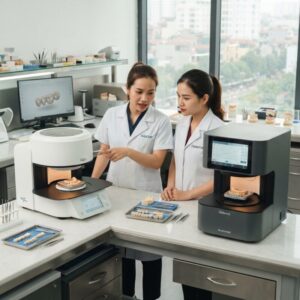
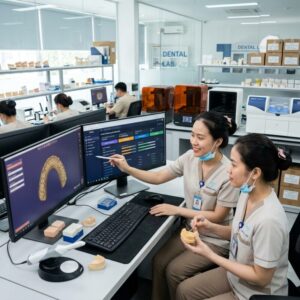
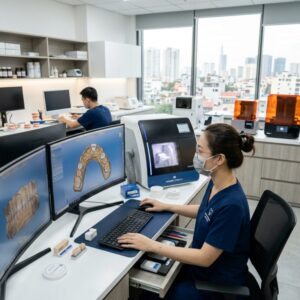
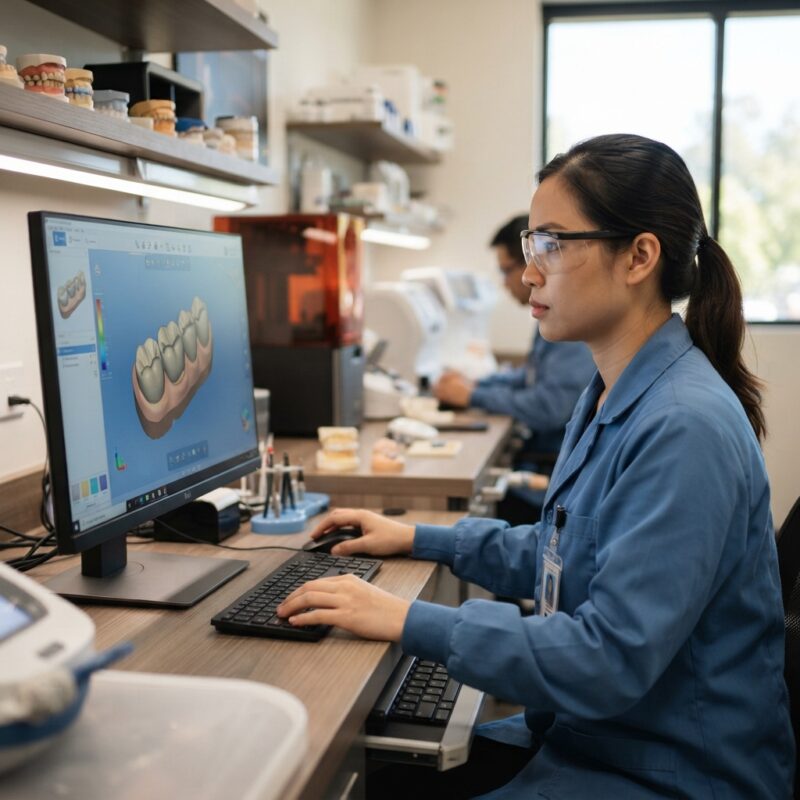
Digital design outsourcing for dental labs involves entrusting CAD/CAM design tasks—such as crowns, bridges, implants, surgical guides, dentures, orthodontic aligners, and night guards—to specialist providers. This process complements the best dental software for small practices by:
- Reducing in-house workload: Labs and practices save time and resources by outsourcing complex digital design, enabling staff to focus on patient care.
- Ensuring high precision: Expert outsourcing partners use state-of-the-art CAD/CAM systems, improving prosthetic fit and longevity.
- Facilitating integrated workflows: Modern practice software can track outsourced cases, payments, and timelines, ensuring smooth case management.
By combining powerful practice management software with external digital design outsourcing, small practices and DSOs can optimize both clinical and business functions. This synergy is particularly valuable in managing cases from initial impression to final prosthetic delivery, with detailed financial reconciliation included.
What Are the Typical Pricing Models for the Best Dental Software for Small Practices?
The pricing for the best dental software for small practices varies widely depending on the vendor, features, and contract terms. Common pricing models include:
- Per-provider or per-user subscriptions: Charges based on the number of doctors or staff accessing the system.
- Per-location fees: If managing multiple branches, additional fees may apply for each location.
- Flat-rate subscriptions: One monthly or annual fee covers all users and features, sometimes with tiered packages.
- Setup and training fees: Initial onboarding costs can range from a few hundred to several thousand dollars.
- Add-on modules: Certain features like advanced reporting, AI assistants, or integrations may incur extra charges.
It is important to ask vendors upfront about any hidden fees such as data export charges, contract length commitments, or fees for adding users or locations later. Some vendors offer free trials or demos to assess value, but beware that “free” software often has limits like user caps, feature restrictions, or ads, and may monetize data indirectly.
Is the Dental Management App a Free Software Option?
The Dental Management App by Dental 3D Lab is not a free-for-all download available to everyone. Instead, it is gifted exclusively to clients whose monthly invoices reach $1,000 or more with Dental 3D Lab’s outsourcing services, making it a unique value-add rather than a commercial product.
Unlike some free practice management software with feature or user limitations, this app provides robust business management capabilities without direct cost to qualifying clients. However, it requires deployment on the clinic’s own hosting under their domain, meaning technical setup and infrastructure responsibility lies with the clinic.
Its features include multi-branch revenue and expense reports, patient balance tracking, payroll management, AI assistance, and security controls such as end-to-end encryption and device authorization. It is not a clinical or imaging system, nor does it process insurance claims or payments directly.
What Security Features Are Important in Dental Software?
Security is paramount when selecting the best dental software for small practices, given the sensitivity of financial and patient data handled daily. Important security features include:
- End-to-end encryption: Ensures data is protected during transmission and storage.
- Device authentication: Controls which devices can access the system, preventing unauthorized logins.
- Audit logs: Tracks who accessed or changed data and when, enhancing accountability.
- Emergency lock capabilities: Allows rapid system lockdown in case of security breaches.
- Secure sign-in codes: Email-based verification codes add a layer of login security.
The Dental Management App incorporates these features to protect clinic data, although clinics are responsible for hosting and securing their own servers.
How to Evaluate Vendors for the Best Dental Software for Small Practices?
Choosing the right vendor involves more than feature lists and pricing. Here are key questions to ask potential software providers:
- What is included in the base price, and what additional fees exist?
- Is there a contract term or cancellation policy?
- What training and onboarding support do you provide?
- How is data backed up, and what are the disaster recovery options?
- Can the software manage multiple locations or DSOs?
- Does it support integration or compatibility with dental lab CAD/CAM outsourcing workflows?
- What security certifications or audits have been completed?
- Is there a live demo or trial available to test the software?
Requesting detailed answers will help avoid surprises and ensure the selected software aligns with your clinic’s operational and financial goals.
What Are the Advantages of Multi-Branch Management in Dental Software?
Multi-branch management capabilities are a must-have for DSOs and small practices with satellite offices. The best dental software for small practices supports centralized oversight of all locations, enabling:
- Unified financial reporting: Aggregated revenue, expenses, and cash flow provide a clear business picture across branches.
- Individual branch performance: Enables targeted management decisions based on branch-specific data.
- Streamlined patient and appointment management: Patients can be managed across locations with a single system.
- Customized access and permissions: Control which staff can view or edit data per branch or feature.
Such features help DSOs standardize operations, reduce administrative complexity, and improve profitability.
How Does the Best Dental Software for Small Practices Integrate with Outsourced CAD/CAM Digital Design?
Direct integration between practice management software and dental lab CAD/CAM design platforms is often limited, but the best solutions facilitate workflow compatibility. The best dental software for small practices typically handles case tracking, financial reconciliation, and communication logs related to outsourced designs.
Outsourcing providers like Dental 3D Lab specialize in digital design for crowns, bridges, implants, surgical guides, dentures, orthodontic aligners, and night guards. They deliver precise digital files and prosthetics that practices can manage within their software systems.
Additionally, some software supports importing or exporting data formats compatible with CAD/CAM systems from providers such as 3Shape or exocad, allowing smoother collaboration between clinics and labs.
This hybrid approach ensures practices focus on patient care and business management while leveraging expert digital design outsourcing.

What Are Common Pitfalls to Avoid When Choosing Dental Practice Software?
When evaluating the best dental software for small practices, clinics should watch out for several common pitfalls:
- Hidden fees: Setup, training, data export, or user addition fees that increase total cost unexpectedly.
- Overly complex features: Software with unnecessary clinical charting or imaging functions that small practices may not need.
- Poor security practices: Lack of encryption or insufficient access controls jeopardize patient and financial data.
- Vendor lock-in: Software that restricts data export or charges penalties for switching vendors.
- Limited scalability: Systems that cannot accommodate growth, multi-branch management, or DSOs.
- Unclear support policies: Lack of transparent customer service or training resources.
Thorough due diligence, including requesting demos and references, helps avoid these issues and ensures a system that supports long-term success.
How Can Small Practices Benefit from Combining Software and Digital Lab Outsourcing?
Small dental practices gain multiple advantages by pairing the best dental software for small practices with trusted digital design outsourcing:
- Cost and time savings: Offloading CAD/CAM design reduces the need for expensive in-house equipment and specialized staff.
- Improved prosthetic quality: Access to expert digital designers and advanced manufacturing technologies.
- Streamlined case management: Software tracks outsourced cases financially and operationally, reducing errors.
- Enhanced patient satisfaction: Faster turnaround times and better-fitting restorations increase patient retention.
This combination supports practice growth and efficiency without major capital investment.
What Practical Steps Should You Take to Implement New Dental Practice Software?
Successful implementation of the best dental software for small practices involves:
- Needs assessment: Identify key features your practice requires based on size, workflows, and growth plans.
- Vendor evaluation: Compare demos, pricing, support, and security features.
- Staff training: Allocate time and resources to train users thoroughly before going live.
- Data migration planning: Ensure patient and financial data transfer is smooth and secure.
- Integration testing: Verify compatibility with existing systems and outsourced lab workflows.
- Ongoing review: Monitor software performance and user feedback regularly for continuous improvement.
Partnering with a vendor like Dental 3D Lab that provides a complimentary Dental Management App with qualifying lab services can simplify some of these steps.
Summary and Final Recommendations on the Best Dental Software for Small Practices
Choosing the best dental software for small practices 2026 is a strategic decision that impacts your clinic’s efficiency, financial health, and patient satisfaction. Prioritize solutions that offer comprehensive multi-branch management, robust financial reporting, strong security features, and compatibility with dental lab digital design outsourcing.
Explore the Dental Management App as a practical option, especially if you are already outsourcing CAD/CAM digital design services to Dental 3D Lab. Their offer of the app as a gift for qualifying clients provides a cost-effective way to access advanced business management tools tailored to dental practices.
For more authoritative dental practice management insights, visit the American Dental Association and keep updated with innovations from leading digital dental companies like Dentsply Sirona.
Contact Us for a Personalized Demo
Step-by-Step Checklist for Implementing Dental Software in Small Practices
Introducing new dental practice management software can be a complex process, especially for small practices with limited resources. To ensure a smooth transition and maximize the benefits of your new system, follow this practical step-by-step checklist designed specifically for small dental offices:
- Assess Current Workflow and Identify Needs: Conduct an internal audit of your existing practice management processes. Note pain points such as appointment scheduling bottlenecks, billing errors, or patient communication gaps.
- Set Clear Objectives: Define what you want to achieve with the software, such as reducing administrative time by 30%, improving patient recall rates, or integrating with a preferred digital lab.
- Research and Shortlist Vendors: Based on your objectives and budget, select 3 to 5 software options. Request demos focusing on features that matter most to your practice.
- Engage Staff Early: Involve your team in evaluating software usability and workflows. Their feedback will help avoid resistance after implementation.
- Plan Data Migration: Evaluate how patient records, billing data, and appointment histories will be transferred. Confirm vendor support for secure and accurate data migration.
- Customize Software Settings: Tailor templates, appointment types, billing codes, and reports to fit your practice’s preferences before going live.
- Schedule Training Sessions: Arrange hands-on training workshops for all users. Consider role-specific training for front desk, clinical, and billing staff.
- Pilot Run: Run the software parallel to your existing system for a short period to identify issues without disrupting operations.
- Go Live and Monitor: Transition fully to the new software and monitor key performance indicators such as appointment scheduling efficiency, claim submission accuracy, and patient satisfaction.
- Establish Ongoing Support: Have clear lines of communication with your vendor for troubleshooting, updates, and future enhancements.
By following this checklist, small practices can minimize downtime, reduce user frustration, and realize the software’s full potential to improve practice efficiency and patient care.
Cost and Quality Considerations: Balancing Investment and Return in Dental Software
Small dental practices often operate on tight budgets, making cost a critical factor when selecting dental software. However, focusing solely on initial price tags can lead to hidden expenses and compromised quality. Below are practical considerations to help balance cost with value:
Initial Costs vs. Long-Term ROI
While upfront subscription or license fees are the most visible costs, consider additional expenses such as:
- Implementation fees: Setup, data migration, and training may incur separate charges.
- Hardware requirements: Some software requires compatible devices or upgrades.
- Maintenance and updates: Confirm whether automatic updates are included or if they require extra payment.
- Support services: 24/7 support may come at a premium but can prevent costly downtime.
A software with a slightly higher initial cost but strong vendor support and automation features can save thousands annually by reducing billing errors, improving collections, and streamlining scheduling.
Quality Metrics to Evaluate
- Reliability: Look for software with a proven track record of uptime, especially cloud-based solutions with robust backup protocols.
- Integration capabilities: High-quality software will seamlessly connect with digital labs, imaging devices, and accounting systems, eliminating manual data entry and errors.
- User experience: Intuitive interfaces reduce training time and minimize user errors.
- Compliance: Software should meet regulatory standards such as HIPAA, ensuring legal and ethical handling of patient data.
Real-World Example
A small dental practice in the Midwest initially chose a low-cost software package, only to face frequent crashes and poor customer support. After switching to a more expensive but highly rated system integrating digital lab orders and automated billing, the practice saw a 25% reduction in claim denials and a 15% increase in patient retention over 12 months, justifying the higher investment.
Common Mistakes Small Practices Make When Selecting Dental Software
Even with careful planning, small dental practices can fall into pitfalls that reduce the effectiveness of their new software. Understanding these common mistakes can help you avoid them:
- Overlooking Staff Input: Choosing software without involving front desk or clinical staff can result in poor usability and workflow mismatches.
- Ignoring Scalability: Selecting a system that meets current needs but cannot grow with your practice limits future flexibility and may require costly replacements.
- Neglecting Integration Requirements: Failing to verify compatibility with existing digital labs, imaging equipment, or accounting software can create data silos.
- Underestimating Training Needs: Assuming the software is “intuitive” without structured training leads to mistakes, inefficiencies, and user frustration.
- Choosing Based on Price Alone: Opting for the cheapest option may result in hidden fees, poor support, or missing critical features.
- Skipping Security Assessments: Not thoroughly evaluating data security features can expose your practice to breaches and compliance violations.
- Rushing Implementation: Hasty rollouts without pilot testing or phased adoption can disrupt patient care and increase errors.
Tip: Conduct a post-implementation review after 3 to 6 months to identify issues early and adjust workflows or vendor support accordingly.
Market-Specific Insights: Tailoring Dental Software Choices for Different Regions and Practice Types
The dental software market varies significantly by geography and practice specialization. Understanding these market nuances helps small practices select software that best fits their unique operational context.
Regional Variations
- Regulatory Compliance: In the U.S., software must comply with HIPAA, while European practices need to adhere to GDPR. Canadian dental offices may require bilingual interfaces and compliance with PIPEDA.
- Insurance and Billing: Regional insurance providers and billing codes differ, requiring software that supports local payer databases and electronic claim formats.
- Language and Support: Practices in multilingual regions benefit from software offering language customization and vendor support in local languages.
- Connectivity and Cloud Adoption: Rural or resource-limited areas may prefer on-premises solutions due to limited internet reliability, while urban centers often adopt cloud-based platforms for scalability.
Practice Type Considerations
- General Dentistry: Requires broad scheduling, billing, and recall functionalities with integration to common imaging and lab services.
- Specialty Practices (Orthodontics, Periodontics, Endodontics): Benefit from specialized modules such as treatment planning tools, 3D imaging integration, and advanced patient monitoring features.
- Mobile Clinics and Community Practices: Need lightweight, portable, and offline-capable software to support field operations and intermittent connectivity.
- Dental Service Organizations (DSOs): Require robust multi-branch management with consolidated reporting, centralized billing, and user role hierarchies.
Real-World Example
A small orthodontic practice in Southern California selected a mainstream general dental software without specialized orthodontic modules. This led to manual workarounds for treatment tracking and delays in lab communication. Switching to an orthodontics-focused software with seamless CAD/CAM integration improved case turnaround times by 20% and enhanced patient satisfaction.
Discover how the Dental Management App can streamline your practice’s operations. Contact Dental 3D Lab today to schedule your free live demo and see the software in action.