Introduction: The Importance of Digital Skills for Dentists in 2026
In today’s rapidly evolving dental landscape, understanding how dentists can build digital skills while running a busy practice 2026 is essential for maintaining competitive advantage and delivering top-tier patient care. Digital dentistry, powered by CAD/CAM technology and digital workflows, is transforming how crowns, bridges, implants, surgical guides, dentures, orthodontic aligners, and night guards are designed and fabricated.
However, many dentists and dental service organizations (DSOs) face challenges in developing these skills due to time constraints and clinical demands. This article dives into practical, actionable methods to build digital competencies without interrupting the daily flow of patient care.
Why Are Digital Skills Critical for Dentists and DSOs?
The immediate answer is that digital skills enable more precise treatment planning, faster turnaround times, and improved patient satisfaction. By mastering digital tools, dentists can collaborate more effectively with dental labs and outsourcing partners, leveraging CAD/CAM design services to streamline workflows and reduce remakes.
In 2026, the integration of digital technologies is no longer optional but a standard of care. Digital skills empower practices to:
- Improve diagnostic accuracy with digital impressions and 3D imaging
- Customize prosthetics with advanced CAD software
- Enhance communication between clinician, lab, and patient
- Increase operational efficiency and reduce chair time
What Are the Common Digital Technologies Dentists Need to Learn?
Dental professionals must familiarize themselves with several core digital tools to stay current. The direct answer is: digital impression scanners, CAD/CAM design software, 3D printing, and practice management integration platforms are the primary technologies dentists should master.
For instance, intraoral scanners from brands like iTero have revolutionized impression taking, while CAD/CAM software from exocad or 3Shape helps create precise digital models. Understanding these tools is the cornerstone of building digital skills while running a busy practice.
How Dentists Can Build Digital Skills While Running a Busy Practice 2026: Time Management Strategies
One of the biggest obstacles to learning new digital skills is the lack of time. To address how dentists can build digital skills while running a busy practice 2026, it is crucial to implement effective time management strategies:
- Schedule dedicated learning blocks: Set aside short, consistent periods weekly for focused digital training.
- Leverage microlearning: Use brief tutorials or app-based lessons that can be completed between patient appointments.
- Utilize off-peak hours: Early mornings, lunch breaks, or weekends can be ideal for skill development without disrupting clinical hours.
- Delegate administrative tasks: Free up time by outsourcing or automating repetitive office duties.
What Are the Best Digital Training Resources for Busy Dentists?
The direct answer is that a combination of online courses, webinars, manufacturer training, and hands-on workshops offer the most efficient learning pathways.
Many CAD/CAM manufacturers offer comprehensive training modules, including video tutorials and interactive courses. For example, Dentsply Sirona’s learning platform provides tailored content for implant planning and crown design. Additionally, industry organizations like the American Dental Association offer continuing education credits focused on digital dentistry.
Practices can also explore peer-learning groups or mentorship programs to accelerate skill acquisition while maintaining clinical productivity.
How Can Collaboration with Dental Labs Enhance Digital Skill Development?
The fastest way to improve digital competencies is through active collaboration with expert dental labs. The answer is that outsourcing CAD/CAM digital design services helps dentists gain insight into digital workflows without investing in expensive equipment upfront.
Working closely with a specialized dental lab allows dentists to observe design processes, receive constructive feedback, and gradually build proficiency. Labs often provide training support on digital impression techniques and case planning that align with their design software capabilities.
This collaborative approach ensures dentists learn practical applications while continuing to focus on patient care, perfectly addressing how dentists can build digital skills while running a busy practice 2026.
Integrating Digital Workflows into Daily Practice: Practical Tips
Successfully incorporating digital tools into a busy practice requires thoughtful planning. Start with these steps:
- Begin with simple cases: Choose straightforward crown and bridge cases to familiarize the team with scanning and digital design.
- Standardize protocols: Create checklists for digital impression taking and design submission to dental labs.
- Train the entire team: Involve dental assistants and hygienists in digital scanning to distribute workload.
- Use digital tools for patient education: Employ 3D models and simulations to enhance patient understanding and acceptance.
These steps help embed digital practices into routine workflows, making skill development seamless and sustainable.
Challenges Dentists Face When Building Digital Skills and How to Overcome Them
Common challenges include time constraints, steep learning curves, high equipment costs, and resistance to change. To overcome these:
- Start small: Gradual adoption reduces overwhelm and builds confidence.
- Choose scalable solutions: Cloud-based CAD software and outsourcing reduce capital expenditure.
- Seek peer support: Engage with professional networks for advice and motivation.
- Focus on ROI: Track improvements in case acceptance and efficiency to justify investments.
Addressing these barriers head-on is critical for understanding how dentists can build digital skills while running a busy practice 2026.
What Role Does Outsourcing Play in Building Digital Skills?
The answer is that outsourcing CAD/CAM digital design to expert dental labs enables dentists to gain exposure to digital workflows without the need for immediate full-scale adoption.
Dental labs specializing in crown and bridge, implants, surgical guides, dentures, orthodontic aligners, and night guards can provide design files, feedback, and collaborative case reviews. This partnership acts as a practical learning platform, helping dentists understand the nuances of digital design and manufacturing processes. Outsourcing also provides access to the latest software and technology without upfront investment.
Outsourcing complements in-house training by allowing dentists to learn by reviewing expertly designed cases and applying those insights to their clinical practice. This synergy is a vital element in how dentists can build digital skills while running a busy practice 2026.
How Does Digital Crown Design Work in Practice?
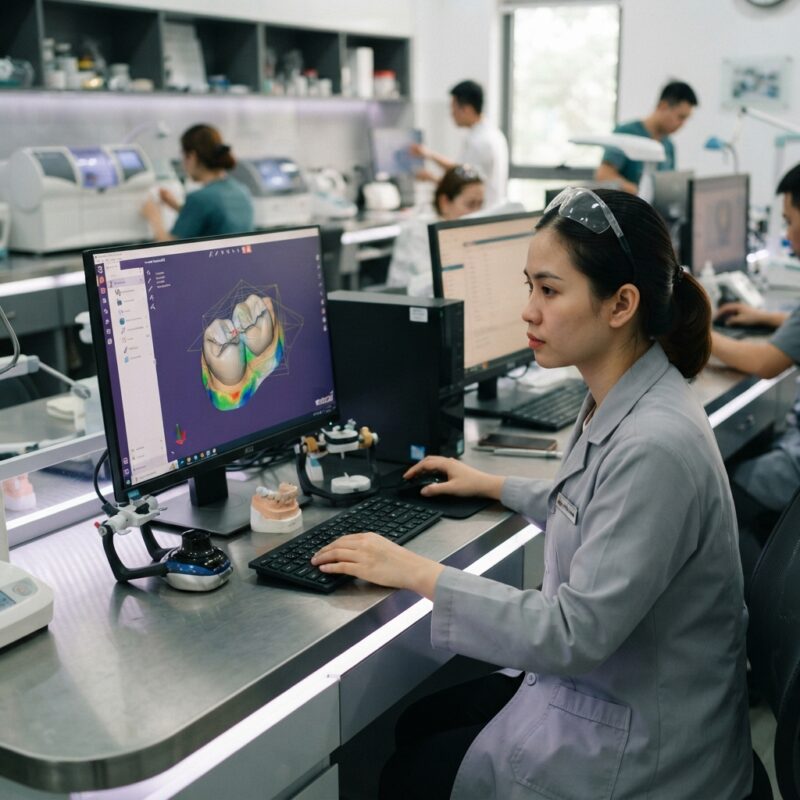
Digital crown design is the process of creating a precise 3D model of a crown using CAD software, which is then fabricated using CAM technology.
It begins with capturing a digital impression of the prepared tooth using intraoral scanners. The scan data is imported into CAD software, where the dentist or dental lab technician designs the crown with exact anatomical and occlusal specifications. The design is then sent to a milling machine or 3D printer to produce the restoration.
This technology reduces errors, improves fit, and shortens turnaround time compared to traditional methods. Learning this process firsthand is a cornerstone of how dentists can build digital skills while running a busy practice 2026.
How Can Digital Skills Improve Patient Outcomes?
Developing digital skills enhances precision in diagnosis and treatment, resulting in better-fitting prosthetics, fewer adjustments, and shorter treatment times.
Using digital scans and CAD/CAM design ensures restorations align accurately with patient anatomy, reducing discomfort and improving aesthetics. Additionally, digital workflows facilitate better communication with patients through visual treatment plans, increasing trust and compliance.
Ultimately, digital proficiency leads to higher patient satisfaction and practice growth, reinforcing the importance of how dentists can build digital skills while running a busy practice 2026.
Emerging Trends in Digital Dentistry for 2026 and Beyond
Looking ahead, dental professionals will see further integration of artificial intelligence (AI), augmented reality (AR), and cloud-based collaboration tools in digital dentistry.
AI-powered diagnostic software will assist in treatment planning and case design, while AR may enhance surgical guide placement and patient education. Cloud platforms will enable real-time collaboration between dentists and labs worldwide, increasing efficiency and learning opportunities.
Staying current with these trends is essential for understanding how dentists can build digital skills while running a busy practice 2026 and remain at the forefront of dental innovation.

How to Measure Progress and Maintain Momentum in Digital Skill Development
Tracking progress is essential to sustain motivation and ensure the effectiveness of digital skill-building efforts. The answer is to establish measurable benchmarks such as the number of digital cases completed, reduction in remakes, and patient feedback scores.
Regularly reviewing these metrics helps identify areas for improvement and celebrate successes. Additionally, continuing education credits and certifications provide formal recognition of skill advancement. Maintaining a learning culture within the practice encourages ongoing adoption and mastery of digital dentistry techniques.
Conclusion and Call to Action
Understanding how dentists can build digital skills while running a busy practice 2026 is vital for delivering modern, efficient, and patient-centered care. By leveraging time management, training resources, collaboration with dental labs, and strategic outsourcing, dentists can successfully integrate digital workflows without sacrificing clinical productivity.
Step-by-Step Guide to Implementing a Digital Workflow in Your Dental Practice
Transitioning to a fully digital workflow can seem daunting, especially for busy dental practices and labs. However, breaking down the process into manageable steps can simplify the journey and reduce the risk of costly mistakes. Below is a detailed step-by-step guide to help dental professionals implement a digital workflow effectively.
Step 1: Assess Your Current Workflow and Identify Gaps
Before investing in digital tools, analyze your existing processes in patient care, impression taking, design, and lab communication. Identify bottlenecks, error-prone steps, and areas where digital technology can bring the most value. For example, are manual impressions causing delays or inaccuracies? Is communication with the lab slow or unclear? This assessment will help prioritize which technologies to adopt first.
Step 2: Select the Right Digital Equipment and Software
Choose scanners, design software, and milling or 3D printing devices that fit your practice size, budget, and clinical needs. Consider interoperability and compatibility with your lab’s systems for seamless collaboration. For instance, some intraoral scanners integrate directly with specific CAD software or lab management platforms, reducing data transfer errors.
Step 3: Train Your Team Thoroughly
Digital skills development is a team effort. Schedule hands-on training sessions for dentists, hygienists, assistants, and lab technicians. Use vendor training, online courses, and peer mentoring. Emphasize practical applications and troubleshooting to build confidence and reduce downtime during the transition.
Step 4: Pilot the Digital Workflow on Simple Cases
Start by applying the digital workflow on straightforward restorations like single crowns or night guards to minimize risks. Monitor timing, accuracy, and patient feedback closely. Document lessons learned and adjust protocols before expanding to more complex cases.
Step 5: Establish Clear Protocols and Checklists
Create detailed step-by-step procedural checklists for each stage of the digital workflow—from scanning to design to fabrication and delivery. For example, a scanning checklist might include ensuring dry fields, proper angulation, and complete arch capture. Protocols help maintain consistency and quality, even as different team members handle cases.
Step 6: Evaluate and Optimize Continuously
Collect data on turnaround times, remakes, patient satisfaction, and clinician ease of use. Use this feedback to refine your digital processes continually. Engage with your dental lab regularly to troubleshoot issues and explore innovations that can further streamline workflows.
Cost and Quality Considerations When Investing in Digital Dentistry Technologies
Investing in digital dentistry equipment and software is a significant decision for any dental practice or lab. Understanding the cost implications and how they relate to quality outcomes is crucial for making informed choices that maximize ROI.
Initial Investment vs. Long-Term Savings
High-quality intraoral scanners, CAD/CAM software, and milling machines can require substantial upfront capital, sometimes exceeding tens of thousands of dollars. However, these investments often lead to long-term savings by:
- Reducing the need for physical impression materials and shipping costs
- Decreasing chairside time with faster scanning and same-day restorations
- Lowering remakes and adjustment rates due to improved accuracy
- Enhancing patient retention through improved experience and outcomes
Practices should conduct a cost-benefit analysis considering their volume, case mix, and reimbursement models to forecast break-even points.
Balancing Quality and Affordability
Not all digital technologies provide the same level of precision or user experience. Cheaper scanners might have lower resolution or slower processing times, which can impact restoration fit and patient comfort. Conversely, premium devices often come with robust support and integration features.
For example, a dental lab aiming to produce high-end zirconia crowns may prioritize scanners and design software capable of capturing fine margin details, even if costs are higher. Meanwhile, a general practice focusing on provisional restorations might opt for more budget-friendly options.
Maintenance and Upgrade Costs
Ongoing expenses like software subscriptions, hardware maintenance, and periodic calibrations should be factored into the total cost of ownership. Neglecting maintenance can lead to workflow disruptions and compromised quality. Additionally, staying current with software updates is essential to leverage new features and maintain compatibility with labs and devices.
Common Mistakes to Avoid When Building Digital Skills in Dentistry
Many dental professionals encounter pitfalls when adopting digital dentistry, which can delay progress and increase frustration. Recognizing these common mistakes upfront can save time and resources.
- Skipping Training or Relying Solely on Self-Learning: Digital tools often have steep learning curves. Without structured training, users may misuse equipment or software, leading to errors and inefficiencies.
- Trying to Digitize Everything at Once: Attempting to overhaul all workflows simultaneously can overwhelm staff and disrupt patient care. A phased approach allows gradual skill building and smoother adaptation.
- Ignoring Team Buy-In: Without commitment from the entire team, including administrative staff and lab partners, digital adoption can falter. Engage all stakeholders early and communicate benefits clearly.
- Neglecting Data Management and Backup: Digital files are vulnerable to corruption or loss. Implement reliable data storage, backup protocols, and cybersecurity measures to protect patient information and design files.
- Choosing Technology Without Considering Lab Compatibility: Incompatible systems between the dental practice and lab can lead to delays, remakes, and extra costs. Confirm integration before purchase.
- Overlooking Patient Communication: Patients unfamiliar with digital dentistry may have concerns or unrealistic expectations. Educate patients about the process and benefits to enhance acceptance and satisfaction.
Market-Specific Factors Influencing Digital Skill Development in Dental Practices
The adoption and advancement of digital skills in dentistry vary significantly depending on geographic location, practice type, and patient demographics. Understanding these market specifics can help tailor skill development strategies.
Urban vs. Rural Practices
Urban dental practices often have better access to technology vendors, training resources, and labs equipped with advanced digital capabilities. This accessibility accelerates digital skills acquisition. Conversely, rural practices may face challenges such as limited local support and slower internet connectivity, requiring creative solutions like remote training and cloud-based software.
Specialty Practices vs. General Dentistry
Specialty practices such as orthodontics, prosthodontics, and implantology frequently require more sophisticated digital skills due to complex case planning and custom appliance fabrication. These practices typically invest more heavily in CAD/CAM and 3D imaging technologies. General dentists may focus more on routine digital impressions and chairside milling to enhance efficiency.
Patient Demographics and Expectations
Practices serving younger, tech-savvy patients might find digital dentistry skills more critical for meeting expectations around comfort and treatment speed. Conversely, practices with older patient populations may need to balance digital adoption with traditional techniques and offer thorough patient education to ease transitions.
Reimbursement and Regulatory Environment
In regions where insurance providers reimburse digital procedures or where government incentives support technology adoption, dentists have stronger financial motivation to develop digital skills. Regulatory requirements related to data privacy and medical device use can also influence how digital dentistry is implemented and maintained.
Competitive Landscape
In highly competitive markets, adopting and mastering digital workflows can be a key differentiator for dental practices and labs. Practices that leverage digital skills effectively often enjoy increased referrals, higher case acceptance rates, and stronger brand reputations.
Common Mistakes Dental Practices Make When Adopting Digital Technologies
Transitioning to digital workflows can be transformative but is not without pitfalls. Here are some frequent mistakes dental practices and labs encounter—and how to avoid them:
- Underestimating the Learning Curve: Many dentists expect immediate proficiency with new digital tools. However, digital dentistry requires time for skill acquisition. Rushing adoption can lead to errors in scanning, design, or milling, compromising the final results. Tip: Allocate dedicated training sessions and allow a ramp-up period before full clinical use.
- Skipping Team Training: Digital workflows depend on the entire team—including assistants and lab technicians—being on the same page. Focusing training solely on the dentist often causes workflow bottlenecks. Tip: Develop a comprehensive training plan that includes all staff members involved.
- Failing to Standardize Protocols: Without clear, written protocols for scanning, design, and production steps, inconsistencies and errors occur. This can lead to remakes and frustrated patients. Tip: Create checklists and standard operating procedures (SOPs) to ensure repeatable quality.
- Neglecting Software Updates and Maintenance: Outdated software or poorly maintained equipment reduces accuracy and efficiency. Neglecting updates can also compromise compatibility with labs or third-party services. Tip: Schedule regular software updates and preventive maintenance as part of your workflow.
- Overinvesting in Technology Without Workflow Integration: Purchasing expensive scanners or milling units without integrating them into the daily workflow wastes resources. Technology should solve specific problems or improve productivity, not add complexity. Tip: Conduct a needs assessment before investment and plan the workflow integration thoroughly.
- Ignoring Data Management and Security: Digital files contain sensitive patient information. Failing to implement secure storage, backup, and compliance measures exposes the practice to legal risks. Tip: Use secure cloud solutions or encrypted local servers and train staff on data privacy protocols.
Cost-Benefit Analysis: Making Smart Financial Decisions on Digital Dentistry Tools
Evaluating Equipment Costs versus Practice Growth
Investing in digital dentistry technology involves upfront costs that can seem daunting, especially for smaller practices. However, a thoughtful analysis can reveal long-term benefits:
- Equipment Acquisition: High-quality intraoral scanners, CAD/CAM milling machines, and 3D printers can cost from $20,000 up to $150,000 or more. Leasing options and bundled software packages may reduce initial capital expenditure.
- Training and Implementation: Budget for professional training, staff time off for learning, and possible workflow disruptions during the transition phase.
- Consumables and Maintenance: Include costs for milling burs, resins, scanner calibration, and software licenses. Regular maintenance contracts are critical to avoid downtime.
- Increased Case Acceptance and Efficiency: Digital workflows can reduce chair time, enable same-day restorations, and improve patient satisfaction, leading to higher case acceptance and revenue growth.
- Reduced Remakes and Material Waste: Precision scanning and design minimize errors, saving material costs and laboratory fees.
Step-by-Step Financial Planning Checklist
- Assess current case volume and identify procedures that would benefit most from digital workflows.
- Request quotes from multiple vendors, including options for leasing and financing.
- Calculate the break-even point based on expected efficiency gains and increased revenue.
- Factor in training costs and potential temporary productivity dips.
- Plan for ongoing expenses including software updates and maintenance.
- Review cost-benefit annually to optimize technology use or plan upgrades.
Leveraging Real-World Case Studies to Inform Digital Skill Development
Examining successful implementations can provide practical insights and inspiration. Here are two real-world examples from dental practices that effectively built digital capabilities:
Example 1: Mid-Sized Dental Practice Streamlines Crowns with In-House CAD/CAM
A 5-dentist practice serving a suburban area invested in an intraoral scanner and milling unit. They began by training one dentist and one assistant intensively over three months. The key steps they followed included:
- Starting with simple single crowns to build confidence.
- Using digital impression scans to reduce patient chair time by 15 minutes per case.
- Implementing a daily checklist for scanning quality and milling calibration.
- Expanding to onlays and veneers after six months.
Outcome: They reduced lab outsourcing by 40%, increased patient satisfaction scores, and saw a 12% increase in crown case volume within the first year.
Example 2: Dental Lab Enhances Collaboration Through Digital File Exchange
A regional dental lab partnered with multiple dental practices to transition from physical impressions to digital file submission. Their approach included:
- Providing training webinars for dentists and assistants on scan quality standards.
- Implementing a secure cloud-based portal for case submission and communication.
- Setting clear turnaround times and feedback protocols to ensure consistency.
- Offering trial periods with no charge for remakes during the transition phase.
Outcome: The lab reduced remake rates by 25% and shortened turnaround times by 20%, strengthening client relationships and expanding their market share.
Checklist for Successful Digital Skill Development and Workflow Integration
- Assess Practice Readiness: Evaluate current workflows, team willingness, and infrastructure.
- Choose Appropriate Technology: Select equipment that matches your case mix and budget.
- Plan Comprehensive Training: Include all team members and schedule periodic refreshers.
- Develop Standard Operating Procedures: Create clear, written protocols for scanning, design, fabrication, and quality control.
- Start Small: Pilot digital workflows on simple cases before full implementation.
- Set Measurable Goals: Define KPIs such as case turnaround time, remake rates, and patient satisfaction.
- Monitor and Adjust: Regularly review workflow performance and make necessary improvements.
- Maintain Equipment and Software: Schedule updates, calibration, and preventive maintenance.
- Ensure Data Security: Implement encrypted storage, backups, and compliance with privacy regulations.
- Foster a Culture of Continuous Learning: Encourage ongoing education and sharing of best practices.
Contact us today to explore how our dental lab CAD/CAM digital design outsourcing service can support your digital growth and practice success.