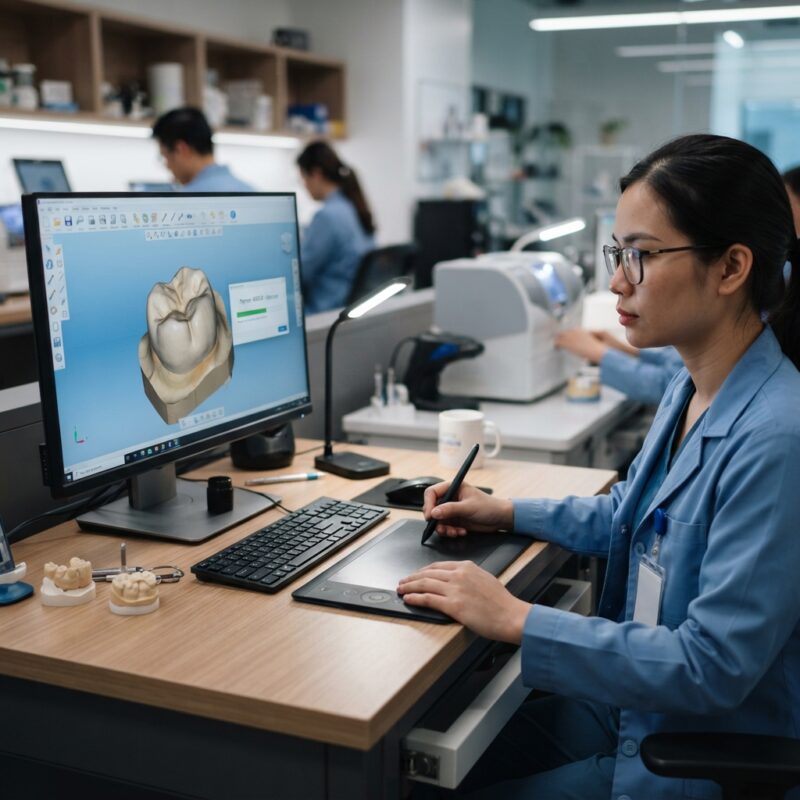
Understanding Dental Software with Integrated Payments 2026
Dental software with integrated payments 2026 represents the next generation of practice management solutions designed to unify clinical workflows, business operations, and payment processing into a single platform. For dental clinics, multi-location DSOs, and dental labs outsourcing CAD/CAM digital design, such software simplifies financial management by recording payments by method—whether cash, card, bank transfer, or installment plans—and tracking outstanding patient balances accurately.
Unlike standalone clinical charting or imaging systems, this software focuses on the administrative and financial side of dental practice management. It does not process payment cards directly but integrates payment records to reconcile accounts and generate comprehensive reports. As dental labs increasingly adopt CAD/CAM digital workflows for crowns, bridges, implants, surgical guides, dentures, orthodontic aligners, and night guards, having robust software to manage the financial side is crucial.
One practical option that dental clinics and DSOs may consider is the Dental Management App by Dental 3D Lab. This app is offered as a gift to clients whose invoices total $1,000 or more in any month—a thank-you for purchasing its dental lab products and services. It is a business and finance management app designed for single clinics or multi-branch operations, providing detailed financial oversight without adding clinical or imaging functions.
What Features Should You Look for in Dental Software with Integrated Payments?
The ideal dental software with integrated payments combines financial accuracy, multi-branch management, user-friendly interfaces, and security features tailored to dental practices. Key features to evaluate include:
- Payment Tracking and Reconciliation: The software should record payments by method (cash, card, bank transfer, installment) and reconcile these against patient balances to prevent revenue leakage.
- Multi-Branch Visibility: For DSOs or clinics with multiple locations, consolidated reports and revenue tracking per branch are essential to monitor performance and cash flow.
- Security and Permissions: Granular permissions by feature and branch, audit logs, device approvals, and emergency lock functions help protect sensitive financial data.
- AI Assistance and Automation: Some platforms include AI assistants that facilitate data entry, reminders, and reporting through text or voice commands, reducing administrative burden.
- Integration with Existing Systems: While not a clinical system, the software should import patient and treatment plan data from Excel or other practice management software for seamless workflows.
- Reporting and Analytics: Comprehensive business performance reports, cash flow overviews, and receivables tracking help optimize financial decisions.
It is important to note that such software does not include clinical charting, digital X-rays, imaging, insurance claims processing, or payment-card processing. The focus remains strictly on financial management and payment record-keeping.
How Much Does Dental Software with Integrated Payments Typically Cost?
The pricing models for dental software with integrated payments vary widely but generally follow these frameworks:
- Subscription Models: Monthly or annual fees based on the number of providers, users, or locations.
- Setup and Training Fees: One-time charges for initial installation, data migration, and user training.
- Payment Processing Fees: While the software tracks payments, actual card processing fees are separate and charged by payment processors.
- Add-Ons and Modules: Some vendors charge extra for advanced reporting, AI assistants, or multi-branch features.
- Contract Length: Discounts may apply for longer-term commitments but can limit flexibility.
For example, a typical small practice might pay a base subscription fee ranging from $100 to $300 per month, plus setup fees starting at several hundred dollars. Larger DSOs should expect higher fees reflecting complexity and the number of branches. Always clarify with vendors about hidden fees such as data export charges or user-license upgrades.
What Are the Common Challenges When Choosing Dental Software with Integrated Payments?
Choosing the right dental software with integrated payments can be challenging due to:
- Hidden Costs: Some vendors advertise low base prices but add fees for essential features or support.
- Complex Pricing Models: Pricing per user, per provider, or per location can quickly escalate costs for growing practices.
- Data Security Concerns: Practices must ensure the software supports strong encryption, device approvals, and audit logs to protect financial data.
- Limited Integration: Some software may not import data easily from existing systems, increasing manual entry.
- Feature Overlap: Clinics may purchase software with clinical features they do not need, increasing complexity and cost.
- Vendor Lock-In: Contracts with long minimum terms and penalties can restrict switching providers if expectations are not met.
To avoid these pitfalls, ask vendors detailed questions about fees, data ownership, security measures, and contract terms before committing.
What Questions Should You Ask Vendors About Dental Software with Integrated Payments?
When evaluating potential software vendors, ask clear, direct questions such as:
- What pricing models and fees apply, including setup, training, data exports, and add-ons?
- How does the software record and reconcile payments by various methods?
- Can the software manage multiple branches with consolidated and individual reports?
- What security protocols protect payment and patient financial data?
- Is there an AI assistant or automation to simplify data entry and reporting?
- Does the software integrate with existing practice management or Excel files?
- Who hosts the data, and how is data ownership and privacy handled?
- Are there minimum contract lengths, cancellation policies, or renewal terms?
- What support and training are included or available at additional cost?
Clear, upfront answers will help you assess each option and avoid surprises after purchase.
How Does the Dental 3D Lab Dental Management App Fit into This Landscape?
The Dental 3D Lab Dental Management App is a unique offering within the dental software with integrated payments category. It is provided as a complimentary gift to clients who invoice at least $1,000 per month with Dental 3D Lab’s CAD/CAM digital design outsourcing services.
This app is specifically designed for managing business and financial operations across one or multiple dental clinics or branches. It features:
- Revenue, expense, and cash flow reports by branch
- Tracking of patient balances, deposits, installment plans, and bad debt
- Warranty and treatment-return tracking
- Commission rules, bonuses, salary advances, and payroll runs with QR-code attendance
- Granular permissions and audit logs
- Device approvals and emergency lock
- An AI assistant for voice/text queries and data entry
- Import of patient and treatment plan data from Excel
- Online booking for patients to select clinics and appointment times
Unlike hosted SaaS solutions, the app is deployed on the clinic’s own hosting and domain, with Dental 3D Lab providing the source code and deployment assistance. Data is stored securely with end-to-end encryption and DDoS protection measures but is not accessible by Dental 3D Lab. The app supports US dollars, English, and other languages.
Importantly, the app does not process payment cards or handle clinical charting, imaging, insurance claims, or e-prescribing. It focuses solely on business and finance management, which makes it a great complement to clinical and imaging software.
This app is not available for separate purchase or download; it is a benefit exclusive to qualifying clients. A free live demo is available on the Dental Management App page, allowing users to explore sample data and roles without signing up.
What Are the Advantages of Using Dental Software with Integrated Payments?
Dental software with integrated payments offers several advantages to dental practices and DSOs:
- Streamlined Financial Operations: Integrating payments into practice management reduces errors and manual reconciliation.
- Improved Cash Flow Visibility: Real-time tracking of receivables and deposits helps practices manage working capital effectively.
- Multi-Branch Management: DSOs gain oversight of individual clinic performance and consolidated finances for better decision-making.
- Enhanced Security: Features like audit logs, device control, and encryption protect sensitive payment data.
- Reduced Administrative Burden: AI assistants and automation speed up data entry, reporting, and reminders, freeing staff for patient care.
- Better Patient Experience: Online booking and transparent payment tracking improve communication and satisfaction.
These benefits contribute to healthier practice finances and operational efficiency, crucial for growth and competitiveness.
Are There Free Options for Dental Software with Integrated Payments?
Free dental software with integrated payments typically comes with limitations such as feature caps, restrictions on the number of users, paid add-ons, advertisements, or the sale of user data. These limitations may hinder scalability and security for growing practices.
The Dental 3D Lab Dental Management App is not a free-for-all download but a gift exclusively offered to qualifying clients with monthly invoices above $1,000. This model ensures that the software remains a valued, secure, and supported tool rather than a limited free product with hidden costs or privacy concerns.
What Are the Security Considerations for Dental Software with Integrated Payments?
Security is paramount when managing patient payments and financial data. Dental software with integrated payments should include:
- End-to-End Encryption: Protects data in transit and at rest from unauthorized access.
- Device Approval: Restricts which devices can access the system, reducing risk of breaches.
- Audit Logs: Tracks who accessed or modified data and when, supporting compliance and investigations.
- Emergency Lock: Allows rapid shutdown of access in case of security incidents.
The Dental 3D Lab app incorporates these features, but practices should also ensure their hosting environment is secure and complies with applicable regulations.

How Does Dental Software with Integrated Payments Support Multi-Branch Dental Organizations?
Dental software with integrated payments often includes multi-branch capabilities to meet the needs of dental service organizations (DSOs) and practices with multiple locations. This support typically involves:
- Unified Dashboard: A single view of revenue, expenses, and cash flow across all branches.
- Branch-Specific Reporting: Detailed financial reports broken down by location for granular analysis.
- Permissions by Branch: Control over which users can access data or features in specific clinics.
- Consolidated Patient Balances: Aggregated receivables and payment histories across branches.
- Payroll and Commission Management: Handling staff compensation with attendance tracking and commission rules per branch.
These features enable DSOs to optimize resource allocation, compliance, and profitability at both local and corporate levels. The Dental 3D Lab Dental Management App supports these functions, making it a valuable tool for multi-branch entities.
What Should Dental Clinic Owners Know About Integrating Payment Systems?
Dental clinic owners should understand that dental software with integrated payments typically records and reconciles payment data rather than directly processing credit or debit card transactions. Actual payment processing is handled by separate payment gateways or processors, which charge their own fees and require compliance with financial regulations.
Therefore, it is essential to confirm that the software accurately records all payment methods, including cash, bank transfers, and installment plans, and reflects patient balances correctly. The software should also provide clear, customizable reports to monitor collections and outstanding payments.
When evaluating software, ask vendors how they handle payment data synchronization, how frequently records update, and whether manual adjustments are necessary. Ensure the software’s payment modules work smoothly with your existing financial systems or bank reconciliation processes.
How Does Digital CAD/CAM Outsourcing Complement Dental Practice Management Software?
Outsourcing CAD/CAM digital design and manufacturing to dental labs allows dental practices to focus on patient care while leveraging advanced technology for crowns, bridges, implants, surgical guides, dentures, orthodontic aligners, and night guards. This specialization improves product quality and turnaround times.
Integrating dental practice management software with outsourced CAD/CAM workflows enhances efficiency by linking treatment plans and financial data, streamlining order tracking, and simplifying billing reconciliation. Although dental practice management software like the Dental 3D Lab Dental Management App does not perform design or manufacturing functions, it supports financial and business management activities related to outsourced products and services.
Such synergy helps clinics maintain clear financial records, monitor costs, and evaluate profitability of outsourced dental prosthetics and appliances. This approach works well alongside surgical guide design services and digital dental lab partnerships.
Where Can You Learn More About Dental Practice Management and Payment Software?
To deepen your understanding, reputable sources include the American Dental Association for industry standards and best practices, and Wikipedia’s dental software overview for general background. For CAD/CAM technology specifics, manufacturers like 3Shape and exocad provide insights into digital design trends.
Further, exploring live demos such as the Dental 3D Lab’s Dental Management App can provide practical experience with software capabilities relevant to payment integration and multi-branch management.
Conclusion: Choosing the Right Dental Software with Integrated Payments
Selecting dental software with integrated payments 2026 requires balancing feature needs, security, pricing transparency, and compatibility with your practice’s size and workflows. Understanding what is included—and what is not—in such systems helps set realistic expectations.
The Dental 3D Lab Dental Management App offers a distinctive option for clinics already utilizing CAD/CAM outsourcing services, providing sophisticated yet practical financial management tools without clinical or payment processing complexity.
Step-by-Step Guide to Implementing Integrated Payment Software in Your Dental Practice
Transitioning to a dental software platform with integrated payments can seem daunting, but breaking it down into manageable steps helps ensure a smooth implementation. Here’s a practical, step-by-step approach for dental labs and practices:
- Assess Your Current Workflow: Map out your existing payment processing, billing, and patient management workflows. Identify pain points, such as delays in payment reconciliation or manual data entry errors.
- Define Your Requirements: List must-have features based on your assessment, such as support for multiple payment methods, real-time payment tracking, and integration with accounting software.
- Evaluate Vendors with a Trial: Request demos or trial periods to test usability and compatibility with your hardware and existing systems.
- Plan Staff Training: Develop a training schedule to onboard your team on the new system’s payment processing and reporting features. Consider creating step-by-step guides for reference.
- Data Migration: Prepare patient and financial data for migration by cleaning up records and backing up databases to avoid loss during transition.
- Go Live in Phases: Start by processing payments for a subset of patients or a single location (for multi-branch practices) to troubleshoot issues before full rollout.
- Monitor and Optimize: Collect feedback from staff and patients on payment experiences. Use analytics dashboards to identify bottlenecks and refine processes.
Common Mistakes to Avoid When Choosing and Using Dental Payment Software
Many dental labs and practices encounter avoidable hurdles when adopting integrated payment systems. Awareness of these common pitfalls can save time and money:
- Ignoring Total Cost of Ownership: Focusing only on upfront licensing fees can obscure ongoing costs such as transaction fees, hardware purchases, and support contracts.
- Choosing Software Without Scalability: Selecting a solution that cannot grow with your practice’s patient volume or additional locations may force costly replacements later.
- Overlooking Compliance Requirements: Not verifying that the software complies with HIPAA and PCI DSS standards can expose your practice to legal and security risks.
- Failing to Integrate Fully: Using payment software that does not integrate smoothly with your existing clinical or accounting systems leads to data silos and manual reconciliation burdens.
- Neglecting Staff Training: Insufficient training results in user errors, delayed payments, and diminished patient satisfaction.
- Underestimating Patient Communication Needs: Not informing patients about new payment options or procedures can cause confusion and reduce payment compliance.
Cost Versus Quality: Balancing Budget Constraints with Software Capabilities
Budget constraints are a reality for many dental labs and practices, but cutting corners on payment and practice management software can be costly in the long run. Consider these factors when balancing cost against quality:
- Transaction Fees vs. Flat Licensing: Some platforms charge low monthly fees but high transaction fees, which can add up with high patient volume. Others have higher fixed costs but lower per-transaction fees.
- Hardware Requirements: Some integrated payment systems require proprietary card readers or tablets, increasing initial capital expenditure.
- Customization and Support: Cheaper solutions often lack customization options and responsive support, which can impact workflow efficiency and problem resolution speed.
- Future-Proofing: Investing in software with regular updates and new feature rollouts can prevent obsolescence and reduce costs related to switching systems later.
- ROI Metrics: Quantify benefits such as reduced billing errors, faster payment cycles, and improved cash flow when evaluating software cost.
Checklist for Evaluating Dental Software with Integrated Payments
Use this checklist to systematically evaluate dental software options and ensure you select the best fit for your practice or lab:
- Does the software support all payment methods you accept (cards, ACH, cash, financing)?
- Is the payment processing PCI DSS compliant and secure?
- Can the system handle multi-location or multi-branch operations with centralized reporting?
- Does it integrate smoothly with your existing practice management, accounting, and CAD/CAM software?
- Are billing and payment status dashboards intuitive and customizable?
- What are the setup, monthly, and transaction fees? Are there hidden charges?
- Is customer support available 24/7, and does it include onboarding and training?
- Can it generate detailed financial reports for audits and tax compliance?
- Does it offer patient-facing portals or communication tools for payment reminders and online payments?
- Is the software regularly updated to comply with evolving regulations and industry standards?
- What is the average implementation timeline, and what resources are required from your team?
Contact Dental 3D Lab to discuss how their Dental Management App can support your practice’s financial operations and schedule a free live demo on their site.